
Dexc776 - Minecraft Skins & Skin History
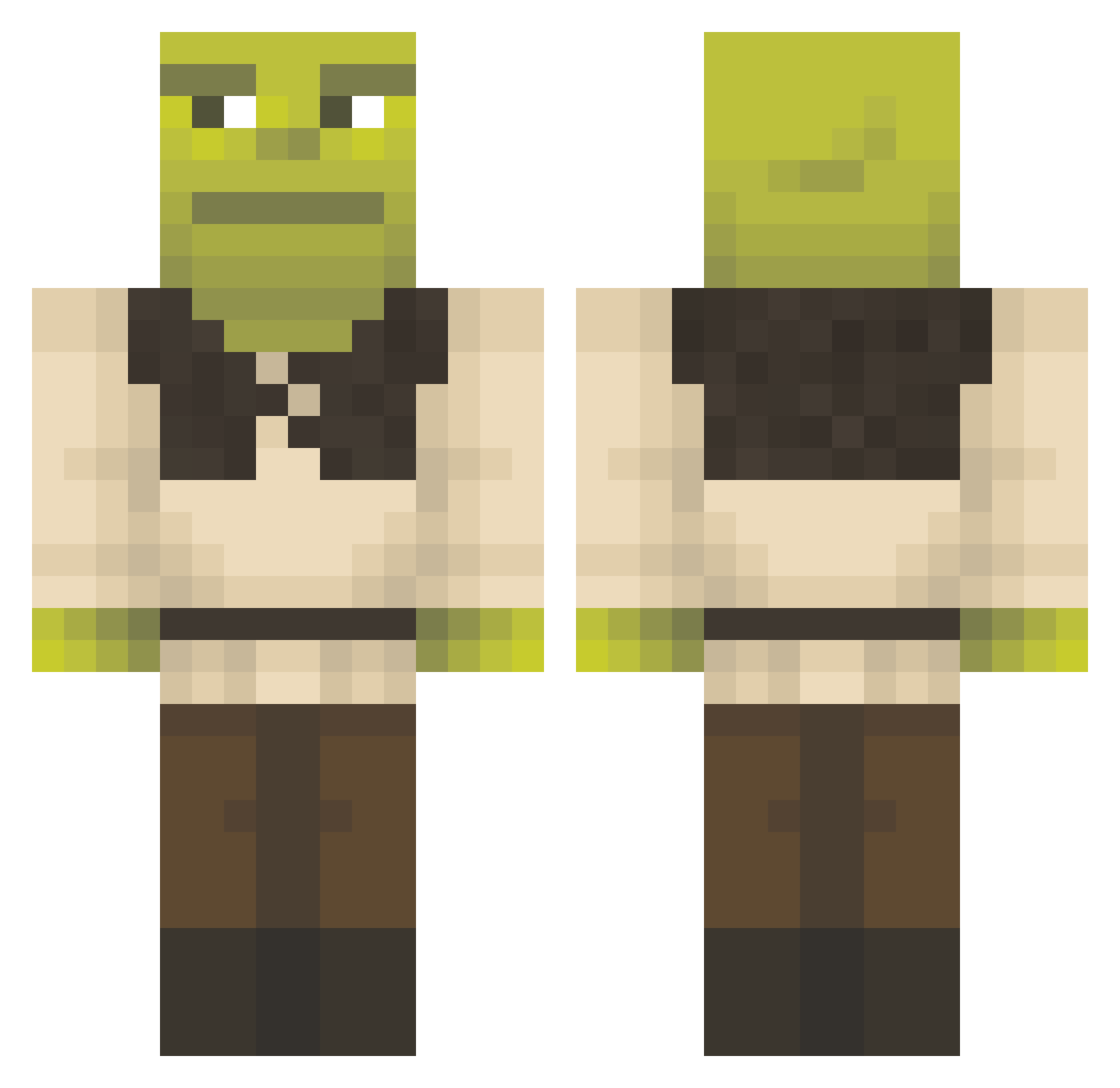
Current Minecraft skin of the player Dexc776, loaded from the official Mojang API. Rotate the 3D model with your mouse or finger, then download the skin as a PNG file and use it in Minecraft: Bedrock Edition or Java Edition for free. When Dexc776 changes their skin, this page updates automatically and the old skin stays in the history below.
Other players with this skin (1356)
Dexc776 was the 745th player we have seen with this skin, first spotted on 24.09.2026. The same skin was seen on these players. Open a nickname to see their current skin and skin history.
 bacobacon Efeemre7927 Nuskamu Floppy454 Kaktuz12 pablos_ Boxarbengt Spence15 d3syncr0 Brantleyalt Ghxsstz SanggyuGanzi Pampas_2023 TL_DannyYT Swagdaddy96 giiadona Homyak_ RETZUNET gipwoc Sauerkirsche123 OgreLord545 Noodlesoup9374 GusGus_15 Caiziiie Lasauttaja69 PuffieDestroyer ohchaeryeong DonMorsa cuconz MKM505 Oczuss Fernndez04 lildimich KristallWoizaa VRLProdigy ItzSayzr ChrisFAYGO Hiarhu krisjenner1 diddydanger stanczzvyk1 ElecKtroSkwiZz 1takerocky EugeneKing2013 wwedd MrSamuel11 EigilMus FranPeluix Shredder1998 dnaero Teres7 pecenyadamko bobloblaw300 Osaruu NAPIERAK isikgoz oppstanky Gnnzld CoolGuy0123 Ibrahim_Alj
More Shrek Minecraft skins
How to install the Dexc776 skin
- Press the Download button above to save the skin as a PNG file.
- Minecraft: Bedrock Edition (PE): open the Dressing Room from the main menu (or tap your character → Edit Character), go to Classic Skins → Owned, press the + (new skin) button, choose the downloaded PNG and pick the Classic (Steve) model. Works on PC and mobile; consoles cannot import custom skins.
- Minecraft: Java Edition: open the Minecraft Launcher, go to the Skins tab, click New Skin, load the PNG, pick the Classic (Steve) model and press Save & Use. You can also upload it at minecraft.net → Profile → Change Skin.
The skin does not show up after import - what should I do?
Restart Minecraft and open the Dressing Room again - imported skins sometimes appear only after a restart. Also make sure you selected the imported skin and picked the Classic (Steve) model.
Which model should I choose, Classic or Slim?
This skin is designed for the Classic (Steve) model. If you pick the wrong model, the arms of the skin will look stretched or squeezed.
Is the skin of Dexc776 free to download?
Yes. Press Download, save the PNG file and use it in Minecraft: Bedrock Edition or Java Edition - no payment or registration needed. The skin also works on multiplayer servers and Realms.
More skins
Looking for more? Go back to all Minecraft skins and check the top skins of the week, month and all time, or find any player's skin by nickname.