
Detoks77 - Minecraft Skins & Skin History
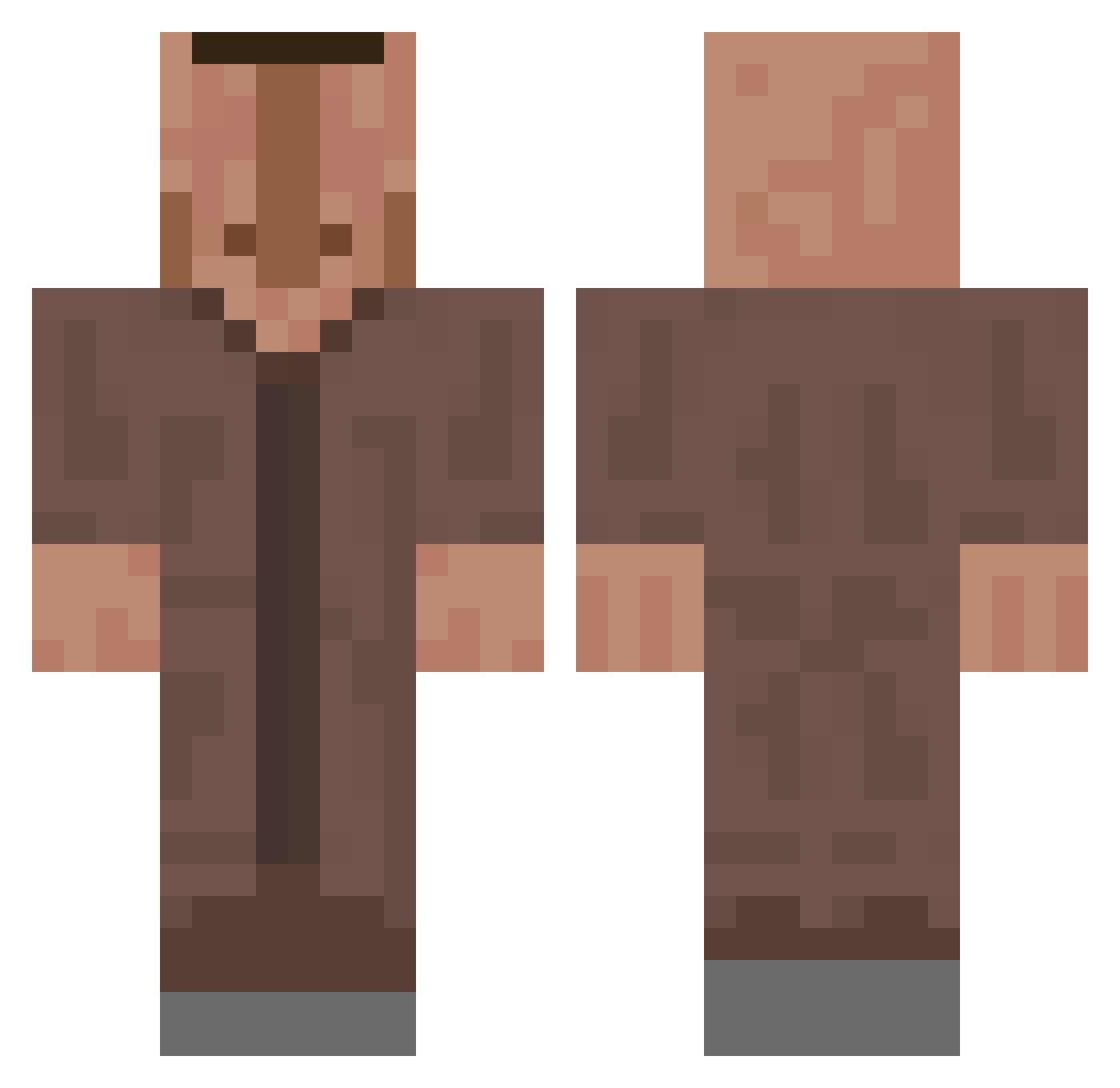
Current Minecraft skin of the player Detoks77, loaded from the official Mojang API. Rotate the 3D model with your mouse or finger, then download the skin as a PNG file and use it in Minecraft: Bedrock Edition or Java Edition for free. When Detoks77 changes their skin, this page updates automatically and the old skin stays in the history below.
Other players with this skin (821)
Detoks77 was the 657th player we have seen with this skin, first spotted on 31.10.2026. The same skin was seen on these players. Open a nickname to see their current skin and skin history.
 IAmBigO jimpiepimpie Netss0_0 anapa2014 Icesampro234 Turb0Ninja GRE3NT3A firefloo7 Bur4ik haso109 st0myS HOIIIIIIIL ju_nun0603 Only_Willem oDanyaSosatelb Poepeter123829 PutridSmell EssenWirHeuteOma SumoEvent Kalokedym Spongeboy1 Loxeeer BongoFM HomerStockholm Bluefine relakss GEMA01 DemostainCitizen nevipuskayt2004 Oldvan4 Lil_Nutulate JAS0Nbtw TTVFroschPolizei Flyby009 LordSimpsalot DanilkaM12 MiserableGamer22 Harolf Gojyrm UnbornFatex parkroa TheLazyCoder_JS BlauKatzeee felipelmp Knackeries CastfighterLP Gekoz Goully dnrWh GedankeJupiter5 Olanzapina DINGO558 Gusta51 JohnPorkThinkHHH jaroslaw69 MHHSU conwick200522 Johnn_Jetrix jam27_ unsporting
More Villager Minecraft skins
How to install the Detoks77 skin
- Press the Download button above to save the skin as a PNG file.
- Minecraft: Bedrock Edition (PE): open the Dressing Room from the main menu (or tap your character → Edit Character), go to Classic Skins → Owned, press the + (new skin) button, choose the downloaded PNG and pick the Classic (Steve) model. Works on PC and mobile; consoles cannot import custom skins.
- Minecraft: Java Edition: open the Minecraft Launcher, go to the Skins tab, click New Skin, load the PNG, pick the Classic (Steve) model and press Save & Use. You can also upload it at minecraft.net → Profile → Change Skin.
The skin does not show up after import - what should I do?
Restart Minecraft and open the Dressing Room again - imported skins sometimes appear only after a restart. Also make sure you selected the imported skin and picked the Classic (Steve) model.
Which model should I choose, Classic or Slim?
This skin is designed for the Classic (Steve) model. If you pick the wrong model, the arms of the skin will look stretched or squeezed.
Is the skin of Detoks77 free to download?
Yes. Press Download, save the PNG file and use it in Minecraft: Bedrock Edition or Java Edition - no payment or registration needed. The skin also works on multiplayer servers and Realms.
More skins
Looking for more? Go back to all Minecraft skins and check the top skins of the week, month and all time, or find any player's skin by nickname.