
Denzel_01 - Minecraft Skins & Skin History
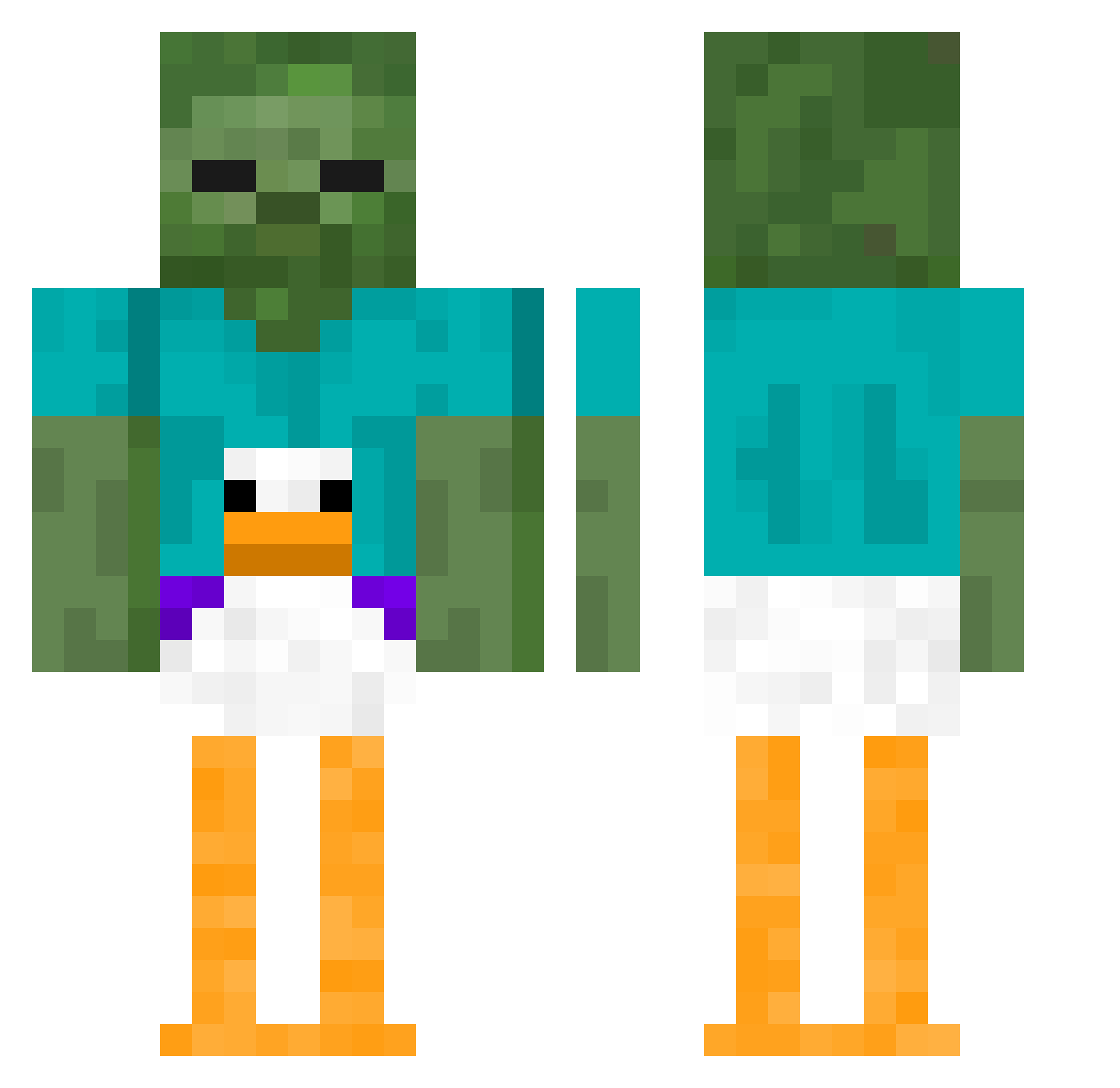
Current Minecraft skin of the player Denzel_01, loaded from the official Mojang API. Rotate the 3D model with your mouse or finger, then download the skin as a PNG file and use it in Minecraft: Bedrock Edition or Java Edition for free. When Denzel_01 changes their skin, this page updates automatically and the old skin stays in the history below.
Other players with this skin (339)
Denzel_01 was the 313th player we have seen with this skin, first spotted on 12.10.2026. The same skin was seen on these players. Open a nickname to see their current skin and skin history.
 MACEJKO_ darkladystoner Fearthewolf2234 bluefootie06 Ryankt123 qlywe DAWID0910 axeljovdm _SomePerson_ ottboi winkle22 kuba22458 AverageGuy_12 azshh BENmarshall PatMaweiwni Typhoon_krigeren Boofinatm KingLatte PuggyWuggy2019 DJ_Oetziiii Blinkiblue Reinezzz Soul_Skeleton_ YogurtLicker lovvoissa stanko99 PANTTOM aRiitor1 centifollia TheGynocologist erickch Knobby24 i_h8_ap_stats Joesmith24 WaddleBott FinalBoss1344 LarsUlrich69 Mac8e_ DrGold PSWeebGo21 Colinizer_ YouTasteGreat UnawareSashimi ytx242 juontheminecraft 1TungTungSahur1 SimplyKona Artur2509 gamergrlbathwatr xx2m2xx Kbear2x RckyMT ChadThunderman_ Redblll TTV_Vortoz OneSaltMine arthurshelby_1 clappedlol Ekka_88
More Funny Minecraft skins
How to install the Denzel_01 skin
- Press the Download button above to save the skin as a PNG file.
- Minecraft: Bedrock Edition (PE): open the Dressing Room from the main menu (or tap your character → Edit Character), go to Classic Skins → Owned, press the + (new skin) button, choose the downloaded PNG and pick the Classic (Steve) model. Works on PC and mobile; consoles cannot import custom skins.
- Minecraft: Java Edition: open the Minecraft Launcher, go to the Skins tab, click New Skin, load the PNG, pick the Classic (Steve) model and press Save & Use. You can also upload it at minecraft.net → Profile → Change Skin.
The skin does not show up after import - what should I do?
Restart Minecraft and open the Dressing Room again - imported skins sometimes appear only after a restart. Also make sure you selected the imported skin and picked the Classic (Steve) model.
Which model should I choose, Classic or Slim?
This skin is designed for the Classic (Steve) model. If you pick the wrong model, the arms of the skin will look stretched or squeezed.
Is the skin of Denzel_01 free to download?
Yes. Press Download, save the PNG file and use it in Minecraft: Bedrock Edition or Java Edition - no payment or registration needed. The skin also works on multiplayer servers and Realms.
More skins
Looking for more? Go back to all Minecraft skins and check the top skins of the week, month and all time, or find any player's skin by nickname.