
Demonicchip - Minecraft Skins & Skin History
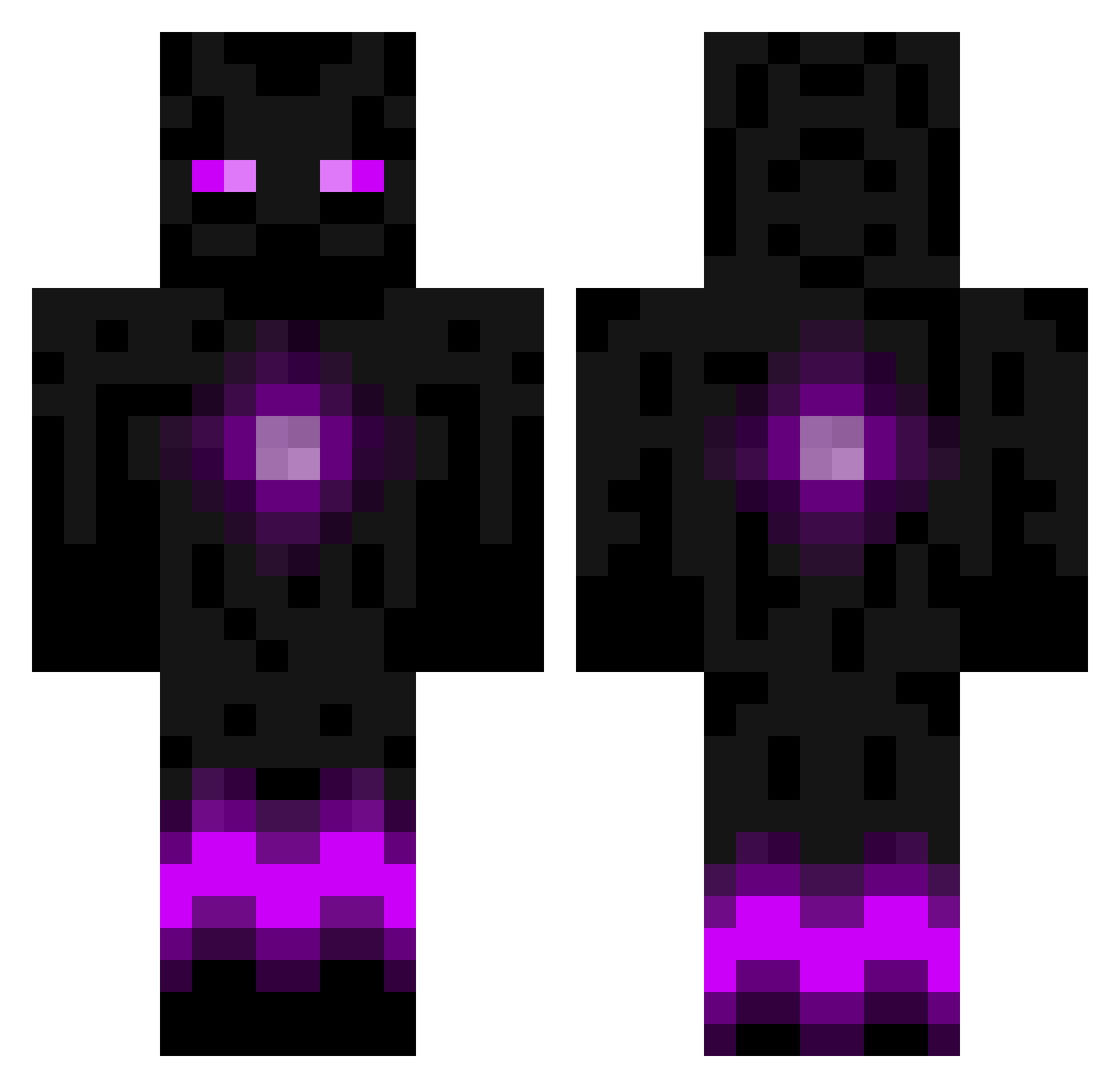
Current Minecraft skin of the player Demonicchip, loaded from the official Mojang API. Rotate the 3D model with your mouse or finger, then download the skin as a PNG file and use it in Minecraft: Bedrock Edition or Java Edition for free. When Demonicchip changes their skin, this page updates automatically and the old skin stays in the history below.
Other players with this skin (787)
Demonicchip was the 146th player we have seen with this skin, first spotted on 14.08.2026. The same skin was seen on these players. Open a nickname to see their current skin and skin history.
 DCrockett SNAProduct11 MitchMinecraft8 aaglu51 s0uR0und ori_sa ezenderman Olly_12 Thor_dds willibear123 Lukestar2005 andreaseb04 reyza spiderkiller206 _azazil_ tom778899 powergabe RealGamer34 AaeroXLion TheBigCIA R3tro_illusion flaming_terror Wolf_Draco Alexander_Dimon Extreme__PvP lybelo willywonka108 BAMA1106 SBL bodett BrackeKoning Kashif78690 BizzieBeaver AidanY06 GabrielaBerry Jagersnitzel GlonderW_W zamil_34 ninjaminecraft22 marchette1 provinceofsky RIK_2000 teighan8 Chilly321 Toskaskill Fubn00b Arbiter190101 jacobcotton Thunder_Blade077 bobbyaaron xCenthron Martinmrrs TOBSTERSMAGUE Sumnerman Toadinhole minecrafte098 creepersmaster13 tchang06 tonderbib6 mrscat
More Enderman Minecraft skins
How to install the Demonicchip skin
- Press the Download button above to save the skin as a PNG file.
- Minecraft: Bedrock Edition (PE): open the Dressing Room from the main menu (or tap your character → Edit Character), go to Classic Skins → Owned, press the + (new skin) button, choose the downloaded PNG and pick the Classic (Steve) model. Works on PC and mobile; consoles cannot import custom skins.
- Minecraft: Java Edition: open the Minecraft Launcher, go to the Skins tab, click New Skin, load the PNG, pick the Classic (Steve) model and press Save & Use. You can also upload it at minecraft.net → Profile → Change Skin.
The skin does not show up after import - what should I do?
Restart Minecraft and open the Dressing Room again - imported skins sometimes appear only after a restart. Also make sure you selected the imported skin and picked the Classic (Steve) model.
Which model should I choose, Classic or Slim?
This skin is designed for the Classic (Steve) model. If you pick the wrong model, the arms of the skin will look stretched or squeezed.
Is the skin of Demonicchip free to download?
Yes. Press Download, save the PNG file and use it in Minecraft: Bedrock Edition or Java Edition - no payment or registration needed. The skin also works on multiplayer servers and Realms.
More skins
Looking for more? Go back to all Minecraft skins and check the top skins of the week, month and all time, or find any player's skin by nickname.