
DehydratedMax - Minecraft Skins & Skin History
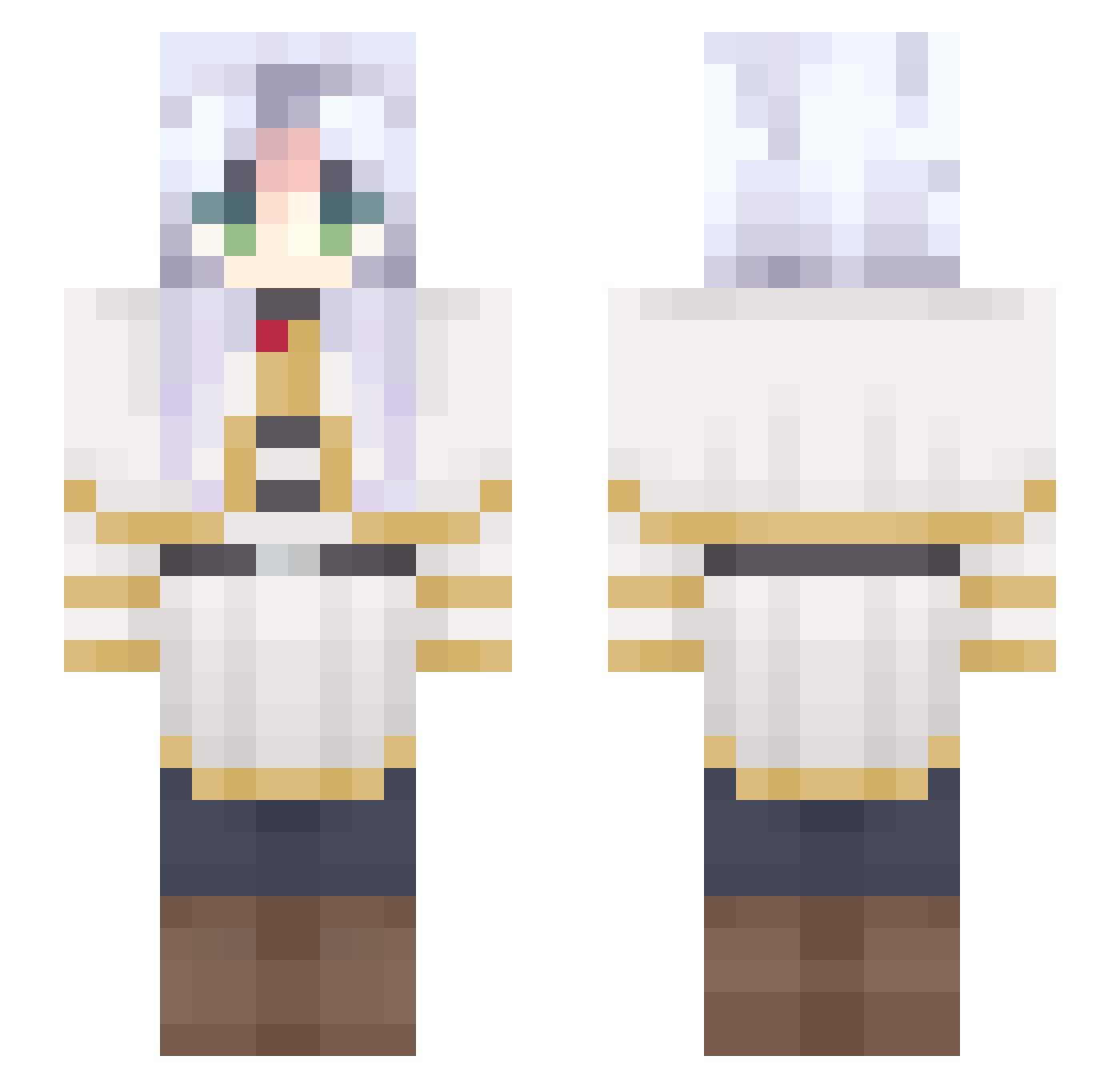
Current Minecraft skin of the player DehydratedMax, loaded from the official Mojang API. Rotate the 3D model with your mouse or finger, then download the skin as a PNG file and use it in Minecraft: Bedrock Edition or Java Edition for free. When DehydratedMax changes their skin, this page updates automatically and the old skin stays in the history below.
Other players with this skin (689)
DehydratedMax was the 507th player we have seen with this skin, first spotted on 13.10.2026. The same skin was seen on these players. Open a nickname to see their current skin and skin history.
 EnderStrage HiggerNater67 hihihiy Armuu Justanoob12 habu1025 NonorDinosaure SantiGraziano Daoflame lHoRiiZoNl CrashingWave182 VINOling Batrexus JustKry sno1ax Singca sorangan_ BusyPoet93117 DarkMoth5 candyccy2017 Midnight_Galaxy chaewon24 Minecraft_Lion haruya0106 dontcareaboutme freak_genius Nam3less_Vandal girlymetal macteliia Zolaica Tonyanya FriendlyPaladin GoodCallaita Dai_Silva yolteon binisbzdgt Astolfo_Name n4okins A11an mataginosato kqss Aceblasted 6Robin6 Kikylana13 jinyu23 Delia_yeye bcgjhki Saturnyq stormchief60 Marquioshs feniquis miniisida DuranMDuarte Maxi03345 CrackerJack42069 xSehyeon Misakhy Ay4nam1 NerdNuggets1 tog1258
More Frieren Beyond Journeys End Minecraft skins
See all 132 Frieren Beyond Journeys End skins
How to install the DehydratedMax skin
- Press the Download button above to save the skin as a PNG file.
- Minecraft: Bedrock Edition (PE): open the Dressing Room from the main menu (or tap your character → Edit Character), go to Classic Skins → Owned, press the + (new skin) button, choose the downloaded PNG and pick the Slim (Alex) model. Works on PC and mobile; consoles cannot import custom skins.
- Minecraft: Java Edition: open the Minecraft Launcher, go to the Skins tab, click New Skin, load the PNG, pick the Slim (Alex) model and press Save & Use. You can also upload it at minecraft.net → Profile → Change Skin.
The skin does not show up after import - what should I do?
Restart Minecraft and open the Dressing Room again - imported skins sometimes appear only after a restart. Also make sure you selected the imported skin and picked the Slim (Alex) model.
Which model should I choose, Classic or Slim?
This skin is designed for the Slim (Alex) model. If you pick the wrong model, the arms of the skin will look stretched or squeezed.
Is the skin of DehydratedMax free to download?
Yes. Press Download, save the PNG file and use it in Minecraft: Bedrock Edition or Java Edition - no payment or registration needed. The skin also works on multiplayer servers and Realms.
More skins
Looking for more? Go back to all Minecraft skins and check the top skins of the week, month and all time, or find any player's skin by nickname.