
Degal - Minecraft Skins & Skin History
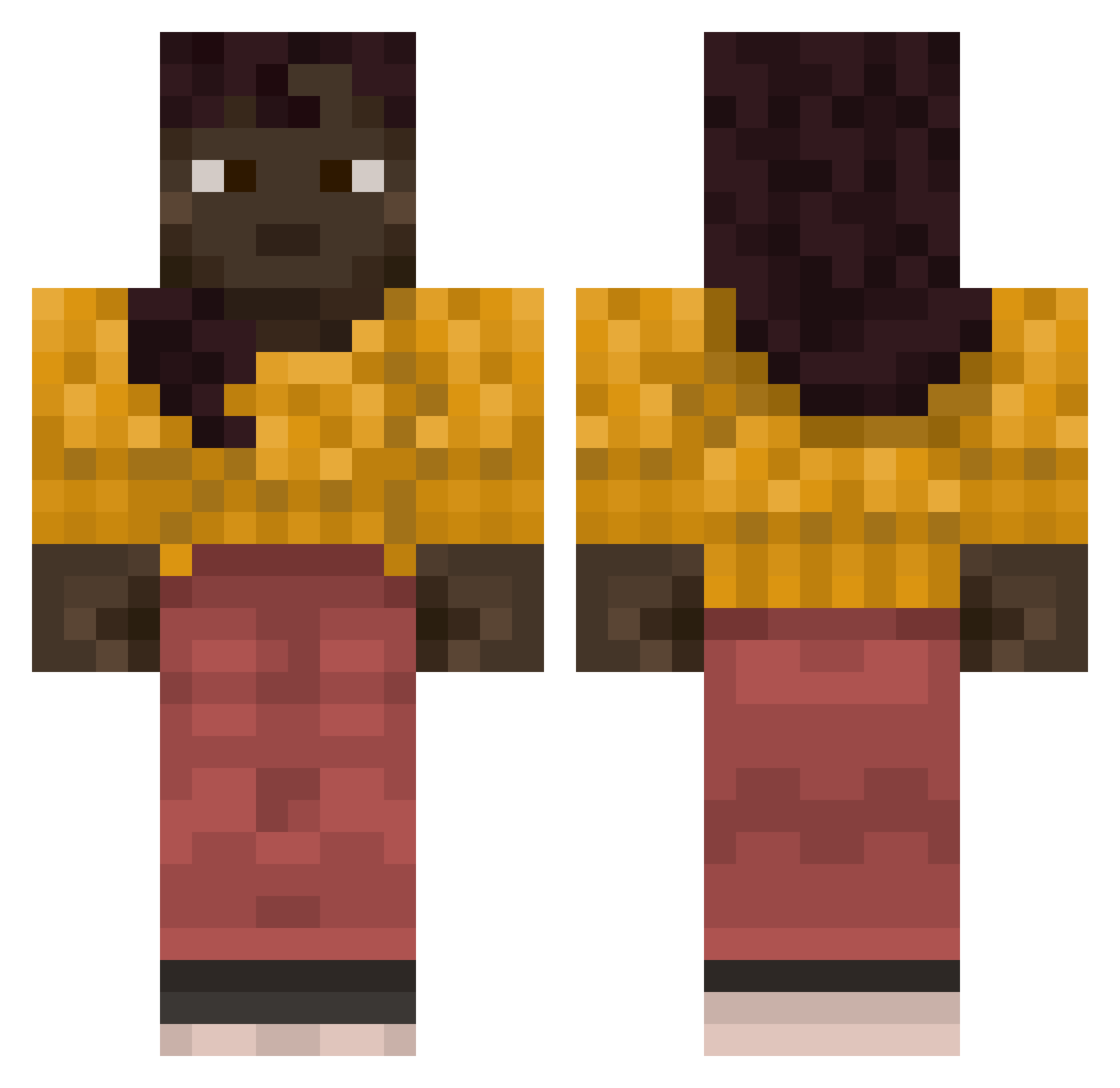
Current Minecraft skin of the player Degal, loaded from the official Mojang API. Rotate the 3D model with your mouse or finger, then download the skin as a PNG file and use it in Minecraft: Bedrock Edition or Java Edition for free. When Degal changes their skin, this page updates automatically and the old skin stays in the history below.
Other players with this skin (841)
Degal was the 580th player we have seen with this skin, first spotted on 07.10.2026. The same skin was seen on these players. Open a nickname to see their current skin and skin history.
 AMDRadeon7800xt pleiotropic Chorizo Dissipative tandstickor Veraxatic OutRaced wangjinguo311 Allocates Oriflamme pokerach19 _Glif_ B4RROS relm9 elccroco Pierre_Dole Azuline XxxxDalaxxxX Laniary Hasavou codder LoveRem520 Mindenas downcomer sacristan inanimate_x Insoluble japonica precis M0nkrus Oneff DIKSHa kpma85 Commandeering master_hwangdun Conceptus Unlegal Renato22 ResidentMarv imaferryfemboy1 PieWoman jrato olemax123 aghaieo n0raroos DarkerChocolate PreDefined Telegonic SoreskM watchet burbly VARun44 RebullRacing choppier Kier Kazerblazer Mebsuta VGKoopa dona19 Sir_Yayham
More Girl Minecraft skins
How to install the Degal skin
- Press the Download button above to save the skin as a PNG file.
- Minecraft: Bedrock Edition (PE): open the Dressing Room from the main menu (or tap your character → Edit Character), go to Classic Skins → Owned, press the + (new skin) button, choose the downloaded PNG and pick the Classic (Steve) model. Works on PC and mobile; consoles cannot import custom skins.
- Minecraft: Java Edition: open the Minecraft Launcher, go to the Skins tab, click New Skin, load the PNG, pick the Classic (Steve) model and press Save & Use. You can also upload it at minecraft.net → Profile → Change Skin.
The skin does not show up after import - what should I do?
Restart Minecraft and open the Dressing Room again - imported skins sometimes appear only after a restart. Also make sure you selected the imported skin and picked the Classic (Steve) model.
Which model should I choose, Classic or Slim?
This skin is designed for the Classic (Steve) model. If you pick the wrong model, the arms of the skin will look stretched or squeezed.
Is the skin of Degal free to download?
Yes. Press Download, save the PNG file and use it in Minecraft: Bedrock Edition or Java Edition - no payment or registration needed. The skin also works on multiplayer servers and Realms.
More skins
Looking for more? Go back to all Minecraft skins and check the top skins of the week, month and all time, or find any player's skin by nickname.