
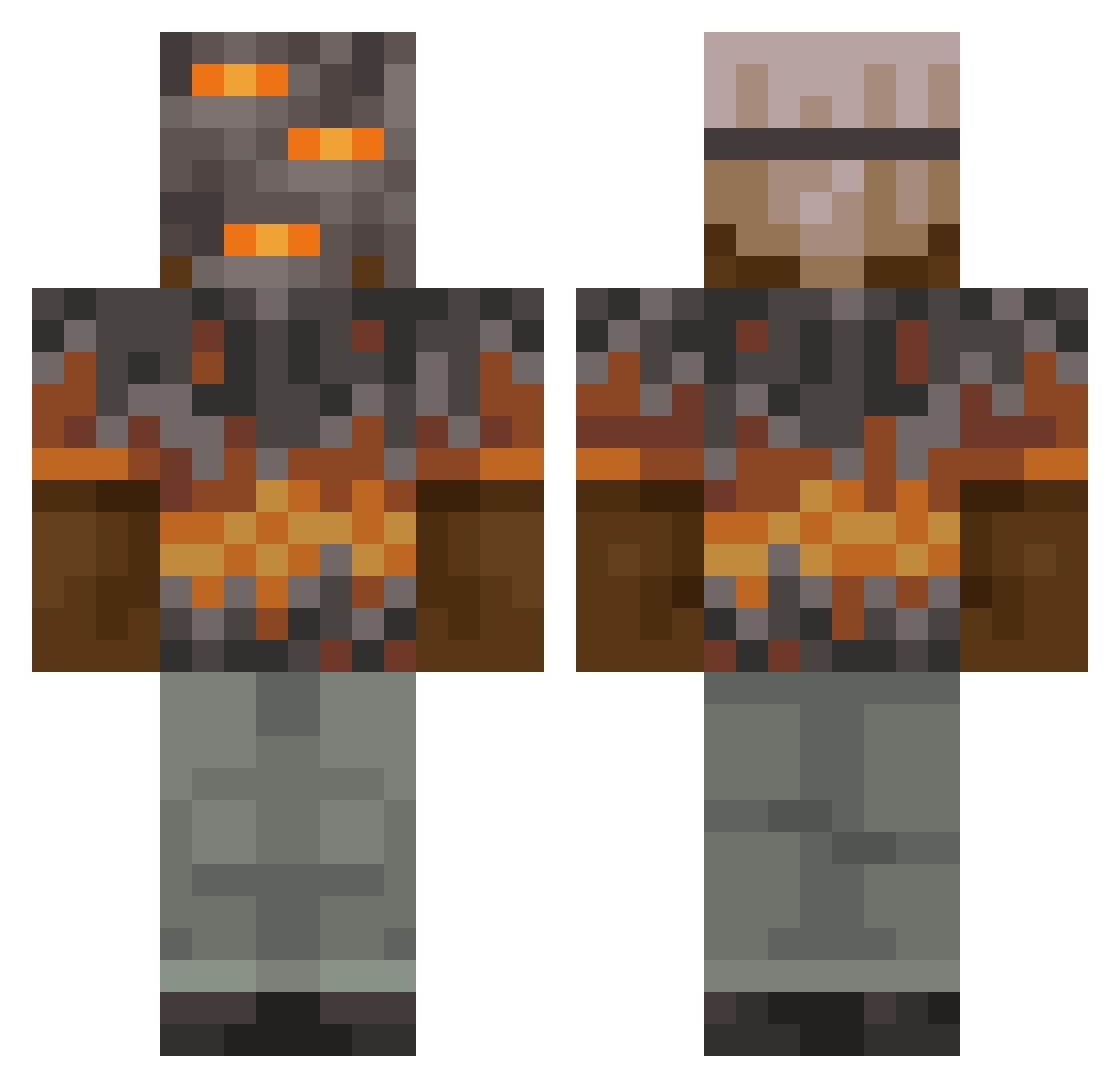
Current Minecraft skin of the player Deanbean123123, loaded from the official Mojang API. Rotate the 3D model with your mouse or finger, then download the skin as a PNG file and use it in Minecraft: Bedrock Edition or Java Edition for free. When Deanbean123123 changes their skin, this page updates automatically and the old skin stays in the history below.
Other players with this skin (788)
Deanbean123123 was the 372nd player we have seen with this skin, first spotted on 02.09.2026. The same skin was seen on these players. Open a nickname to see their current skin and skin history.
 Pandemioc
 RuthlesMC Nachelo TT94ka
 dysonprimes du53 DarkSpawn569 bellei_ Recarim Strijder_1234 iv5m PRO423 Porkchop3068 The_Brandon ExternalPortal Unrolo Nilo_der_Otter Mr_Melone99 ZoomerMathan aiya_nyahaha Detrox_83 Treefiddy8994 NexoOG_ potitopito be_quiet69 Metronomy14 lilrock76 Leo82319 leejw147 Magicalplayer strikerdoms Herisson_ma pupukaka20016 Zuxra oVanillus kallealer Murk3970 Holy_draggon TechWill03 winkworth1013 frisau ValhallaHawkx madmax3000kl MicroGoob Jimbo_094 micah2011 RealZuu
 _belline itstobiaes Ganocuk Wommy44 Lysander43 baycon17 C3lta360 dtoni_ Sn1pz_ Mr_Big1309 anonymoustravis TodiDavid457 Yisus923
More Rock Minecraft skins
How to install the Deanbean123123 skin
- Press the Download button above to save the skin as a PNG file.
- Minecraft: Bedrock Edition (PE): open the Dressing Room from the main menu (or tap your character → Edit Character), go to Classic Skins → Owned, press the + (new skin) button, choose the downloaded PNG and pick the Classic (Steve) model. Works on PC and mobile; consoles cannot import custom skins.
- Minecraft: Java Edition: open the Minecraft Launcher, go to the Skins tab, click New Skin, load the PNG, pick the Classic (Steve) model and press Save & Use. You can also upload it at minecraft.net → Profile → Change Skin.
The skin does not show up after import - what should I do?
Restart Minecraft and open the Dressing Room again - imported skins sometimes appear only after a restart. Also make sure you selected the imported skin and picked the Classic (Steve) model.
Which model should I choose, Classic or Slim?
This skin is designed for the Classic (Steve) model. If you pick the wrong model, the arms of the skin will look stretched or squeezed.
Is the skin of Deanbean123123 free to download?
Yes. Press Download, save the PNG file and use it in Minecraft: Bedrock Edition or Java Edition - no payment or registration needed. The skin also works on multiplayer servers and Realms.
More skins
Looking for more? Go back to all Minecraft skins and check the top skins of the week, month and all time, or find any player's skin by nickname.