
De0l - Minecraft Skins & Skin History
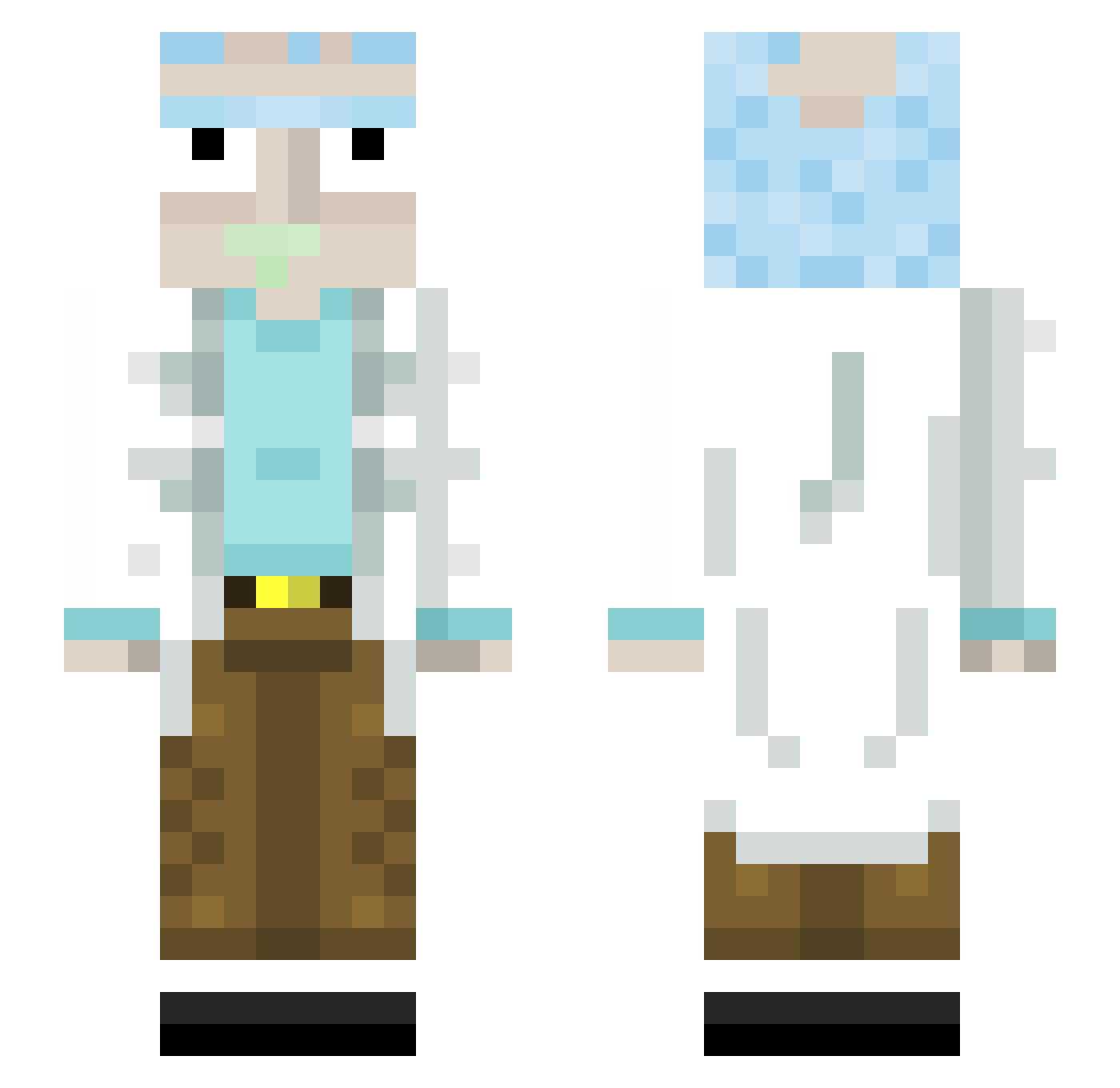
Current Minecraft skin of the player De0l, loaded from the official Mojang API. Rotate the 3D model with your mouse or finger, then download the skin as a PNG file and use it in Minecraft: Bedrock Edition or Java Edition for free. When De0l changes their skin, this page updates automatically and the old skin stays in the history below.
Other players with this skin (445)
De0l was the 160th player we have seen with this skin, first spotted on 03.09.2026. The same skin was seen on these players. Open a nickname to see their current skin and skin history.
 Mertgld Noix2Musca2 pauloet Lopperito kazik3480 Frederick_LXIX IdanKudo Seub31 BlaDe_Master1 LjNOOBY Liandranth Asparo Mellonskull1 SkitEulz CptxGoob icilegna13 Missionar_69 Nepoxx eramester Timster5493 Azyrran Nlx5 Kumar6453 EnderBrott nolantls CallOfRoom kiss_my_axe07 bob_bomette Bilgest ProfessorEBrown Pythahaha iPredictU SanHolo316 Avil1kesmen cr3ate_ xDave85_ TimTheHeretic IvaxToTheMax FlensburgerPils gipsy78 adix3321 xXluca_DezzyXx z0maly Krokettencrack21 uTSwift Deevanta koven60 vitto_mada Nelson045 AdamQ69
 jGpFonseca TrueRickSanchez harry0601 Pasha132009 Gmoneysplash5 ROASTEDDANIEL NodorTulip sekkaii PIG_WEI WiseDisguise
More Rick Sanchez Minecraft skins
See all 218 Rick Sanchez skins
How to install the De0l skin
- Press the Download button above to save the skin as a PNG file.
- Minecraft: Bedrock Edition (PE): open the Dressing Room from the main menu (or tap your character → Edit Character), go to Classic Skins → Owned, press the + (new skin) button, choose the downloaded PNG and pick the Slim (Alex) model. Works on PC and mobile; consoles cannot import custom skins.
- Minecraft: Java Edition: open the Minecraft Launcher, go to the Skins tab, click New Skin, load the PNG, pick the Slim (Alex) model and press Save & Use. You can also upload it at minecraft.net → Profile → Change Skin.
The skin does not show up after import - what should I do?
Restart Minecraft and open the Dressing Room again - imported skins sometimes appear only after a restart. Also make sure you selected the imported skin and picked the Slim (Alex) model.
Which model should I choose, Classic or Slim?
This skin is designed for the Slim (Alex) model. If you pick the wrong model, the arms of the skin will look stretched or squeezed.
Is the skin of De0l free to download?
Yes. Press Download, save the PNG file and use it in Minecraft: Bedrock Edition or Java Edition - no payment or registration needed. The skin also works on multiplayer servers and Realms.
More skins
Looking for more? Go back to all Minecraft skins and check the top skins of the week, month and all time, or find any player's skin by nickname.