
Dawiidoss - Minecraft Skins & Skin History
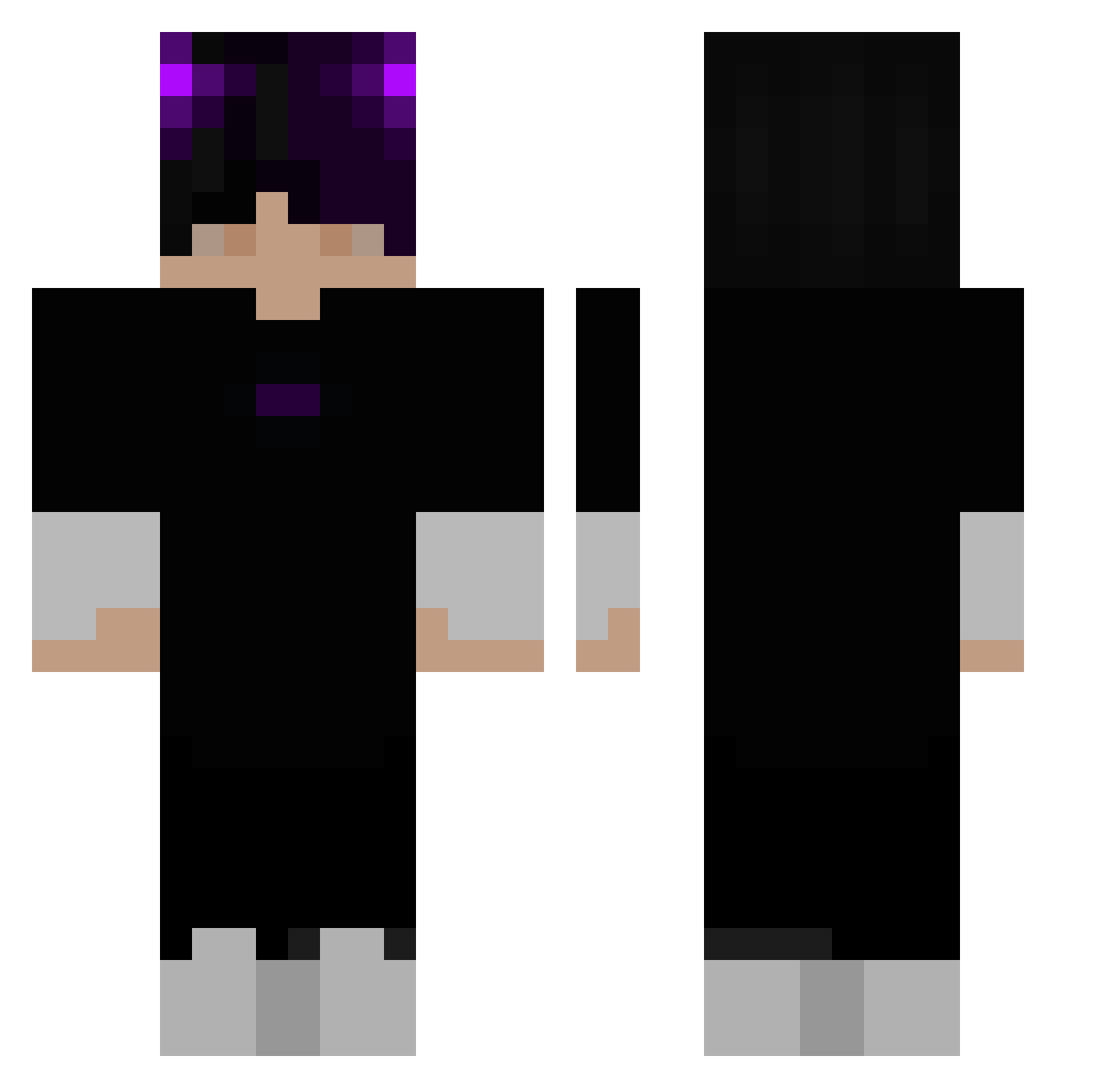
Current Minecraft skin of the player Dawiidoss, loaded from the official Mojang API. Rotate the 3D model with your mouse or finger, then download the skin as a PNG file and use it in Minecraft: Bedrock Edition or Java Edition for free. When Dawiidoss changes their skin, this page updates automatically and the old skin stays in the history below.
Other players with this skin (285)
Dawiidoss was the 97th player we have seen with this skin, first spotted on 28.08.2026. The same skin was seen on these players. Open a nickname to see their current skin and skin history.
 jaenyu123 Wukiio NamesDestroyer Aroon69 columbus02 Mxttezzy Valentin1308 Psicodelic0_o S1CK0M0D3_ vicben1 _heyimkate_ AlpsZii Casmio321 a5656748 Jeronigu Dexify__ Lithif5 Canlady_Baba Mazou_Ytb Toledosky SixBLATANT IIBoxBloodII Hool1y MushiYasuda sweetmizzou VorTeXGl HxntaiJesus VTM_3 FiftyThirdth diabolicdonut DaikiMT Hinata_O4 Miizuukii InfernoWick waleks186 ViniMala ycej_ DaandyDan IQ_RJAL aRiitor ardabey1905 Komisago Tyricee Bi3I Gilgrimesh Juruo_Wolf Taiwan007 Nongmix_TH _Tiger_ MonstaKillar33 Aptszymix333 Randy11as Kroksik15 M4nuPr4yx_ NotZegx Nccccccc lflllll Axopih Caduu0_ Poison_Luck
More Horns Minecraft skins
How to install the Dawiidoss skin
- Press the Download button above to save the skin as a PNG file.
- Minecraft: Bedrock Edition (PE): open the Dressing Room from the main menu (or tap your character → Edit Character), go to Classic Skins → Owned, press the + (new skin) button, choose the downloaded PNG and pick the Classic (Steve) model. Works on PC and mobile; consoles cannot import custom skins.
- Minecraft: Java Edition: open the Minecraft Launcher, go to the Skins tab, click New Skin, load the PNG, pick the Classic (Steve) model and press Save & Use. You can also upload it at minecraft.net → Profile → Change Skin.
The skin does not show up after import - what should I do?
Restart Minecraft and open the Dressing Room again - imported skins sometimes appear only after a restart. Also make sure you selected the imported skin and picked the Classic (Steve) model.
Which model should I choose, Classic or Slim?
This skin is designed for the Classic (Steve) model. If you pick the wrong model, the arms of the skin will look stretched or squeezed.
Is the skin of Dawiidoss free to download?
Yes. Press Download, save the PNG file and use it in Minecraft: Bedrock Edition or Java Edition - no payment or registration needed. The skin also works on multiplayer servers and Realms.
More skins
Looking for more? Go back to all Minecraft skins and check the top skins of the week, month and all time, or find any player's skin by nickname.