
Davidos93 - Minecraft Skins & Skin History
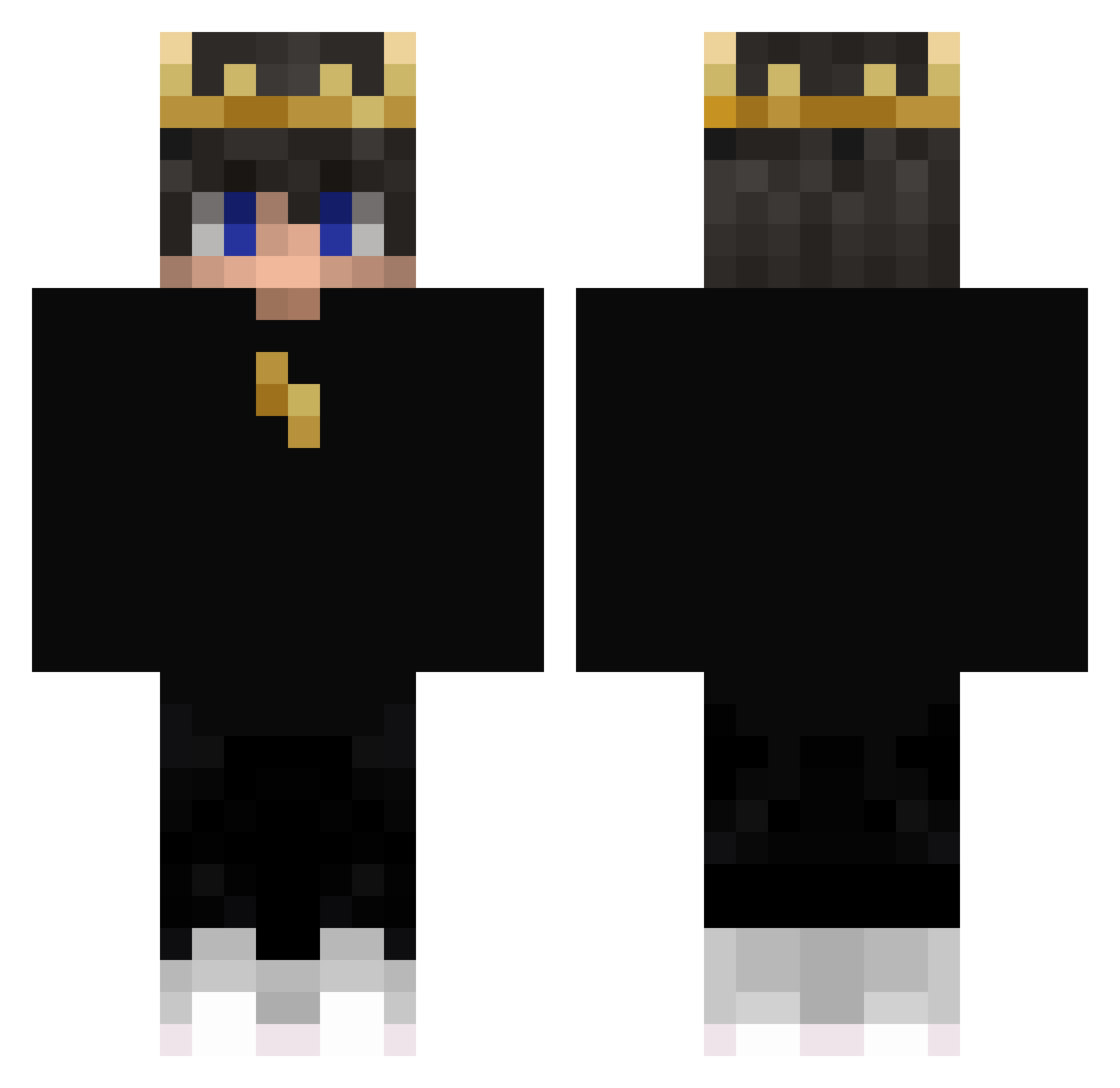
Current Minecraft skin of the player Davidos93, loaded from the official Mojang API. Rotate the 3D model with your mouse or finger, then download the skin as a PNG file and use it in Minecraft: Bedrock Edition or Java Edition for free. When Davidos93 changes their skin, this page updates automatically and the old skin stays in the history below.
Other players with this skin (405)
Davidos93 was the 191st player we have seen with this skin, first spotted on 16.09.2026. The same skin was seen on these players. Open a nickname to see their current skin and skin history.
 UnwilledBaton74 alegug08 kloze1122 Oh_Lan Tauli007 Mlaz_sa DURAG_ADDICT kimchan900tv Anthonyliukan GTJesraD Jakubek_123_ TheSeraf_ ConaM2 P7xl BORUTOphil PolskaAmeryczka SilasLucas craftyallangry Samurai1204 1wtnss K4CPEROWSKY_ Stealthrunner1 soloiscool_ CHANSBAR MrGuuTheGamer Wymess97 juccajones henkka_268 SaS1yaaaaaa Derpluck Dtruffi lMyr0l bohol123 poohoyo2 II_Janni_II Zethprototype Ysera_ CihanTardu Zack_Dearm VoidCosmo_K jaxsnn DarkSlayer560 Tonzeralive GENERATION27 Ricci215 ItzAndres2507 ItzVix ardaS3172 nixos31 Ophosen DAN23_ SeroTR Alexios77 Ozkan_Unluturk MarkM0621 HortyGorgon3169 puggioitaly TwisterNM RodaN33 Roshan12899
More Lightning Minecraft skins
How to install the Davidos93 skin
- Press the Download button above to save the skin as a PNG file.
- Minecraft: Bedrock Edition (PE): open the Dressing Room from the main menu (or tap your character → Edit Character), go to Classic Skins → Owned, press the + (new skin) button, choose the downloaded PNG and pick the Classic (Steve) model. Works on PC and mobile; consoles cannot import custom skins.
- Minecraft: Java Edition: open the Minecraft Launcher, go to the Skins tab, click New Skin, load the PNG, pick the Classic (Steve) model and press Save & Use. You can also upload it at minecraft.net → Profile → Change Skin.
The skin does not show up after import - what should I do?
Restart Minecraft and open the Dressing Room again - imported skins sometimes appear only after a restart. Also make sure you selected the imported skin and picked the Classic (Steve) model.
Which model should I choose, Classic or Slim?
This skin is designed for the Classic (Steve) model. If you pick the wrong model, the arms of the skin will look stretched or squeezed.
Is the skin of Davidos93 free to download?
Yes. Press Download, save the PNG file and use it in Minecraft: Bedrock Edition or Java Edition - no payment or registration needed. The skin also works on multiplayer servers and Realms.
More skins
Looking for more? Go back to all Minecraft skins and check the top skins of the week, month and all time, or find any player's skin by nickname.