
DarkXFollow - Minecraft Skins & Skin History
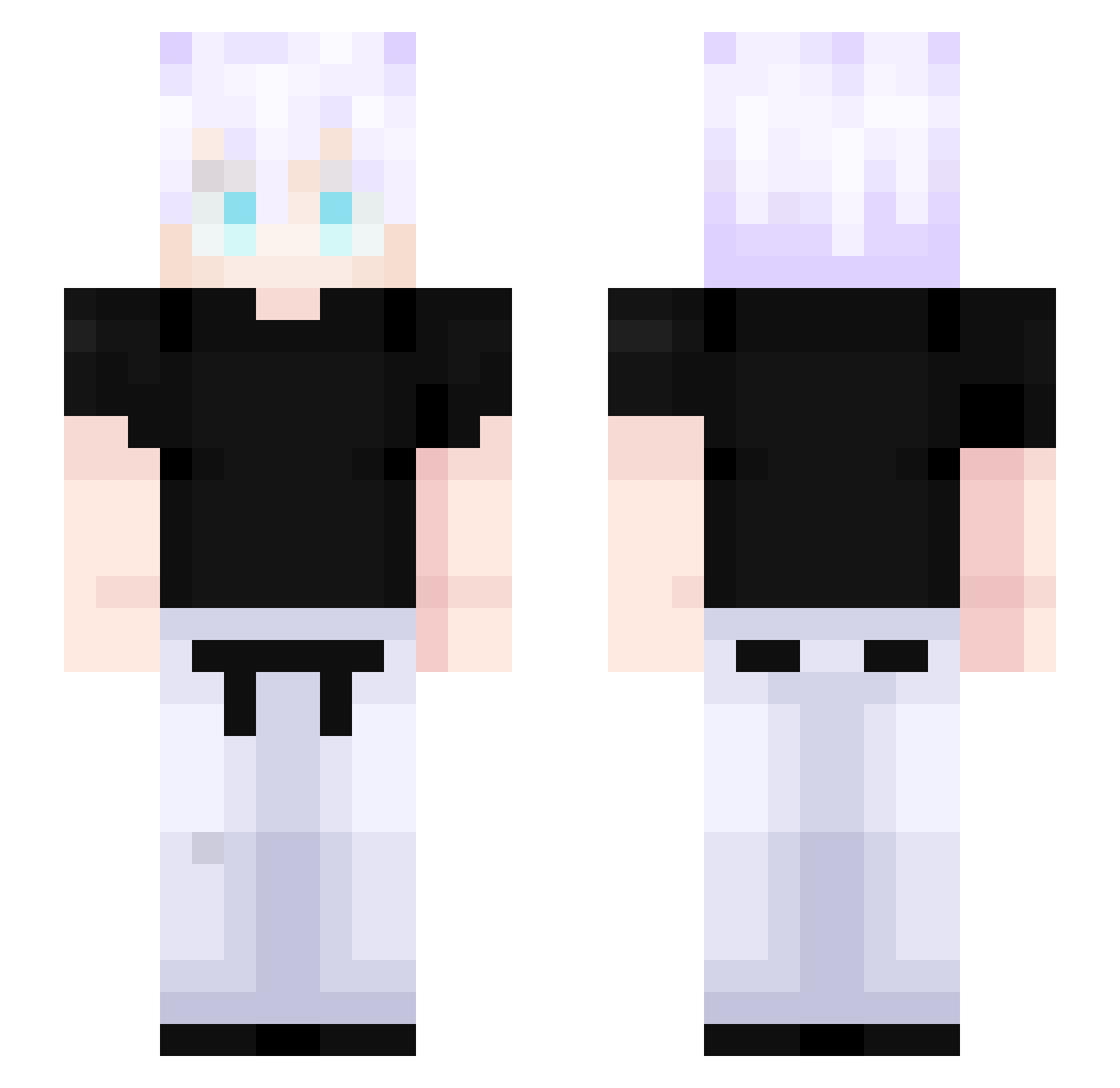
Current Minecraft skin of the player DarkXFollow, loaded from the official Mojang API. Rotate the 3D model with your mouse or finger, then download the skin as a PNG file and use it in Minecraft: Bedrock Edition or Java Edition for free. When DarkXFollow changes their skin, this page updates automatically and the old skin stays in the history below.
Other players with this skin (397)
DarkXFollow was the 266th player we have seen with this skin, first spotted on 26.09.2026. The same skin was seen on these players. Open a nickname to see their current skin and skin history.
 Lean246 DARUMANUT bartekkukulka7 Oddangel11 WoolierRaptor20 Moisescosta2 real_aura Alvaro_fr NovatoLegue Ocean_Ripple phyyrZe shibehachi Kazuto1119 Agentnavy satorugojou1 saikoto Hondafan_ L2J2 Abdulmaliiikk joebredajr Fateings EmirKolsuz48 k0r1cs MSTEXZ saud1900 VKTRYZz Framionjr yohann7 Difasik lpepel Chef1739 cm400 Alkan13x37 FIMILANG CR7tropas VitinKK SatorouGojo_ Cindeirum4 Deniskotch RafaelGl__ MLenox Waterson52 snm99 Gojo_67 b0lher Sinphoxito StandoSK Andreeezin Entricity MRC00LZthereal Azureblades _cheesypotatoes_ rafa_modesto LucaTheNightmare alphaflako TTVRandall79 ZYS620 Fenrir1978 FemosFamily52 R3NNAANN1
More Satoru Gojo Minecraft skins
See all 1175 Satoru Gojo skins
How to install the DarkXFollow skin
- Press the Download button above to save the skin as a PNG file.
- Minecraft: Bedrock Edition (PE): open the Dressing Room from the main menu (or tap your character → Edit Character), go to Classic Skins → Owned, press the + (new skin) button, choose the downloaded PNG and pick the Slim (Alex) model. Works on PC and mobile; consoles cannot import custom skins.
- Minecraft: Java Edition: open the Minecraft Launcher, go to the Skins tab, click New Skin, load the PNG, pick the Slim (Alex) model and press Save & Use. You can also upload it at minecraft.net → Profile → Change Skin.
The skin does not show up after import - what should I do?
Restart Minecraft and open the Dressing Room again - imported skins sometimes appear only after a restart. Also make sure you selected the imported skin and picked the Slim (Alex) model.
Which model should I choose, Classic or Slim?
This skin is designed for the Slim (Alex) model. If you pick the wrong model, the arms of the skin will look stretched or squeezed.
Is the skin of DarkXFollow free to download?
Yes. Press Download, save the PNG file and use it in Minecraft: Bedrock Edition or Java Edition - no payment or registration needed. The skin also works on multiplayer servers and Realms.
More skins
Looking for more? Go back to all Minecraft skins and check the top skins of the week, month and all time, or find any player's skin by nickname.