
DarkIsGay - Minecraft Skins & Skin History
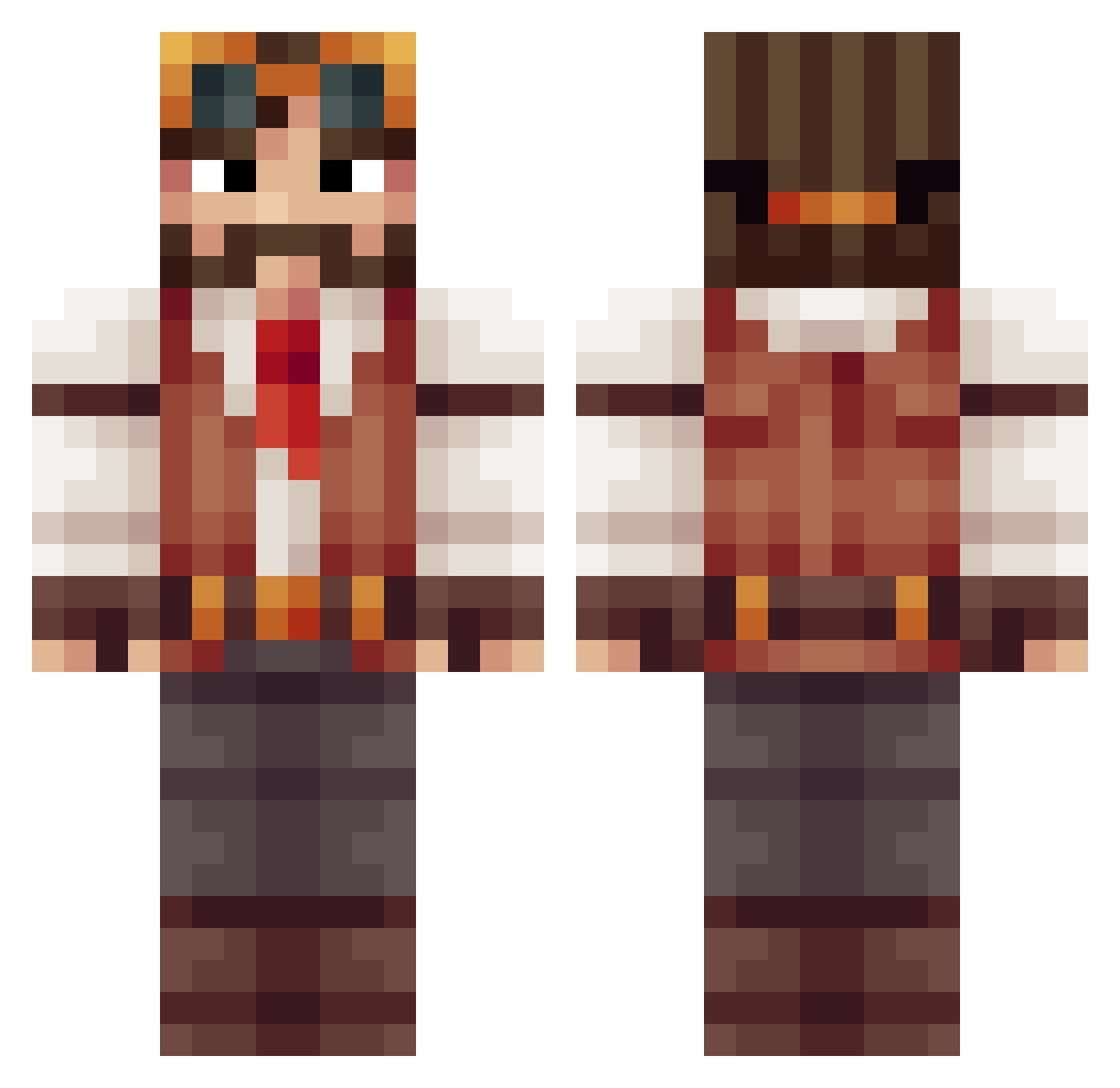
Current Minecraft skin of the player DarkIsGay, loaded from the official Mojang API. Rotate the 3D model with your mouse or finger, then download the skin as a PNG file and use it in Minecraft: Bedrock Edition or Java Edition for free. When DarkIsGay changes their skin, this page updates automatically and the old skin stays in the history below.
Other players with this skin (513)
DarkIsGay was the 320th player we have seen with this skin, first spotted on 02.10.2026. The same skin was seen on these players. Open a nickname to see their current skin and skin history.
 Gumby_Gamer TheZeeps mattattack1600 Sszlyn Epicicetea okolaris Groovy Deprogramme Jahovii WulfenGray Marc1713 Dasmany LyfAlt3 kiksorcier Aumroot DanGerrous Xaddak WhiteWolfNI lolerle Imperacis towrns 0Miedo d978 BeedleTheBeard Patatje_Extra MrDonter Albarca nerdsrnice Scizzik jorgegui32 SalvadorDaly Graniax The_Roth_Man nikihaan YoueChester Crazyleemer1 Mantviukas Gottabuild Herizoo Adode wallace_cheddar Nick_Tesla_ GeorgeHopes ocasek ironboy909 Kihmari MC_KC _SwiftAero_ Hydrolize PregoCleric Epiivan nwohollywood memaxlol Arachidus craftyhughes TwinkleMyToes crysome LaustFrederiksen leoprosbo Anderz_13
More Explorer Minecraft skins
How to install the DarkIsGay skin
- Press the Download button above to save the skin as a PNG file.
- Minecraft: Bedrock Edition (PE): open the Dressing Room from the main menu (or tap your character → Edit Character), go to Classic Skins → Owned, press the + (new skin) button, choose the downloaded PNG and pick the Classic (Steve) model. Works on PC and mobile; consoles cannot import custom skins.
- Minecraft: Java Edition: open the Minecraft Launcher, go to the Skins tab, click New Skin, load the PNG, pick the Classic (Steve) model and press Save & Use. You can also upload it at minecraft.net → Profile → Change Skin.
The skin does not show up after import - what should I do?
Restart Minecraft and open the Dressing Room again - imported skins sometimes appear only after a restart. Also make sure you selected the imported skin and picked the Classic (Steve) model.
Which model should I choose, Classic or Slim?
This skin is designed for the Classic (Steve) model. If you pick the wrong model, the arms of the skin will look stretched or squeezed.
Is the skin of DarkIsGay free to download?
Yes. Press Download, save the PNG file and use it in Minecraft: Bedrock Edition or Java Edition - no payment or registration needed. The skin also works on multiplayer servers and Realms.
More skins
Looking for more? Go back to all Minecraft skins and check the top skins of the week, month and all time, or find any player's skin by nickname.