
DarkAngel542 - Minecraft Skins & Skin History
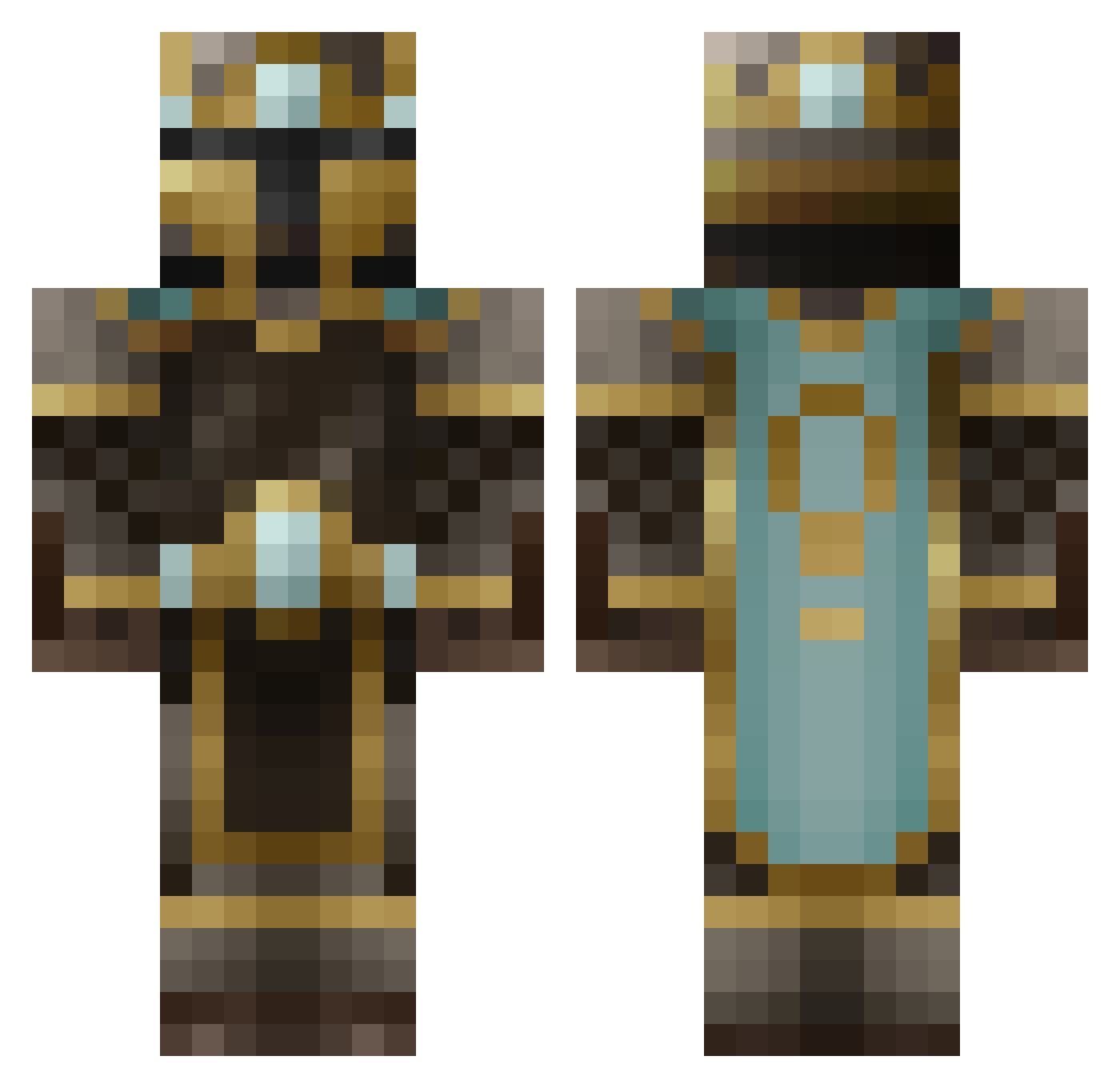
Current Minecraft skin of the player DarkAngel542, loaded from the official Mojang API. Rotate the 3D model with your mouse or finger, then download the skin as a PNG file and use it in Minecraft: Bedrock Edition or Java Edition for free. When DarkAngel542 changes their skin, this page updates automatically and the old skin stays in the history below.
Other players with this skin (188)
DarkAngel542 was the 156th player we have seen with this skin, first spotted on 05.10.2026. The same skin was seen on these players. Open a nickname to see their current skin and skin history.
 Dunnyjnr1707 MasterCheek KRONOS_415 MrStef28 Khrutho RayzerQ Dragonhunt900 SpaceBloBB1 PeleMadness13 SpitTapestry King_Adaephos Bonga04 DaSmitty93 Kormos_F ThornyASP5707 ShuffleBot1214 Sobamberos davyp83 Pnemonus Horosos Xilveros AGoombaKiller Veggerser XjGin Wackaliz NutMilk66 retmk2 MilkshakeTank Hobotheman1000 gaxombie ArmoredBenopoly JAMALCHIK Verisimilitu Timb0o0 buddyblaster420 Posidione Vespuria EgyptianSugar Flameburst316 maxihuntermk Titangamer201 WU_11 crafter476 HerbertVaucanson Morgan_Attano theAsianAmbition Hoppin0 jackattack32111 Blueshift9 InherentCake PanVikx xfortunato 1522_Jnsn Akeerian pietter121 Mazant_ KadinO252 BlackkForrest FURIOUS_SLAYER Trionfare
More King Minecraft skins
How to install the DarkAngel542 skin
- Press the Download button above to save the skin as a PNG file.
- Minecraft: Bedrock Edition (PE): open the Dressing Room from the main menu (or tap your character → Edit Character), go to Classic Skins → Owned, press the + (new skin) button, choose the downloaded PNG and pick the Classic (Steve) model. Works on PC and mobile; consoles cannot import custom skins.
- Minecraft: Java Edition: open the Minecraft Launcher, go to the Skins tab, click New Skin, load the PNG, pick the Classic (Steve) model and press Save & Use. You can also upload it at minecraft.net → Profile → Change Skin.
The skin does not show up after import - what should I do?
Restart Minecraft and open the Dressing Room again - imported skins sometimes appear only after a restart. Also make sure you selected the imported skin and picked the Classic (Steve) model.
Which model should I choose, Classic or Slim?
This skin is designed for the Classic (Steve) model. If you pick the wrong model, the arms of the skin will look stretched or squeezed.
Is the skin of DarkAngel542 free to download?
Yes. Press Download, save the PNG file and use it in Minecraft: Bedrock Edition or Java Edition - no payment or registration needed. The skin also works on multiplayer servers and Realms.
More skins
Looking for more? Go back to all Minecraft skins and check the top skins of the week, month and all time, or find any player's skin by nickname.