
Daramge2 - Minecraft Skins & Skin History
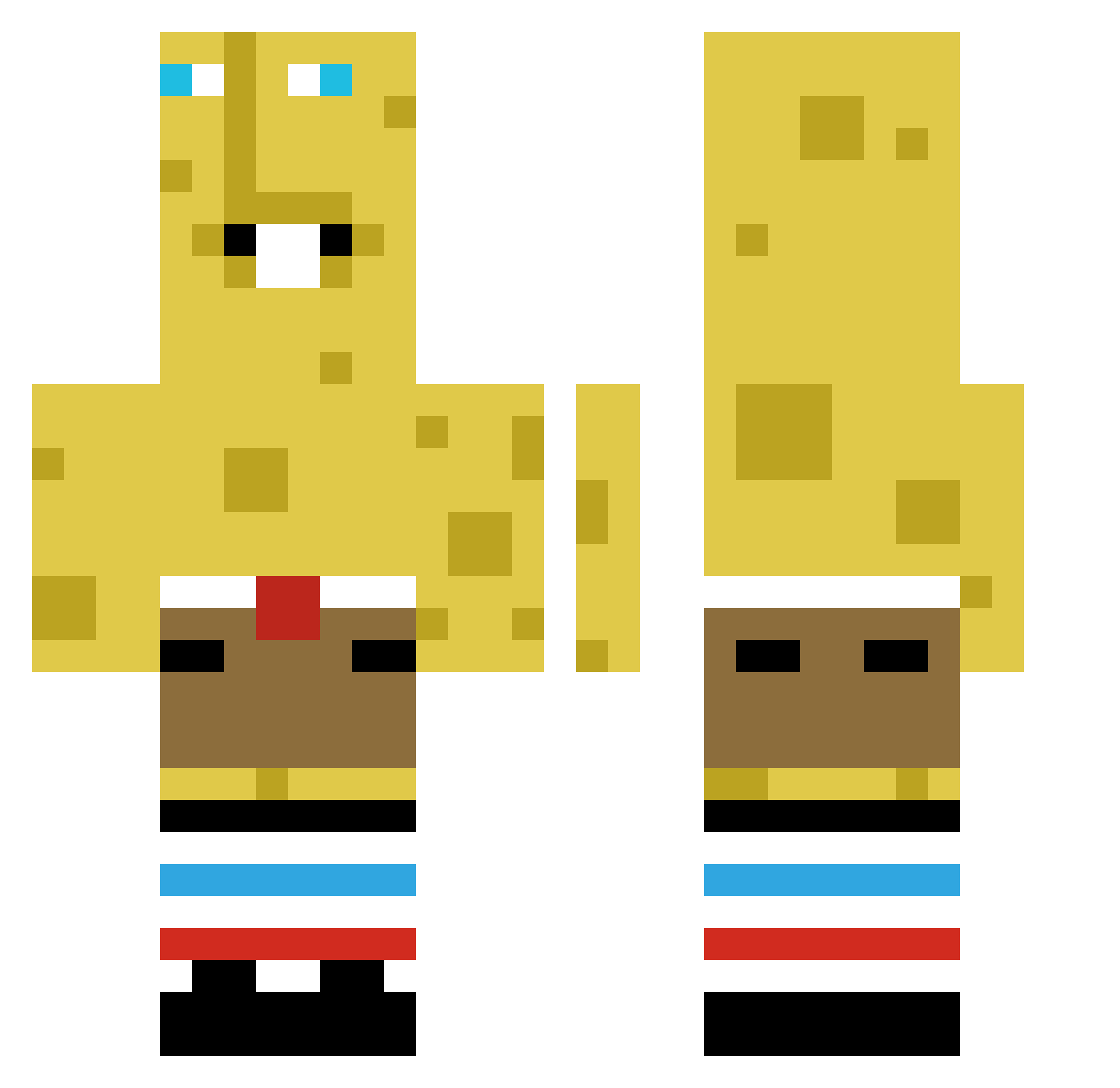
Current Minecraft skin of the player Daramge2, loaded from the official Mojang API. Rotate the 3D model with your mouse or finger, then download the skin as a PNG file and use it in Minecraft: Bedrock Edition or Java Edition for free. When Daramge2 changes their skin, this page updates automatically and the old skin stays in the history below.
Other players with this skin (365)
Daramge2 was the 338th player we have seen with this skin, first spotted on 20.10.2026. The same skin was seen on these players. Open a nickname to see their current skin and skin history.
 dommi1 BrotherLadyPC Rexxe3000 Steezy_18 feeblebeebop shekittencute a1z0xz begchungus_ hyunjun3044 CrazyFrogStupid Noobienumse DonManDonMan 2WP4 Vaseon pisbak ehxyt Quinolingo Tubh Nottermon Brian20071016 MoggyMcBust SwagKid13 BoHunD Yunzhi014 Kingofbeans11 nekkj Fizzyisswag Ppodo_ SleepyDingus Mr_Leonov titoyerman Didilusse ShawnDaDevil kidneytoiletfoot TOMASZGRZANKA Ragnarokmakina Fried_EGG1208 davidsamp69 SiarcMC Gl1tch01 itz_rayy GeekedBobGeekBar htb33 zZrainbowsZz ZelenskyVovchik frend_0 Shibaooo TheGamingDuck988 carvallovalornat Pitcontract EliasTheBest1234 wtkfishman the1nonly_b0eman staffroom FreakyLord101 RhinoSpitt21 SAR09 Weallluvkentty ScreamingBalloon Alccu4646
More Spongebob Minecraft skins
How to install the Daramge2 skin
- Press the Download button above to save the skin as a PNG file.
- Minecraft: Bedrock Edition (PE): open the Dressing Room from the main menu (or tap your character → Edit Character), go to Classic Skins → Owned, press the + (new skin) button, choose the downloaded PNG and pick the Classic (Steve) model. Works on PC and mobile; consoles cannot import custom skins.
- Minecraft: Java Edition: open the Minecraft Launcher, go to the Skins tab, click New Skin, load the PNG, pick the Classic (Steve) model and press Save & Use. You can also upload it at minecraft.net → Profile → Change Skin.
The skin does not show up after import - what should I do?
Restart Minecraft and open the Dressing Room again - imported skins sometimes appear only after a restart. Also make sure you selected the imported skin and picked the Classic (Steve) model.
Which model should I choose, Classic or Slim?
This skin is designed for the Classic (Steve) model. If you pick the wrong model, the arms of the skin will look stretched or squeezed.
Is the skin of Daramge2 free to download?
Yes. Press Download, save the PNG file and use it in Minecraft: Bedrock Edition or Java Edition - no payment or registration needed. The skin also works on multiplayer servers and Realms.
More skins
Looking for more? Go back to all Minecraft skins and check the top skins of the week, month and all time, or find any player's skin by nickname.