
DanaM2 - Minecraft Skins & Skin History
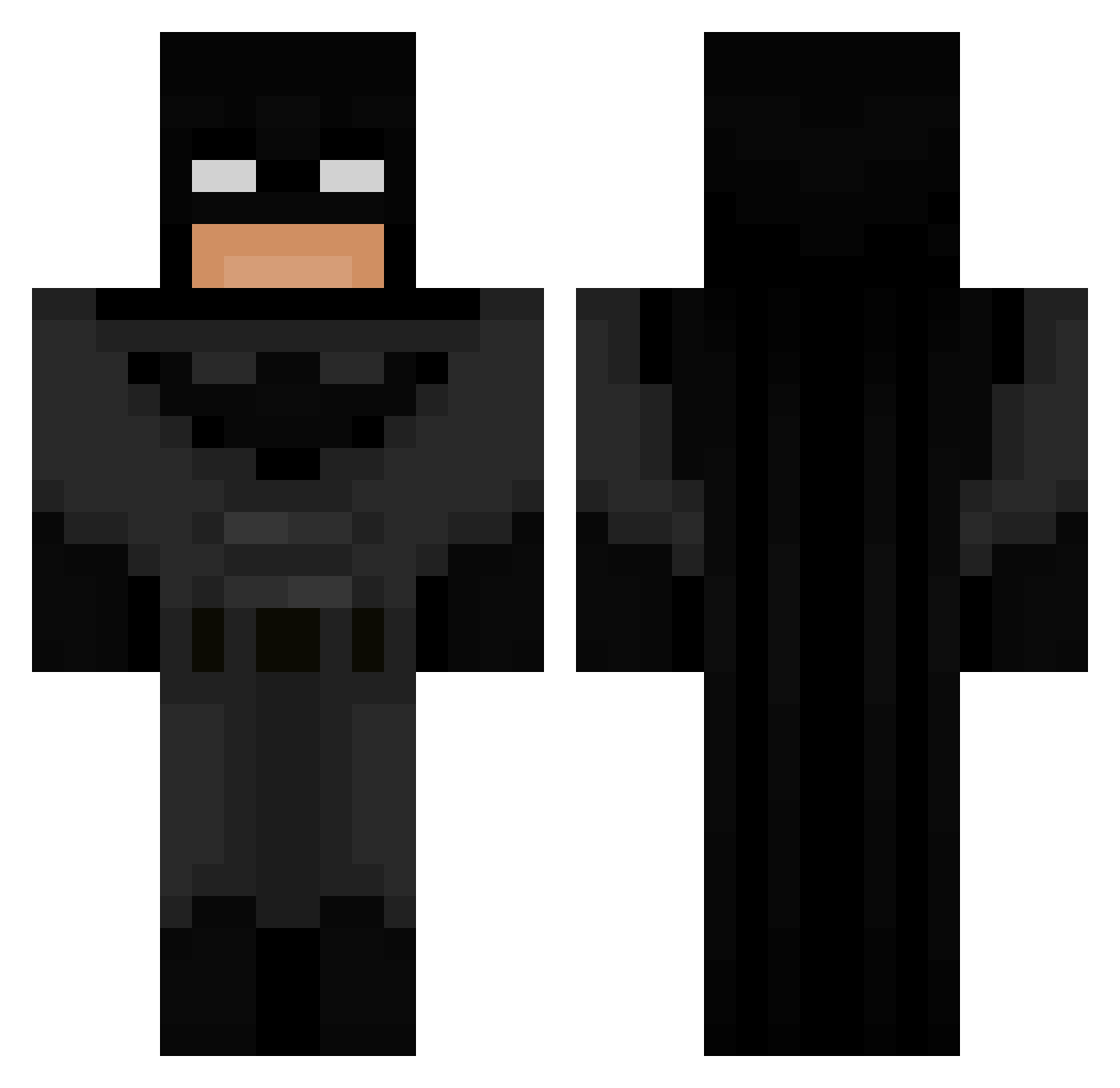
Current Minecraft skin of the player DanaM2, loaded from the official Mojang API. Rotate the 3D model with your mouse or finger, then download the skin as a PNG file and use it in Minecraft: Bedrock Edition or Java Edition for free. When DanaM2 changes their skin, this page updates automatically and the old skin stays in the history below.
Other players with this skin (616)
DanaM2 was the 580th player we have seen with this skin, first spotted on 17.10.2026. The same skin was seen on these players. Open a nickname to see their current skin and skin history.
 Dusk_Wolf_Gamer mbrown09 Yabeast123 NesaUchiha armeblanche snailhd Crazymantis786 JarvisPeters Phizii robertoo0007 R3g3N9290 Moymrls Scargoals101 J3ton808 MartianRuby1 Tyranitarr corey3k nuwoooo master_ani07 ElMosquitos i57e liltyger TensioJe Becomingcrack gainusha17 xLucry97 MANTOVAN1 MineBlox9_ JackOMahoney wearysky7 Om4r_sn Zwerw Kaberio HighlandWarrior KingMotch RainyClouders ItzMisogyny FamousBG __Soup___ sverzmc 01kaze Zicmuu Fgoos Natez1001 BeadyApple7777 Linalolo___ HedgeMage lilypad980 Illus1on0 MajkelGalaktyka_ gkacp3r Gaxston kiko558 PabloJuncos FireFlameMining Chaloso14 ivywuhu BatMan511 wille_karlsson LilTay1357
More Batman Minecraft skins
How to install the DanaM2 skin
- Press the Download button above to save the skin as a PNG file.
- Minecraft: Bedrock Edition (PE): open the Dressing Room from the main menu (or tap your character → Edit Character), go to Classic Skins → Owned, press the + (new skin) button, choose the downloaded PNG and pick the Classic (Steve) model. Works on PC and mobile; consoles cannot import custom skins.
- Minecraft: Java Edition: open the Minecraft Launcher, go to the Skins tab, click New Skin, load the PNG, pick the Classic (Steve) model and press Save & Use. You can also upload it at minecraft.net → Profile → Change Skin.
The skin does not show up after import - what should I do?
Restart Minecraft and open the Dressing Room again - imported skins sometimes appear only after a restart. Also make sure you selected the imported skin and picked the Classic (Steve) model.
Which model should I choose, Classic or Slim?
This skin is designed for the Classic (Steve) model. If you pick the wrong model, the arms of the skin will look stretched or squeezed.
Is the skin of DanaM2 free to download?
Yes. Press Download, save the PNG file and use it in Minecraft: Bedrock Edition or Java Edition - no payment or registration needed. The skin also works on multiplayer servers and Realms.
More skins
Looking for more? Go back to all Minecraft skins and check the top skins of the week, month and all time, or find any player's skin by nickname.