
DaklinX - Minecraft Skins & Skin History
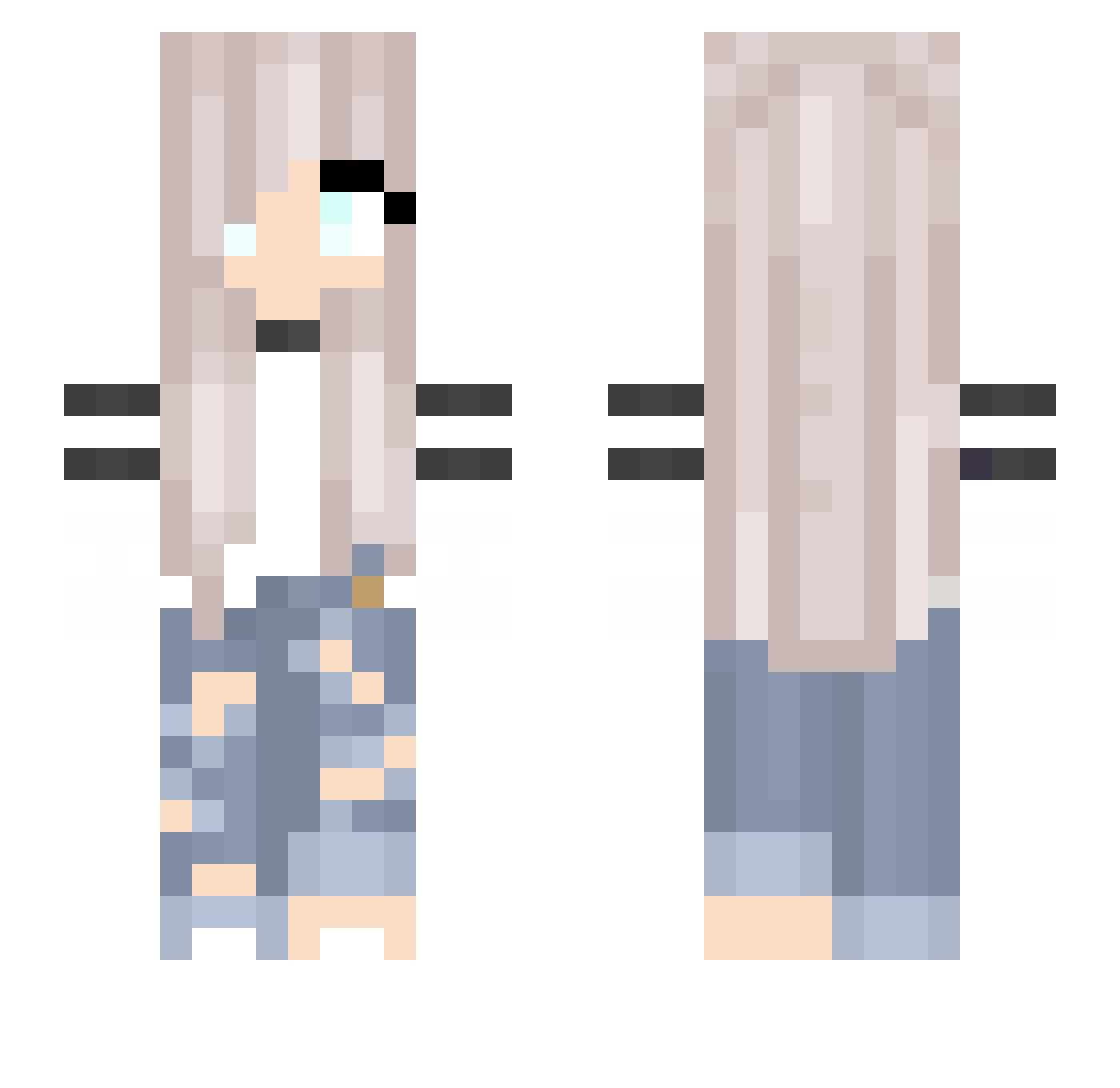
Current Minecraft skin of the player DaklinX, loaded from the official Mojang API. Rotate the 3D model with your mouse or finger, then download the skin as a PNG file and use it in Minecraft: Bedrock Edition or Java Edition for free. When DaklinX changes their skin, this page updates automatically and the old skin stays in the history below.
Other players with this skin (194)
DaklinX was the 87th player we have seen with this skin, first spotted on 02.09.2026. The same skin was seen on these players. Open a nickname to see their current skin and skin history.
 BrightBella Wolfceli Bananeboom Liare_VN yuzucoma Tracti WoroWK Mathea_Games sereneneptune Squishy_Wafffle DREWDA Hamsterlover018 Bambi_Storm Zosiatab pokeily MrGuiRan PixiePurple DarkFrog Marycoolkid9 Einhorn6708 Pepper1235 RousingDessish Unicorn2709 LegitScripter ViciNation Salper13 W1nchesterSister Lison56 DivinityElektra Diamond1133 manuzinha Chmurka1230 Ianxbunni Ela_2006 Imperatriiice Julia36332 GemmaJJ Riki_8492 OverGame555 maelys12 DQueen ItsMeLius Lena7000 FireMoon_516 autumn112200 vvvx1113 halo8100 JayaCat Repanyuszi IIAhmed_Hero tbry20 Fohaa ErkanKaya Lunnalai georgia_s_s cl_boosted MelGaming33 IHaveAnxietyForu xlienchenx chakittochakicha
More Girl Minecraft skins
How to install the DaklinX skin
- Press the Download button above to save the skin as a PNG file.
- Minecraft: Bedrock Edition (PE): open the Dressing Room from the main menu (or tap your character → Edit Character), go to Classic Skins → Owned, press the + (new skin) button, choose the downloaded PNG and pick the Slim (Alex) model. Works on PC and mobile; consoles cannot import custom skins.
- Minecraft: Java Edition: open the Minecraft Launcher, go to the Skins tab, click New Skin, load the PNG, pick the Slim (Alex) model and press Save & Use. You can also upload it at minecraft.net → Profile → Change Skin.
The skin does not show up after import - what should I do?
Restart Minecraft and open the Dressing Room again - imported skins sometimes appear only after a restart. Also make sure you selected the imported skin and picked the Slim (Alex) model.
Which model should I choose, Classic or Slim?
This skin is designed for the Slim (Alex) model. If you pick the wrong model, the arms of the skin will look stretched or squeezed.
Is the skin of DaklinX free to download?
Yes. Press Download, save the PNG file and use it in Minecraft: Bedrock Edition or Java Edition - no payment or registration needed. The skin also works on multiplayer servers and Realms.
More skins
Looking for more? Go back to all Minecraft skins and check the top skins of the week, month and all time, or find any player's skin by nickname.