
Daemoroth - Minecraft Skins & Skin History
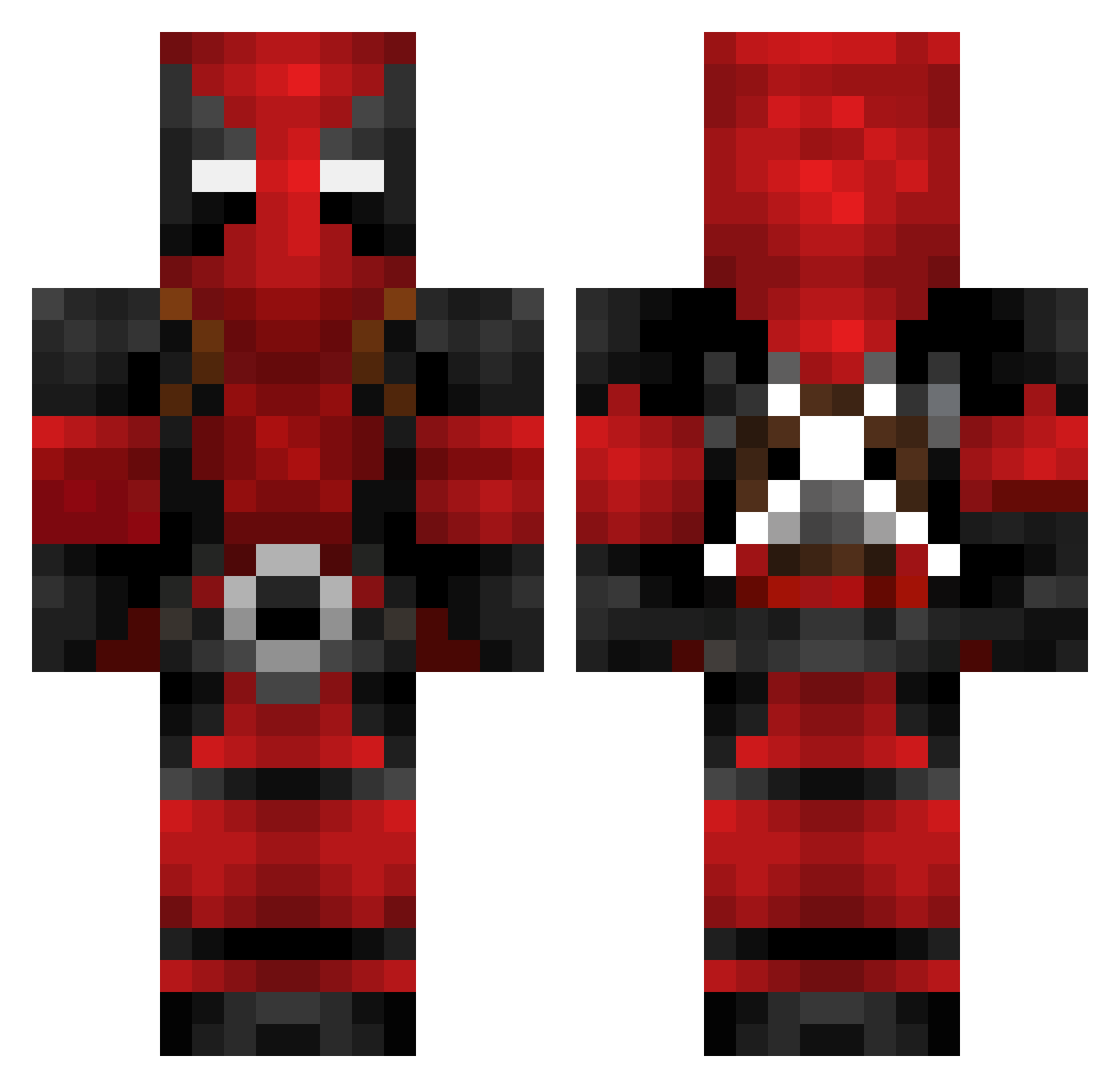
Current Minecraft skin of the player Daemoroth, loaded from the official Mojang API. Rotate the 3D model with your mouse or finger, then download the skin as a PNG file and use it in Minecraft: Bedrock Edition or Java Edition for free. When Daemoroth changes their skin, this page updates automatically and the old skin stays in the history below.
Other players with this skin (623)
Daemoroth was the 191st player we have seen with this skin, first spotted on 23.08.2026. The same skin was seen on these players. Open a nickname to see their current skin and skin history.
 naznaz35 MrGandie papijohnny RamzeSv1 m3_vfx Drakko_99 Axceel9408 KedelaCx Skadhis KerboCZECH steviecrown jd777prime Ken_Chang Dunham97 Ortni GodzHell aggiecris Zazamimoza natchan2525 Hasoonjam Pastulio_ TRibs0 DEMBERR34 Reesch KerboVole FraJP95 Nattematte Lorxes LordDeadpool128 Rizzlestix Deezus7 seeker1983 Brombeerpilot030 Schnellfeuer1337 rasnog ElinaKH Estebanv18 Godzbody1027 DreadArx Jaeone1 DerBeck Kash21 DanielArshad xfairmanx Veni4200 Wadle_ FuzionGod ImDamonTV LocustSun Carloscano8830 Spiderassasin21
 kash4019 Soupnado zubbancs ItzStan Erynette63 Dark__Nexus Knizzle1 FreeDobbyNow Harrison_2375
More Deadpool Minecraft skins
How to install the Daemoroth skin
- Press the Download button above to save the skin as a PNG file.
- Minecraft: Bedrock Edition (PE): open the Dressing Room from the main menu (or tap your character → Edit Character), go to Classic Skins → Owned, press the + (new skin) button, choose the downloaded PNG and pick the Classic (Steve) model. Works on PC and mobile; consoles cannot import custom skins.
- Minecraft: Java Edition: open the Minecraft Launcher, go to the Skins tab, click New Skin, load the PNG, pick the Classic (Steve) model and press Save & Use. You can also upload it at minecraft.net → Profile → Change Skin.
The skin does not show up after import - what should I do?
Restart Minecraft and open the Dressing Room again - imported skins sometimes appear only after a restart. Also make sure you selected the imported skin and picked the Classic (Steve) model.
Which model should I choose, Classic or Slim?
This skin is designed for the Classic (Steve) model. If you pick the wrong model, the arms of the skin will look stretched or squeezed.
Is the skin of Daemoroth free to download?
Yes. Press Download, save the PNG file and use it in Minecraft: Bedrock Edition or Java Edition - no payment or registration needed. The skin also works on multiplayer servers and Realms.
More skins
Looking for more? Go back to all Minecraft skins and check the top skins of the week, month and all time, or find any player's skin by nickname.