
DaasGFM - Minecraft Skins & Skin History
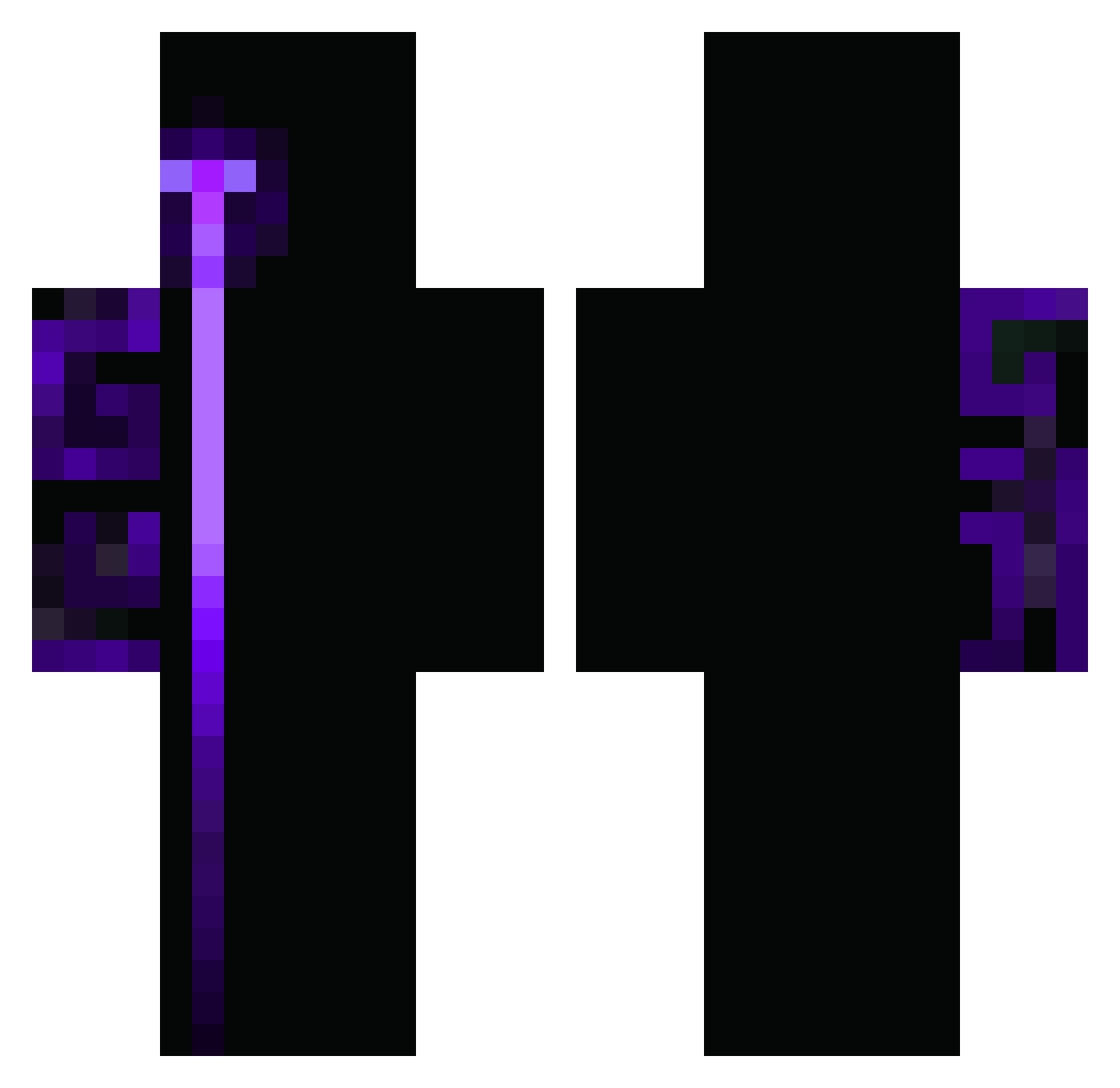
Current Minecraft skin of the player DaasGFM, loaded from the official Mojang API. Rotate the 3D model with your mouse or finger, then download the skin as a PNG file and use it in Minecraft: Bedrock Edition or Java Edition for free. When DaasGFM changes their skin, this page updates automatically and the old skin stays in the history below.
Other players with this skin (411)
DaasGFM was the 256th player we have seen with this skin, first spotted on 01.10.2026. The same skin was seen on these players. Open a nickname to see their current skin and skin history.
 FTFyorktsai NichTheCookie jn3gt DelvirChaos hayalokenny Yeesy SauronBlin jinjinjin1 ZAIF_123 KarVb zelus_enduro Machado11 Alberto_EXE intSyne paxi987 Code_Z_130 YuBAO_o BLM_JW zxcloser mrsoviet_16 Vggie M0hsty Franchino30 BranchyTerror90 solix67 DiamondsDance Vest1ge_ MikeMech Imperatore_X Drakgod jolo27456 mikkelanski Shyinae emrepl22official icexit1 MrAqqua milan3636elite ScopE_8X kabika2 GuanacoAG Jungle_Sin 1Bacchus1 Armandood etoilesam Ashura1511 Hoodrich9999 bazuko_ Juan7080 wojt1244v AsanNoah wojt124 freaky_miki AlonsoGOTY TC_Dan 1EELI1 D1zapyr_ ImKrai edusim3 nolan2013D LixeeOfc
How to install the DaasGFM skin
- Press the Download button above to save the skin as a PNG file.
- Minecraft: Bedrock Edition (PE): open the Dressing Room from the main menu (or tap your character → Edit Character), go to Classic Skins → Owned, press the + (new skin) button, choose the downloaded PNG and pick the Classic (Steve) model. Works on PC and mobile; consoles cannot import custom skins.
- Minecraft: Java Edition: open the Minecraft Launcher, go to the Skins tab, click New Skin, load the PNG, pick the Classic (Steve) model and press Save & Use. You can also upload it at minecraft.net → Profile → Change Skin.
The skin does not show up after import - what should I do?
Restart Minecraft and open the Dressing Room again - imported skins sometimes appear only after a restart. Also make sure you selected the imported skin and picked the Classic (Steve) model.
Which model should I choose, Classic or Slim?
This skin is designed for the Classic (Steve) model. If you pick the wrong model, the arms of the skin will look stretched or squeezed.
Is the skin of DaasGFM free to download?
Yes. Press Download, save the PNG file and use it in Minecraft: Bedrock Edition or Java Edition - no payment or registration needed. The skin also works on multiplayer servers and Realms.
More skins
Looking for more? Go back to all Minecraft skins and check the top skins of the week, month and all time, or find any player's skin by nickname.