
DST_Stormi - Minecraft Skins & Skin History
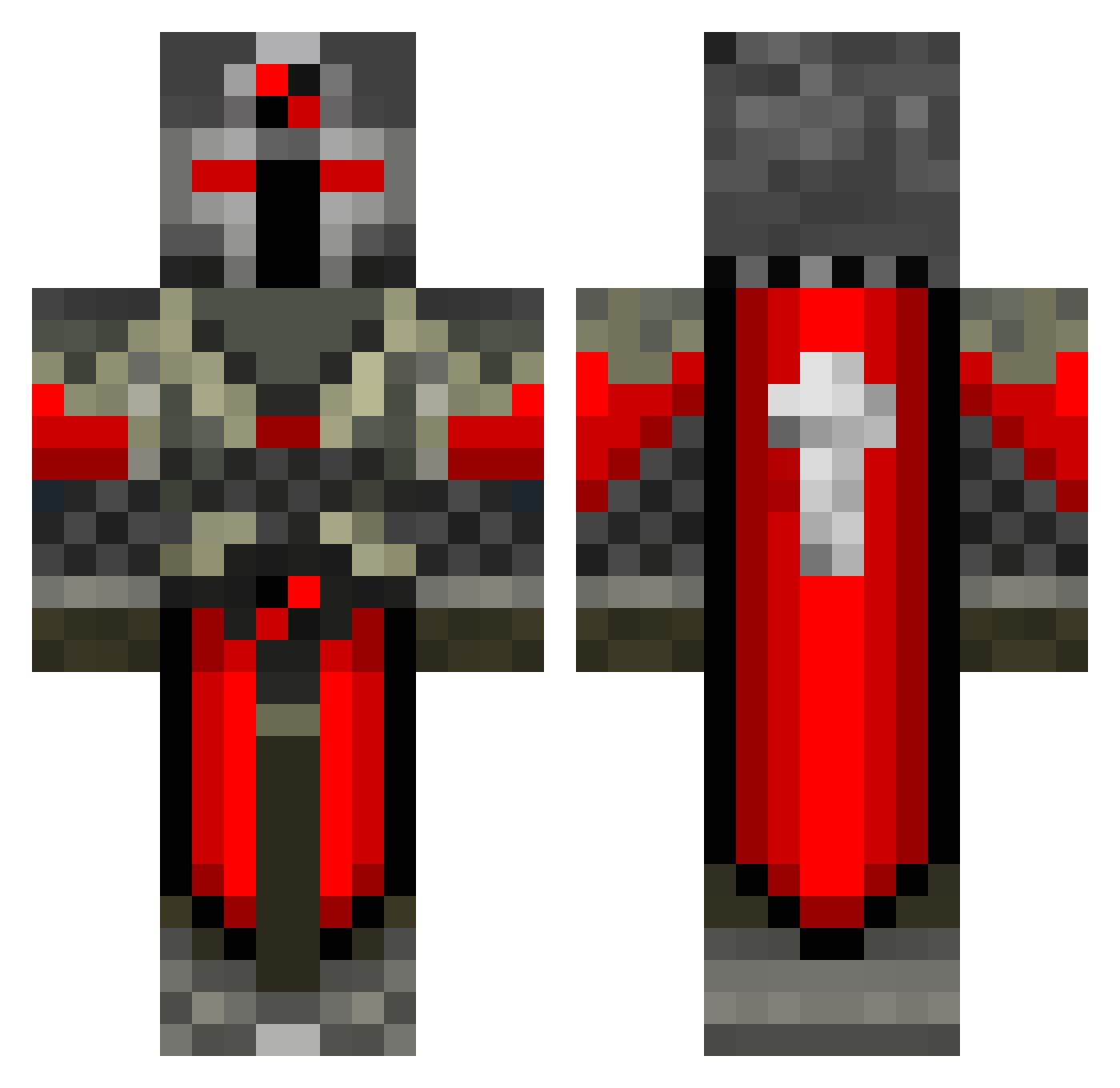
Current Minecraft skin of the player DST_Stormi, loaded from the official Mojang API. Rotate the 3D model with your mouse or finger, then download the skin as a PNG file and use it in Minecraft: Bedrock Edition or Java Edition for free. When DST_Stormi changes their skin, this page updates automatically and the old skin stays in the history below.
Other players with this skin (123)
DST_Stormi was the 44th player we have seen with this skin, first spotted on 02.09.2026. The same skin was seen on these players. Open a nickname to see their current skin and skin history.
 Skullscream zumbacarriew Takkator girl_scroll Grim_Reaper0079 BurntCookie666 TwoFaceTurtle Jonnytronic UsefulDog 2manyflags MouthX Deathmathter Sparta69166 maxdoerf 2Ez4Zed goralgn GoldenRing123 l10nofJuda Red_L_Knight Gojira421 SlothCube SkyFox10 Drachen124 Zirbi666 Aldarien Jakobian87 SpartanHunter76 Zvoneeeee gamerzwar keldor1 Sergei_Norwy Dilvermoon Reb00mad1 Dictator___ minbor Jouzuu1 cwilderman Yoco83 Ojala67 KalBossPro4325 Deltora_da_Capel Megazap_Gaming cookiecookie001 getsum1 maximustenno frozerxxd MyBud ABond007 deathofstorm Maks78955 2sir iSkyblockedOMG Pandapad98 Isak1211 Problobvis12 Fordy436 CdnGrimReaper FireCP3 Cslthebest Sinbad_var
More Crusader Minecraft skins
How to install the DST_Stormi skin
- Press the Download button above to save the skin as a PNG file.
- Minecraft: Bedrock Edition (PE): open the Dressing Room from the main menu (or tap your character → Edit Character), go to Classic Skins → Owned, press the + (new skin) button, choose the downloaded PNG and pick the Classic (Steve) model. Works on PC and mobile; consoles cannot import custom skins.
- Minecraft: Java Edition: open the Minecraft Launcher, go to the Skins tab, click New Skin, load the PNG, pick the Classic (Steve) model and press Save & Use. You can also upload it at minecraft.net → Profile → Change Skin.
The skin does not show up after import - what should I do?
Restart Minecraft and open the Dressing Room again - imported skins sometimes appear only after a restart. Also make sure you selected the imported skin and picked the Classic (Steve) model.
Which model should I choose, Classic or Slim?
This skin is designed for the Classic (Steve) model. If you pick the wrong model, the arms of the skin will look stretched or squeezed.
Is the skin of DST_Stormi free to download?
Yes. Press Download, save the PNG file and use it in Minecraft: Bedrock Edition or Java Edition - no payment or registration needed. The skin also works on multiplayer servers and Realms.
More skins
Looking for more? Go back to all Minecraft skins and check the top skins of the week, month and all time, or find any player's skin by nickname.