
DMND136 - Minecraft Skins & Skin History
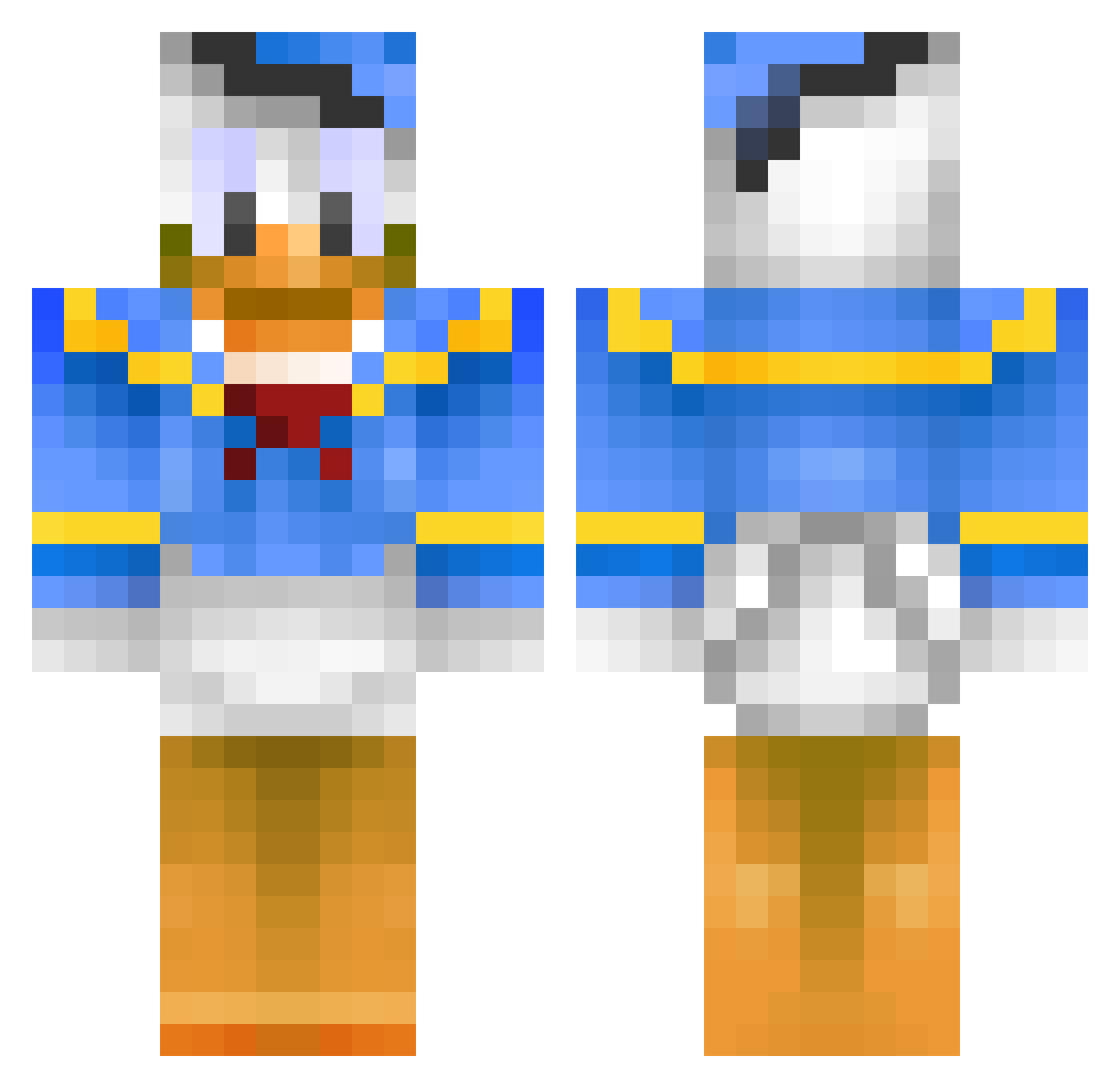
Current Minecraft skin of the player DMND136, loaded from the official Mojang API. Rotate the 3D model with your mouse or finger, then download the skin as a PNG file and use it in Minecraft: Bedrock Edition or Java Edition for free. When DMND136 changes their skin, this page updates automatically and the old skin stays in the history below.
Other players with this skin (486)
DMND136 was the 422nd player we have seen with this skin, first spotted on 06.11.2026. The same skin was seen on these players. Open a nickname to see their current skin and skin history.
 natefis Jamesbond67 Jumanjiman HumidBump53 ninki_minjajj izzw neverluckyducky Nevtune Goron_chan Black_Blocks2014 Mathockey360 Peddoyoghurt SHELLPEN Ma_Mine roshinichi1 Marikum Dima_DonaldDuck CJTHEBOT3321 Luducky NoobGamer000 Tildastar_02 ACElexus Mineythan RatMustard CodyMueller ezdude123 willewn123 _G00SLING_ Racooner ruallen2003 steriuzz willman2163 trommeliten Bertito_ squiggle8 enzo64230 Manne_slayer666 minibubba32 Admika14 oboy7 Lellle marines1 Tha_Vegar arialil A_SkillZ rabinjo boyddenver Willi_24 1ultimate_dragon ageman101 No_mercy akiplow Rejykanin Clairehoover WalterWildfang Samiasd Mo__Leicester HONENUKI Jkapp02 Kallemok
More Donald Duck Minecraft skins
How to install the DMND136 skin
- Press the Download button above to save the skin as a PNG file.
- Minecraft: Bedrock Edition (PE): open the Dressing Room from the main menu (or tap your character → Edit Character), go to Classic Skins → Owned, press the + (new skin) button, choose the downloaded PNG and pick the Classic (Steve) model. Works on PC and mobile; consoles cannot import custom skins.
- Minecraft: Java Edition: open the Minecraft Launcher, go to the Skins tab, click New Skin, load the PNG, pick the Classic (Steve) model and press Save & Use. You can also upload it at minecraft.net → Profile → Change Skin.
The skin does not show up after import - what should I do?
Restart Minecraft and open the Dressing Room again - imported skins sometimes appear only after a restart. Also make sure you selected the imported skin and picked the Classic (Steve) model.
Which model should I choose, Classic or Slim?
This skin is designed for the Classic (Steve) model. If you pick the wrong model, the arms of the skin will look stretched or squeezed.
Is the skin of DMND136 free to download?
Yes. Press Download, save the PNG file and use it in Minecraft: Bedrock Edition or Java Edition - no payment or registration needed. The skin also works on multiplayer servers and Realms.
More skins
Looking for more? Go back to all Minecraft skins and check the top skins of the week, month and all time, or find any player's skin by nickname.