
DKzin_S15 - Minecraft Skins & Skin History
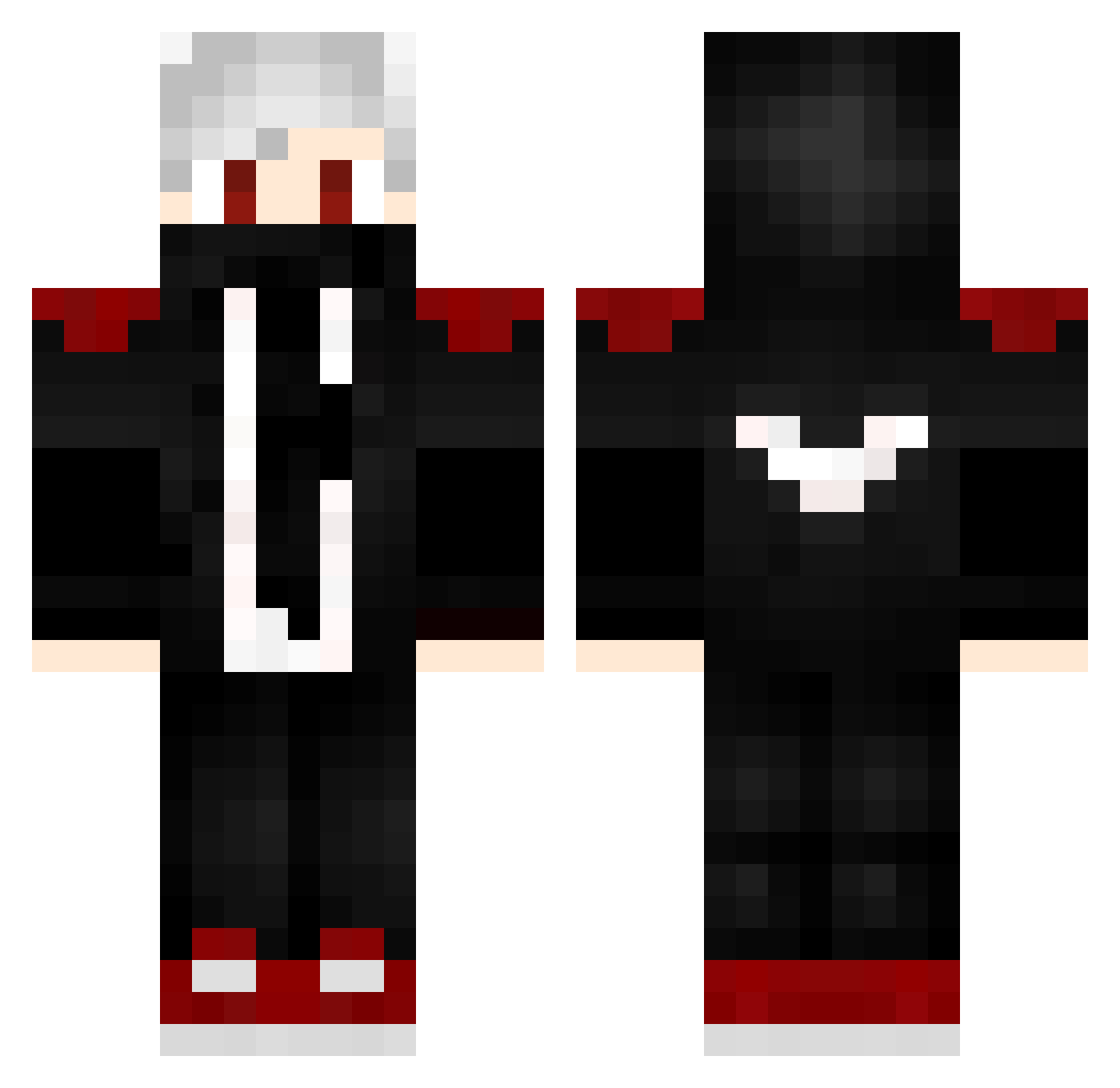
Current Minecraft skin of the player DKzin_S15, loaded from the official Mojang API. Rotate the 3D model with your mouse or finger, then download the skin as a PNG file and use it in Minecraft: Bedrock Edition or Java Edition for free. When DKzin_S15 changes their skin, this page updates automatically and the old skin stays in the history below.
Other players with this skin (232)
DKzin_S15 was the 160th player we have seen with this skin, first spotted on 13.10.2026. The same skin was seen on these players. Open a nickname to see their current skin and skin history.
 FR33HK Mehmetks23 oB1ackStormo NeGaTiVe2003 Quariss zibachan27 Stulgulf iKira__ CHNCLL_45 OocrocodileoO Darkkstarr GodBears PimenTOP FurQanD_61 XShaden12 KALBHAYWAN Rayan_mc Kandata_ Sandieaak WellingtonBR850 DeClouby Takajimo sarisaur Nschwenne solo6341 BADER11 mamysh AnikiYuno Cridis11 _bill_gates_ RaionBey Luxioos tiomthywildmann yummyyyy LucaPSD Merto_123 rafael9090 Sanzzsxx S_Mischi_S XxBlackxX14 KobayashiInc Momo163 BadLio Sir_SourySan Monlapist Superryco Stego743 0_Ksusha_0 xXMiikaXx DevTapOne Blockninja_ Dc_Binii lhoszn RxDnz_ wendrenanzinho _Panda_P Zyzz32 CerealIsland858 Wapss fly666666
More Mask Minecraft skins
How to install the DKzin_S15 skin
- Press the Download button above to save the skin as a PNG file.
- Minecraft: Bedrock Edition (PE): open the Dressing Room from the main menu (or tap your character → Edit Character), go to Classic Skins → Owned, press the + (new skin) button, choose the downloaded PNG and pick the Classic (Steve) model. Works on PC and mobile; consoles cannot import custom skins.
- Minecraft: Java Edition: open the Minecraft Launcher, go to the Skins tab, click New Skin, load the PNG, pick the Classic (Steve) model and press Save & Use. You can also upload it at minecraft.net → Profile → Change Skin.
The skin does not show up after import - what should I do?
Restart Minecraft and open the Dressing Room again - imported skins sometimes appear only after a restart. Also make sure you selected the imported skin and picked the Classic (Steve) model.
Which model should I choose, Classic or Slim?
This skin is designed for the Classic (Steve) model. If you pick the wrong model, the arms of the skin will look stretched or squeezed.
Is the skin of DKzin_S15 free to download?
Yes. Press Download, save the PNG file and use it in Minecraft: Bedrock Edition or Java Edition - no payment or registration needed. The skin also works on multiplayer servers and Realms.
More skins
Looking for more? Go back to all Minecraft skins and check the top skins of the week, month and all time, or find any player's skin by nickname.