
DARKlightASF - Minecraft Skins & Skin History
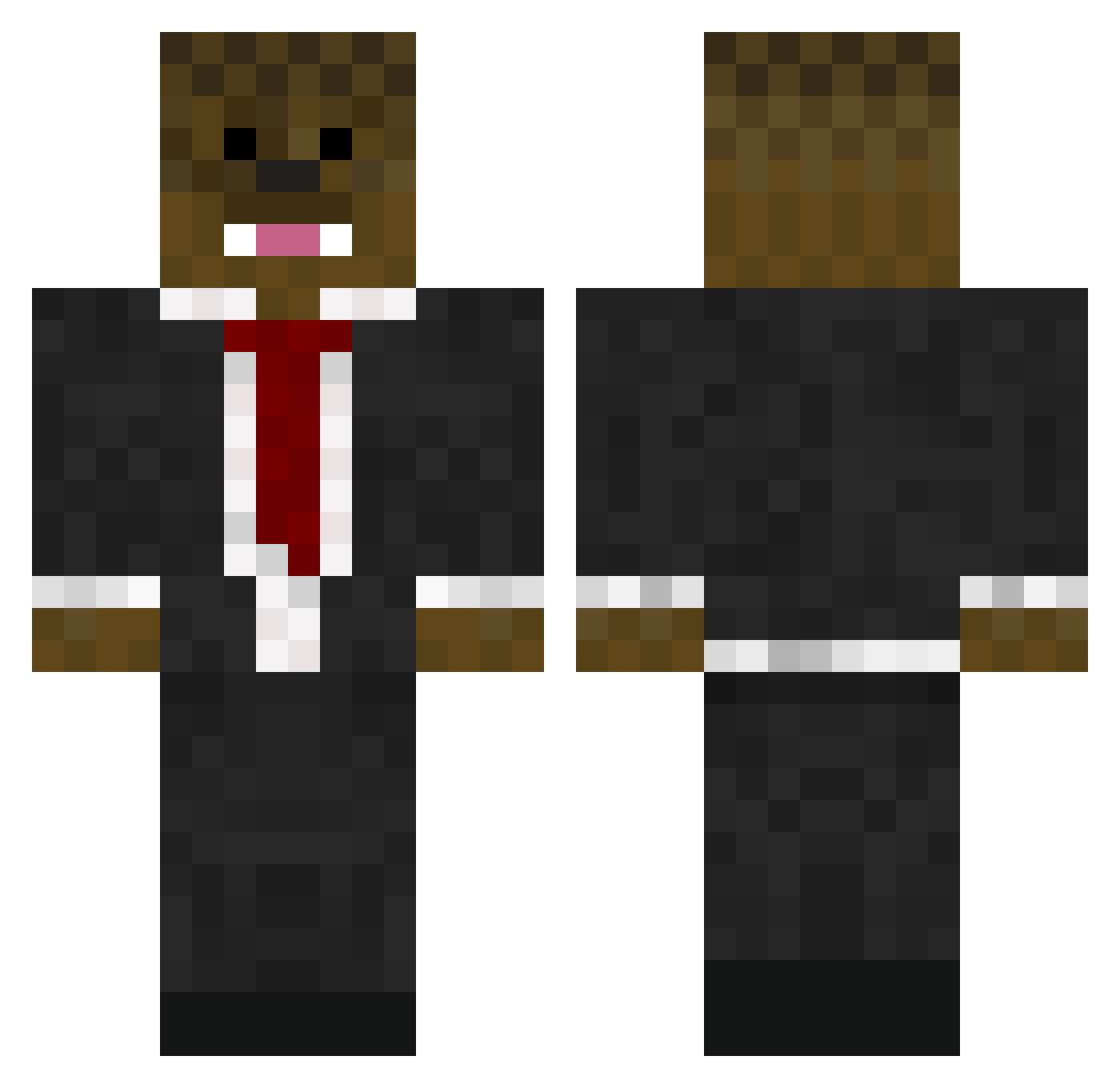
Current Minecraft skin of the player DARKlightASF, loaded from the official Mojang API. Rotate the 3D model with your mouse or finger, then download the skin as a PNG file and use it in Minecraft: Bedrock Edition or Java Edition for free. When DARKlightASF changes their skin, this page updates automatically and the old skin stays in the history below.
Other players with this skin (771)
DARKlightASF was the 594th player we have seen with this skin, first spotted on 25.10.2026. The same skin was seen on these players. Open a nickname to see their current skin and skin history.
 3person TheBea5t CESARROLLIE jello2004 wywy2603 Roggele YMhouseMC fredbutler XGarchomp NickG123321 vjam100 Gildemaster PhillyUnion1776 AdmiralNellson luisheat123 AndyMiami niklas0411 ItsColorz striker7shark fofoskater LegoStars06 PLK28 OP_B4cca jeromeslurp joe1234tom5678 Abbusrule King_BUTT3R ClayZera fin534 v3_asianHD AllForNothiing THEAWESOMEOFISH JKwitdaAK RonnoC05 TheTeachernl ThunderBuddysFL JLowey30 Imatopher Iqnite Lukemine4 mofo48 bloodskin008 ironman2319 45Sean connie47 DadElongD TheEpicPye jaws12345678 Ryman2002 Assinator07 oehawk Vytorin30 Bignell1 ethandanielpark robbo23q toscaleo Jman11273 stevion23 Cocoon1203 Brandonnope
More Chewbacca Minecraft skins
How to install the DARKlightASF skin
- Press the Download button above to save the skin as a PNG file.
- Minecraft: Bedrock Edition (PE): open the Dressing Room from the main menu (or tap your character → Edit Character), go to Classic Skins → Owned, press the + (new skin) button, choose the downloaded PNG and pick the Classic (Steve) model. Works on PC and mobile; consoles cannot import custom skins.
- Minecraft: Java Edition: open the Minecraft Launcher, go to the Skins tab, click New Skin, load the PNG, pick the Classic (Steve) model and press Save & Use. You can also upload it at minecraft.net → Profile → Change Skin.
The skin does not show up after import - what should I do?
Restart Minecraft and open the Dressing Room again - imported skins sometimes appear only after a restart. Also make sure you selected the imported skin and picked the Classic (Steve) model.
Which model should I choose, Classic or Slim?
This skin is designed for the Classic (Steve) model. If you pick the wrong model, the arms of the skin will look stretched or squeezed.
Is the skin of DARKlightASF free to download?
Yes. Press Download, save the PNG file and use it in Minecraft: Bedrock Edition or Java Edition - no payment or registration needed. The skin also works on multiplayer servers and Realms.
More skins
Looking for more? Go back to all Minecraft skins and check the top skins of the week, month and all time, or find any player's skin by nickname.