
D4RKlil - Minecraft Skins & Skin History
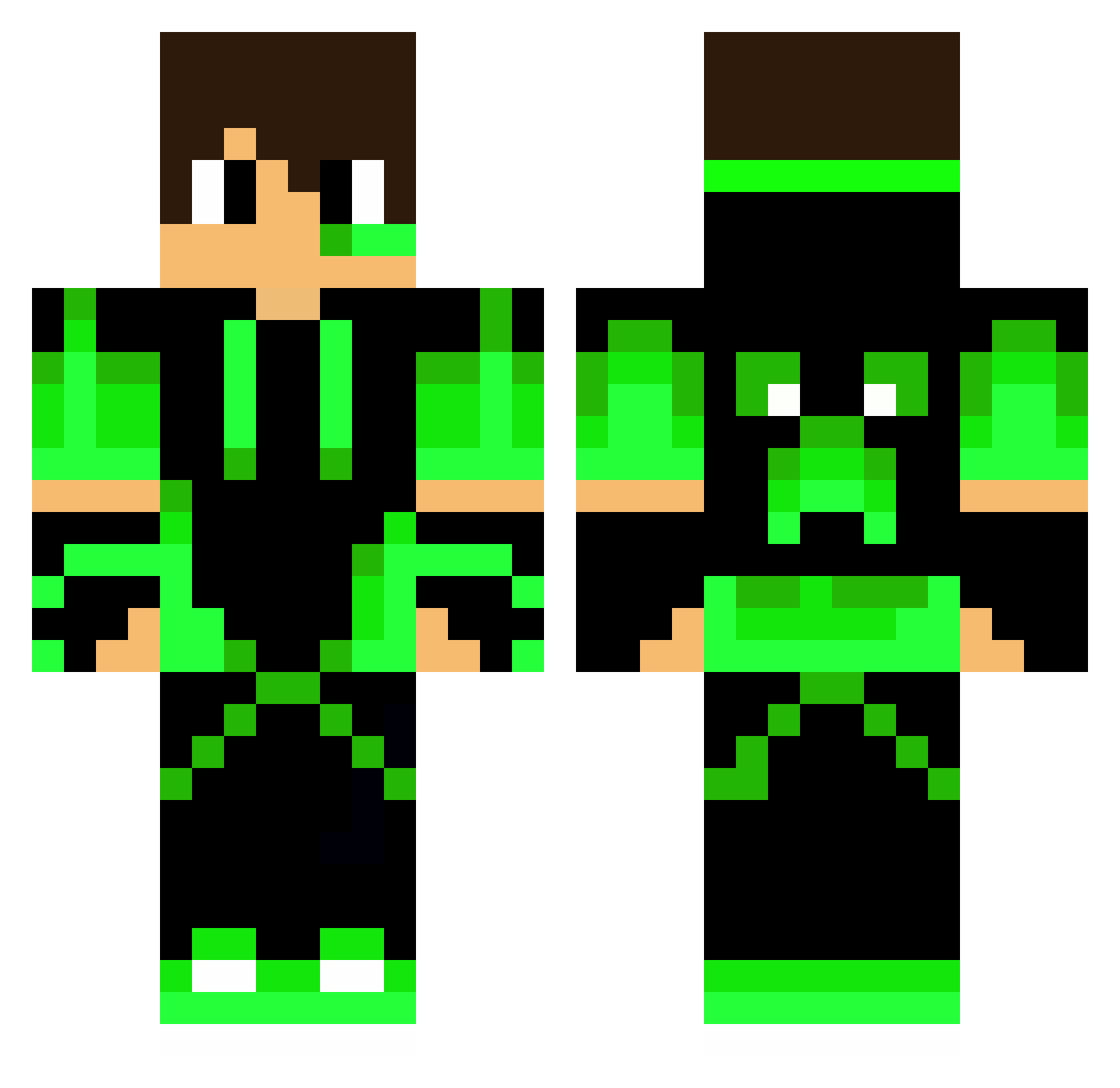
Current Minecraft skin of the player D4RKlil, loaded from the official Mojang API. Rotate the 3D model with your mouse or finger, then download the skin as a PNG file and use it in Minecraft: Bedrock Edition or Java Edition for free. When D4RKlil changes their skin, this page updates automatically and the old skin stays in the history below.
Other players with this skin (265)
D4RKlil was the 173rd player we have seen with this skin, first spotted on 05.10.2026. The same skin was seen on these players. Open a nickname to see their current skin and skin history.
 IcyThe1 iversen9 JonyMaster007 nikodem2010xxx actarvs BARon_VonUndZu past29 XbauerJulius Dossis ZLOI2288 Kekang1335 GREEN_dex Sam2006 xRainyDay JXMIKY herobrineheheh ayatocraft 41big41 ilaychi NobodyStack Tsuya___ HaiAdler Hugo11195 Antek2510 Pandagamer123321 Keisotsun ganjyai HeadShotGamerBR ZKS_SaltyLemon Tobiasschw14 EnverER airtomek ZeroX9812 AmdiON 728gravlover253 nyersgeza Arhturzin_d_grau Tomasek111 xp96 _Tricker_ StormCooperBR Bielz26 kingJacob353 Masterblaze583 PROGamerKuzey RZRAxo Moddexs hiroro0815 Sebek2024 ruby_d41 BestMama1 Bratan_03 Gabrieldcrz ErnestB MerseCs Jaguaritica_Boi Progamer9569 RedSox2011 Pendagron Gabbo1930
More Neon Green Minecraft skins
How to install the D4RKlil skin
- Press the Download button above to save the skin as a PNG file.
- Minecraft: Bedrock Edition (PE): open the Dressing Room from the main menu (or tap your character → Edit Character), go to Classic Skins → Owned, press the + (new skin) button, choose the downloaded PNG and pick the Classic (Steve) model. Works on PC and mobile; consoles cannot import custom skins.
- Minecraft: Java Edition: open the Minecraft Launcher, go to the Skins tab, click New Skin, load the PNG, pick the Classic (Steve) model and press Save & Use. You can also upload it at minecraft.net → Profile → Change Skin.
The skin does not show up after import - what should I do?
Restart Minecraft and open the Dressing Room again - imported skins sometimes appear only after a restart. Also make sure you selected the imported skin and picked the Classic (Steve) model.
Which model should I choose, Classic or Slim?
This skin is designed for the Classic (Steve) model. If you pick the wrong model, the arms of the skin will look stretched or squeezed.
Is the skin of D4RKlil free to download?
Yes. Press Download, save the PNG file and use it in Minecraft: Bedrock Edition or Java Edition - no payment or registration needed. The skin also works on multiplayer servers and Realms.
More skins
Looking for more? Go back to all Minecraft skins and check the top skins of the week, month and all time, or find any player's skin by nickname.