
D1NK89 - Minecraft Skins & Skin History
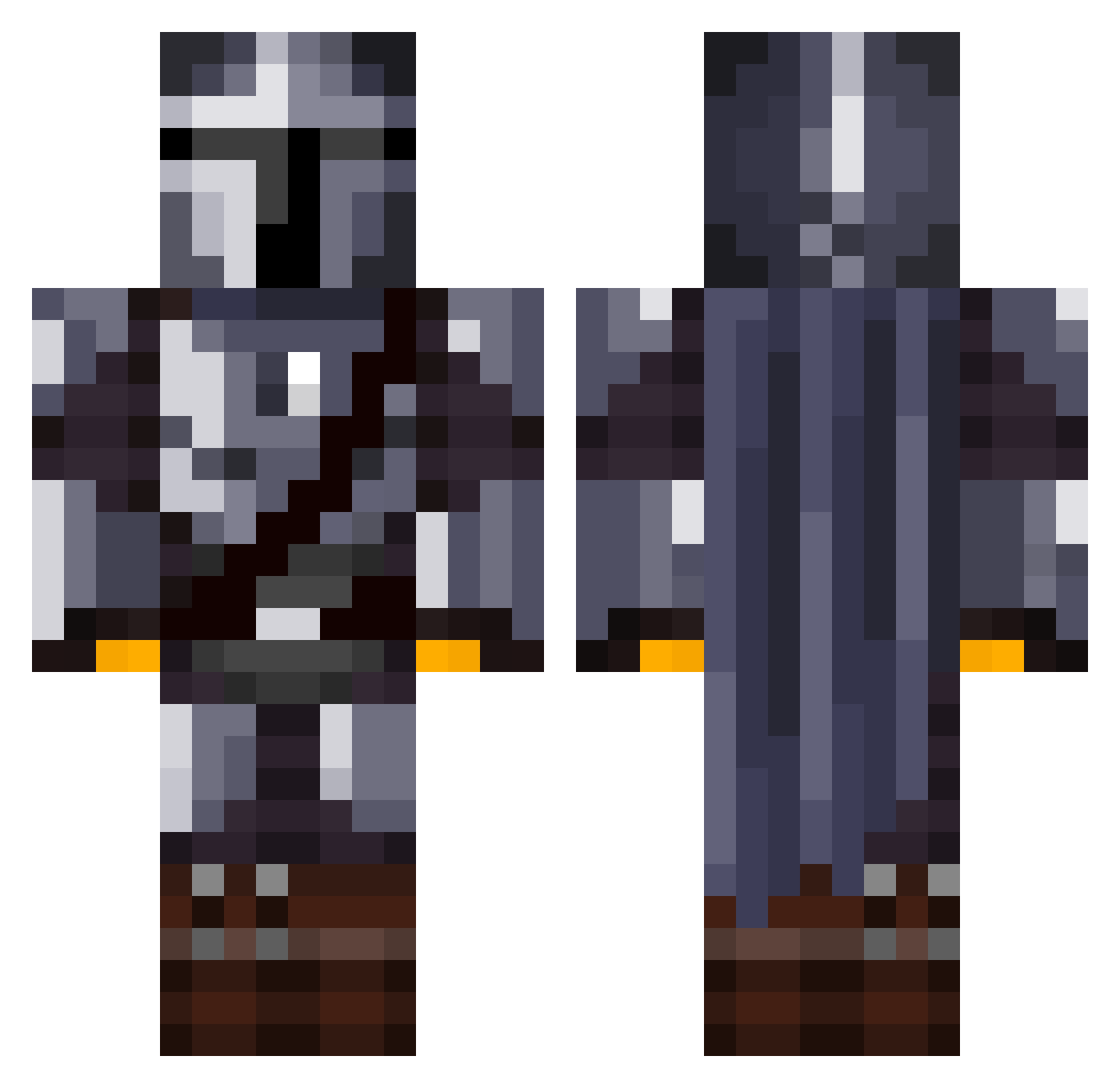
Current Minecraft skin of the player D1NK89, loaded from the official Mojang API. Rotate the 3D model with your mouse or finger, then download the skin as a PNG file and use it in Minecraft: Bedrock Edition or Java Edition for free. When D1NK89 changes their skin, this page updates automatically and the old skin stays in the history below.
Other players with this skin (1031)
D1NK89 was the 911th player we have seen with this skin, first spotted on 09.10.2026. The same skin was seen on these players. Open a nickname to see their current skin and skin history.
 Corb12345 ThiccGopnikk hazama1981 Vecturn01 Clarkiekent yeibo3 KapiPolny t0mpy ZOTTELKOPF1234 Esbjornnn DylanSeneca97 Jack_Frost4 azprez Eddyie themighty56 mister_guiz Kizrael pbetts92 Fatrick01 FlippinDylan DAXAR06 Thomas_UwU Vandal92 Jrod2898 taffyapple Kagbba Konnyas itschummy CTS09 Wingge AiR_NJ TheAlexCoD99 Dougernaut08 Vattii FragOutSentry Jasqaz MATHBirnie Callyyb Assitoaster23 Hr_Virus TeamRockettttt EdwardChills FedExGround Salty_Multi Zalissa Chiara20 RiftLift TheHellVetia Lo9_MAn Symptomezz chimimoon Baboon_X DonKonreadore123 Jidow ShioKoori Nicolas_Is_RVGD KSTGaming Luckyleur onlykaizen TBP99
More The Mandalorian Minecraft skins
See all 514 The Mandalorian skins
How to install the D1NK89 skin
- Press the Download button above to save the skin as a PNG file.
- Minecraft: Bedrock Edition (PE): open the Dressing Room from the main menu (or tap your character → Edit Character), go to Classic Skins → Owned, press the + (new skin) button, choose the downloaded PNG and pick the Classic (Steve) model. Works on PC and mobile; consoles cannot import custom skins.
- Minecraft: Java Edition: open the Minecraft Launcher, go to the Skins tab, click New Skin, load the PNG, pick the Classic (Steve) model and press Save & Use. You can also upload it at minecraft.net → Profile → Change Skin.
The skin does not show up after import - what should I do?
Restart Minecraft and open the Dressing Room again - imported skins sometimes appear only after a restart. Also make sure you selected the imported skin and picked the Classic (Steve) model.
Which model should I choose, Classic or Slim?
This skin is designed for the Classic (Steve) model. If you pick the wrong model, the arms of the skin will look stretched or squeezed.
Is the skin of D1NK89 free to download?
Yes. Press Download, save the PNG file and use it in Minecraft: Bedrock Edition or Java Edition - no payment or registration needed. The skin also works on multiplayer servers and Realms.
More skins
Looking for more? Go back to all Minecraft skins and check the top skins of the week, month and all time, or find any player's skin by nickname.