
CumDozzer - Minecraft Skins & Skin History
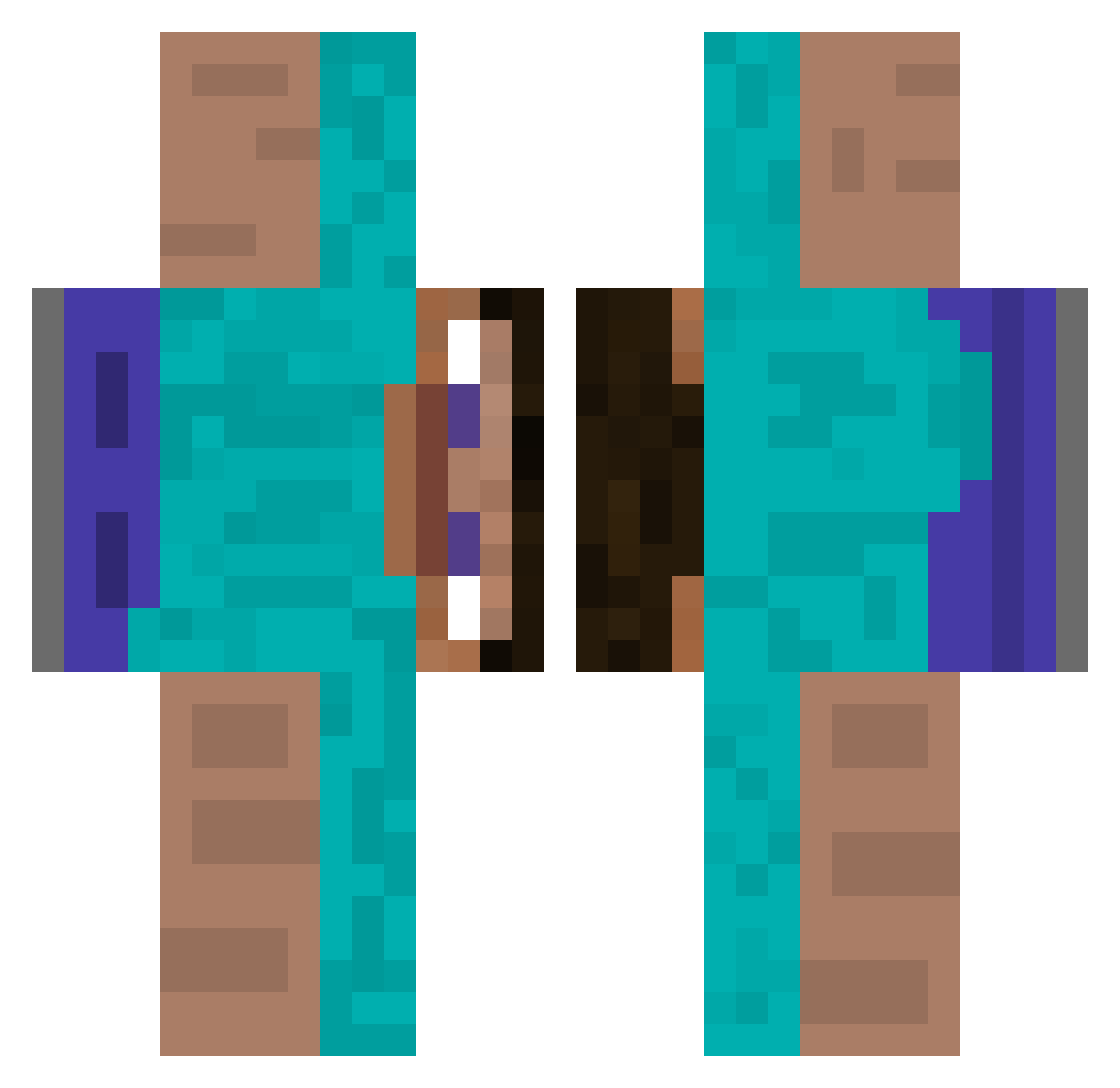
Current Minecraft skin of the player CumDozzer, loaded from the official Mojang API. Rotate the 3D model with your mouse or finger, then download the skin as a PNG file and use it in Minecraft: Bedrock Edition or Java Edition for free. When CumDozzer changes their skin, this page updates automatically and the old skin stays in the history below.
Other players with this skin (512)
CumDozzer was the 225th player we have seen with this skin, first spotted on 15.09.2026. The same skin was seen on these players. Open a nickname to see their current skin and skin history.
 AtYarra SaniDander ttsh_ trentk2000 herdieboy Batataet Mhothair NoahK4502 Quasar_Bloodless Babl0 Wizkyll Dave20181 istoledatoast frost213br kimdo0807 T1KY4 JudgeMonika StormBRKD budulayvolk HuRiC4N3 B3telg3use JBorsuk PlayCraft_91 xLombra Julio_Cesar123 coeeeeeeeee MIshoTheMisho CrazyAnto EvilSasuke666 wnsqka 5_Beta_5 AutsMode Frohe MarutinB Atzy _Alasdair_ sofbox123 NuttyGrowl Jutui1 shdhfhf MameiOBerti xNKSQx JoergHaider ViObiOne qwrrgfdf yoghater passiraMC Flooded34 Ralfhzera JAZZgamer yellowsupercar77 nightwing6456 Matheus187 pokimarr Kapang4 amithajaj kevinestsquared snolyzx BaoWanIsHere ArthurToxic
How to install the CumDozzer skin
- Press the Download button above to save the skin as a PNG file.
- Minecraft: Bedrock Edition (PE): open the Dressing Room from the main menu (or tap your character → Edit Character), go to Classic Skins → Owned, press the + (new skin) button, choose the downloaded PNG and pick the Classic (Steve) model. Works on PC and mobile; consoles cannot import custom skins.
- Minecraft: Java Edition: open the Minecraft Launcher, go to the Skins tab, click New Skin, load the PNG, pick the Classic (Steve) model and press Save & Use. You can also upload it at minecraft.net → Profile → Change Skin.
The skin does not show up after import - what should I do?
Restart Minecraft and open the Dressing Room again - imported skins sometimes appear only after a restart. Also make sure you selected the imported skin and picked the Classic (Steve) model.
Which model should I choose, Classic or Slim?
This skin is designed for the Classic (Steve) model. If you pick the wrong model, the arms of the skin will look stretched or squeezed.
Is the skin of CumDozzer free to download?
Yes. Press Download, save the PNG file and use it in Minecraft: Bedrock Edition or Java Edition - no payment or registration needed. The skin also works on multiplayer servers and Realms.
More skins
Looking for more? Go back to all Minecraft skins and check the top skins of the week, month and all time, or find any player's skin by nickname.