
Cubiiks - Minecraft Skins & Skin History
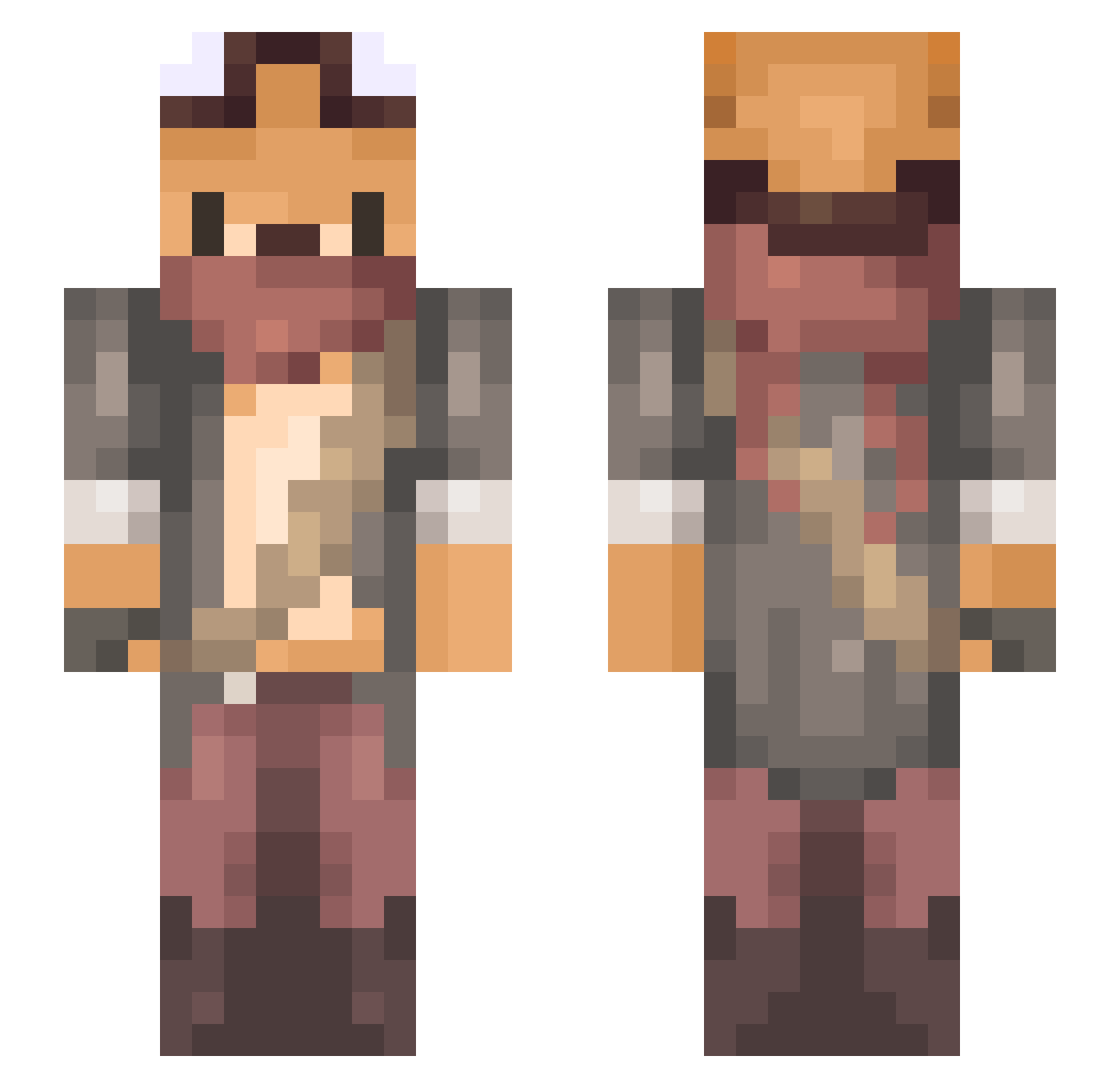
Current Minecraft skin of the player Cubiiks, loaded from the official Mojang API. Rotate the 3D model with your mouse or finger, then download the skin as a PNG file and use it in Minecraft: Bedrock Edition or Java Edition for free. When Cubiiks changes their skin, this page updates automatically and the old skin stays in the history below.
Other players with this skin (734)
Cubiiks was the 76th player we have seen with this skin, first spotted on 06.08.2026. The same skin was seen on these players. Open a nickname to see their current skin and skin history.
 KoloT2D_ Luskasss tikkan21 gl_ranxii wasawasa00 Jlumon4IK_ MrJonass Diablogost
 random_fork
 Hanokh trotror ImmaBeaver Kaitlyn336 yuguoxc Kanto2112 Puncii NiuNiu33 binacat haho_louisa AkiraJP gomaf DankShadowPanda Harry_Pot2Fleur EditingJaye
 Nosgoht HN2VM GoupilRoyal Endostatic Shinema LFLacerda 08F Toudelou TigerHuFu__ Puplefish TinTin_Off luanlll MementoMori9278 CAJeepBoy MASMAVI1985 khko 2005srj Winny_Fur Meitzen BigBossZhen Trowa_R jcrim9 biolis Xx_LisaLove_xX StriKinho DummyThree49609 ozireal meokko_ Ac3Alt17 ___Gin___ Im_not_loop Molnia5 MinecraftMagick Masteras06 VampAllie llkengarll
More Scavenger Minecraft skins
How to install the Cubiiks skin
- Press the Download button above to save the skin as a PNG file.
- Minecraft: Bedrock Edition (PE): open the Dressing Room from the main menu (or tap your character → Edit Character), go to Classic Skins → Owned, press the + (new skin) button, choose the downloaded PNG and pick the Slim (Alex) model. Works on PC and mobile; consoles cannot import custom skins.
- Minecraft: Java Edition: open the Minecraft Launcher, go to the Skins tab, click New Skin, load the PNG, pick the Slim (Alex) model and press Save & Use. You can also upload it at minecraft.net → Profile → Change Skin.
The skin does not show up after import - what should I do?
Restart Minecraft and open the Dressing Room again - imported skins sometimes appear only after a restart. Also make sure you selected the imported skin and picked the Slim (Alex) model.
Which model should I choose, Classic or Slim?
This skin is designed for the Slim (Alex) model. If you pick the wrong model, the arms of the skin will look stretched or squeezed.
Is the skin of Cubiiks free to download?
Yes. Press Download, save the PNG file and use it in Minecraft: Bedrock Edition or Java Edition - no payment or registration needed. The skin also works on multiplayer servers and Realms.
More skins
Looking for more? Go back to all Minecraft skins and check the top skins of the week, month and all time, or find any player's skin by nickname.