
Crytosys - Minecraft Skins & Skin History
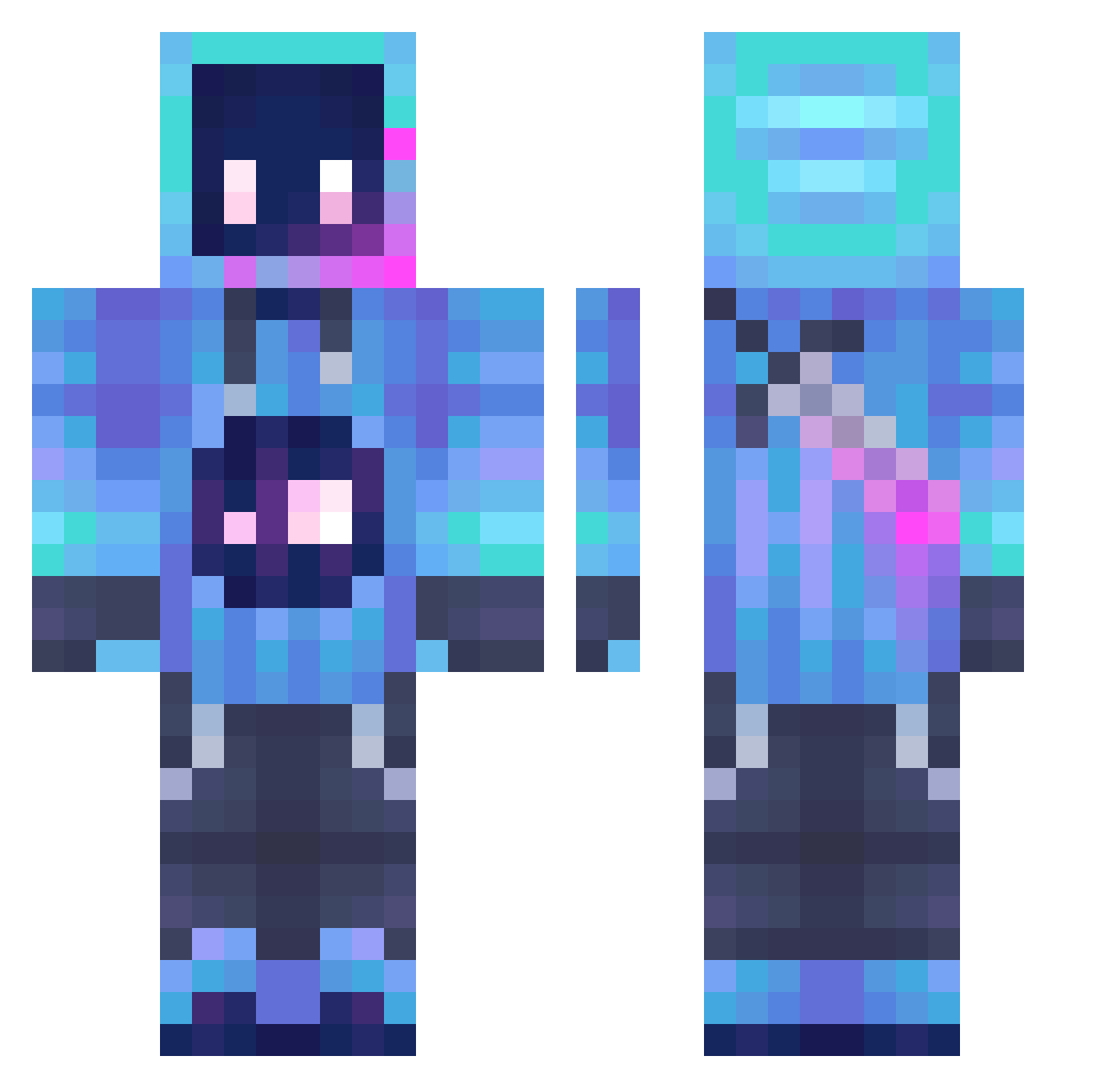
Current Minecraft skin of the player Crytosys, loaded from the official Mojang API. Rotate the 3D model with your mouse or finger, then download the skin as a PNG file and use it in Minecraft: Bedrock Edition or Java Edition for free. When Crytosys changes their skin, this page updates automatically and the old skin stays in the history below.
Other players with this skin (1296)
Crytosys was the 893rd player we have seen with this skin, first spotted on 10.10.2026. The same skin was seen on these players. Open a nickname to see their current skin and skin history.
 UNhayp Marcellouwe DominantGlue967 brad12432 VGHx48 Filfeee OniKing31 Black_light_ Zanwuming xBear9 kinwen Noir3640 kaithebeastNo1 leopoleos spark1037 SeksHaver420 XODOMADE DALEKUNGAUNG xxBlanche Robofun2 Harmeet2213__ Cz0lasty GodSlayerGx CHBong NIKULGAMER Firatis Elcei itsgotagun Skrotss handsomezhang Jaile990 Solaris_26 FlyingPanda1818 Vorcee skibidi_eater RobotGirl379 Happyboy1548 Matsuzen13 jekco kinktail HammerOnMC LeoLord289 Joe_jo58 Irax1006 Jeli_Arts YupIDoupi Bugzy1234 Nyno_Pr Fundiments Fenrym Datpotato12 Cr0wd5 Kitze187 Fifi4728 tjwright Hunterkiller_69 SamotnyTypcio __quasar__ TK_TC Sebastian1309
More Sword Minecraft skins
How to install the Crytosys skin
- Press the Download button above to save the skin as a PNG file.
- Minecraft: Bedrock Edition (PE): open the Dressing Room from the main menu (or tap your character → Edit Character), go to Classic Skins → Owned, press the + (new skin) button, choose the downloaded PNG and pick the Classic (Steve) model. Works on PC and mobile; consoles cannot import custom skins.
- Minecraft: Java Edition: open the Minecraft Launcher, go to the Skins tab, click New Skin, load the PNG, pick the Classic (Steve) model and press Save & Use. You can also upload it at minecraft.net → Profile → Change Skin.
The skin does not show up after import - what should I do?
Restart Minecraft and open the Dressing Room again - imported skins sometimes appear only after a restart. Also make sure you selected the imported skin and picked the Classic (Steve) model.
Which model should I choose, Classic or Slim?
This skin is designed for the Classic (Steve) model. If you pick the wrong model, the arms of the skin will look stretched or squeezed.
Is the skin of Crytosys free to download?
Yes. Press Download, save the PNG file and use it in Minecraft: Bedrock Edition or Java Edition - no payment or registration needed. The skin also works on multiplayer servers and Realms.
More skins
Looking for more? Go back to all Minecraft skins and check the top skins of the week, month and all time, or find any player's skin by nickname.