
CrustyWeenie - Minecraft Skins & Skin History
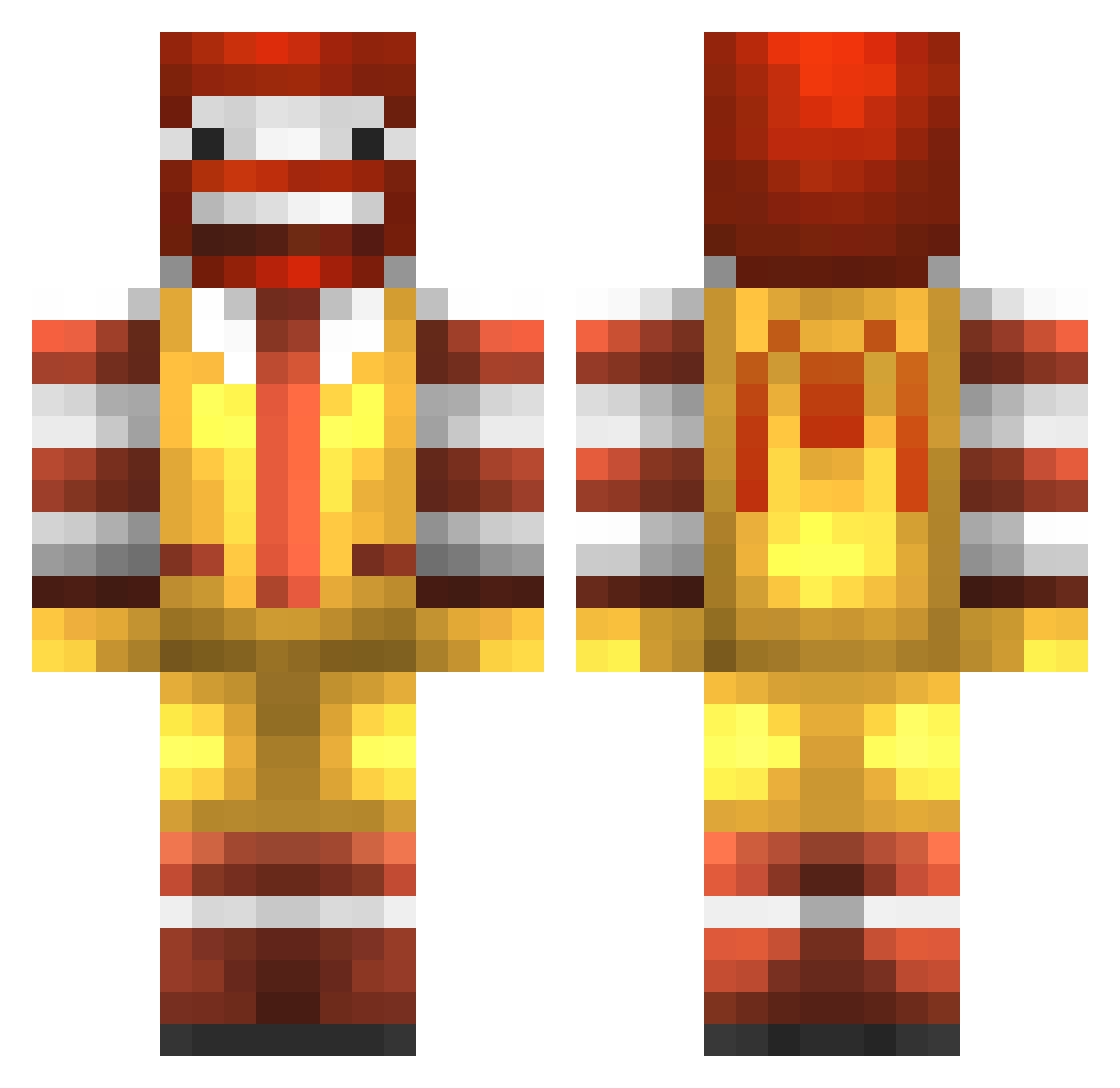
Current Minecraft skin of the player CrustyWeenie, loaded from the official Mojang API. Rotate the 3D model with your mouse or finger, then download the skin as a PNG file and use it in Minecraft: Bedrock Edition or Java Edition for free. When CrustyWeenie changes their skin, this page updates automatically and the old skin stays in the history below.
Other players with this skin (776)
CrustyWeenie was the 671st player we have seen with this skin, first spotted on 11.10.2026. The same skin was seen on these players. Open a nickname to see their current skin and skin history.
 Wolfy_Sam ykoop5 HubertFTW TheBatMatt EvanLach brunteip tmoore1234 Hence_ Ginganinja9298 OpticHoneydew Benjamin2810 kckmichael Sourhaze GucciMayneee JuicyBonobo Jreems BuenaVista0606 lilianh27 KreamyOG AirsoftWolverine 43maru Directortohell40 CookieBearZac Mster HelpboyLP Krinkysorous veraanestad Editions jamsey1 estove ryexis Young_Polak xXEarlSweatshirt hepburn2002 bigfella420 shockhey thatkresskid3021 BUTTERMINER66 gradygman ILUVDNB mib321 DanniiBanannii sundays12 Crazombie PlatinumPig327 Joshinger __Kiruxa__ creeper_pwn3r_ Ptown_Clutcher charlyswag34 Werewolf_2 ImEnd Darth_Gamer Pakarr SrMcdonald champetieradrien tomo0842 meatlover7 WHOPPER_INVADER Pizian
More Ronald Mcdonald Minecraft skins
See all 126 Ronald Mcdonald skins
How to install the CrustyWeenie skin
- Press the Download button above to save the skin as a PNG file.
- Minecraft: Bedrock Edition (PE): open the Dressing Room from the main menu (or tap your character → Edit Character), go to Classic Skins → Owned, press the + (new skin) button, choose the downloaded PNG and pick the Classic (Steve) model. Works on PC and mobile; consoles cannot import custom skins.
- Minecraft: Java Edition: open the Minecraft Launcher, go to the Skins tab, click New Skin, load the PNG, pick the Classic (Steve) model and press Save & Use. You can also upload it at minecraft.net → Profile → Change Skin.
The skin does not show up after import - what should I do?
Restart Minecraft and open the Dressing Room again - imported skins sometimes appear only after a restart. Also make sure you selected the imported skin and picked the Classic (Steve) model.
Which model should I choose, Classic or Slim?
This skin is designed for the Classic (Steve) model. If you pick the wrong model, the arms of the skin will look stretched or squeezed.
Is the skin of CrustyWeenie free to download?
Yes. Press Download, save the PNG file and use it in Minecraft: Bedrock Edition or Java Edition - no payment or registration needed. The skin also works on multiplayer servers and Realms.
More skins
Looking for more? Go back to all Minecraft skins and check the top skins of the week, month and all time, or find any player's skin by nickname.