
Croakyy - Minecraft Skins & Skin History
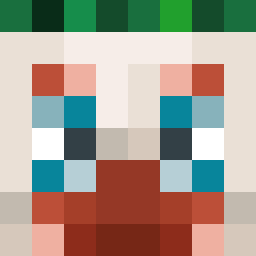
Current Minecraft skin of the player Croakyy, loaded from the official Mojang API. Rotate the 3D model with your mouse or finger, then download the skin as a PNG file and use it in Minecraft: Bedrock Edition or Java Edition for free. When Croakyy changes their skin, this page updates automatically and the old skin stays in the history below.

Other players with this skin (14081)
Croakyy was the 3918th player we have seen with this skin, first spotted on 27.08.2026. The same skin was seen on these players. Open a nickname to see their current skin and skin history.
 plasticmind B3njy1 RubyHornet20245 41t jummin2 nguyengau223 Jetzry LorMurdok Guy552 Dabba003 MARTIGG007 alferjorn tanaka_114 Persmoo nighthawk1017 LuxuryTempest Sajikbukro Whirl0op
 Nonstop_ bumbum32 KITN_Darki MrMjrim Player557 coshing Photal gr6nit SylvesterStewart JUKSON7 LuhKev Stankton Farhands EcMonkeyz Kappa_Alpha RealUtsav MaxiRsi JJJHuang vale02 juelsz UnChouxFrancais nilats2024 Shneagan Hidencard7778 Elapheguttata
 not2o Lizardpunch__ LeoBuilder2022 KsaweryBrys Programz123 MonsterClapper fafnir Tuday_XO karoalskare raphafloppp andofwinds Mc_lukinoYOUTUBE Haon_Haon Roguekettle thelemite Babasco yesung2010
How to install the Croakyy skin
- Press the Download button above to save the skin as a PNG file.
- Minecraft: Bedrock Edition (PE): open the Dressing Room from the main menu (or tap your character → Edit Character), go to Classic Skins → Owned, press the + (new skin) button, choose the downloaded PNG and pick the Classic (Steve) model. Works on PC and mobile; consoles cannot import custom skins.
- Minecraft: Java Edition: open the Minecraft Launcher, go to the Skins tab, click New Skin, load the PNG, pick the Classic (Steve) model and press Save & Use. You can also upload it at minecraft.net → Profile → Change Skin.
The skin does not show up after import - what should I do?
Restart Minecraft and open the Dressing Room again - imported skins sometimes appear only after a restart. Also make sure you selected the imported skin and picked the Classic (Steve) model.
Which model should I choose, Classic or Slim?
This skin is designed for the Classic (Steve) model. If you pick the wrong model, the arms of the skin will look stretched or squeezed.
Is the skin of Croakyy free to download?
Yes. Press Download, save the PNG file and use it in Minecraft: Bedrock Edition or Java Edition - no payment or registration needed. The skin also works on multiplayer servers and Realms.
More skins
Looking for more? Go back to all Minecraft skins and check the top skins of the week, month and all time, or find any player's skin by nickname.