
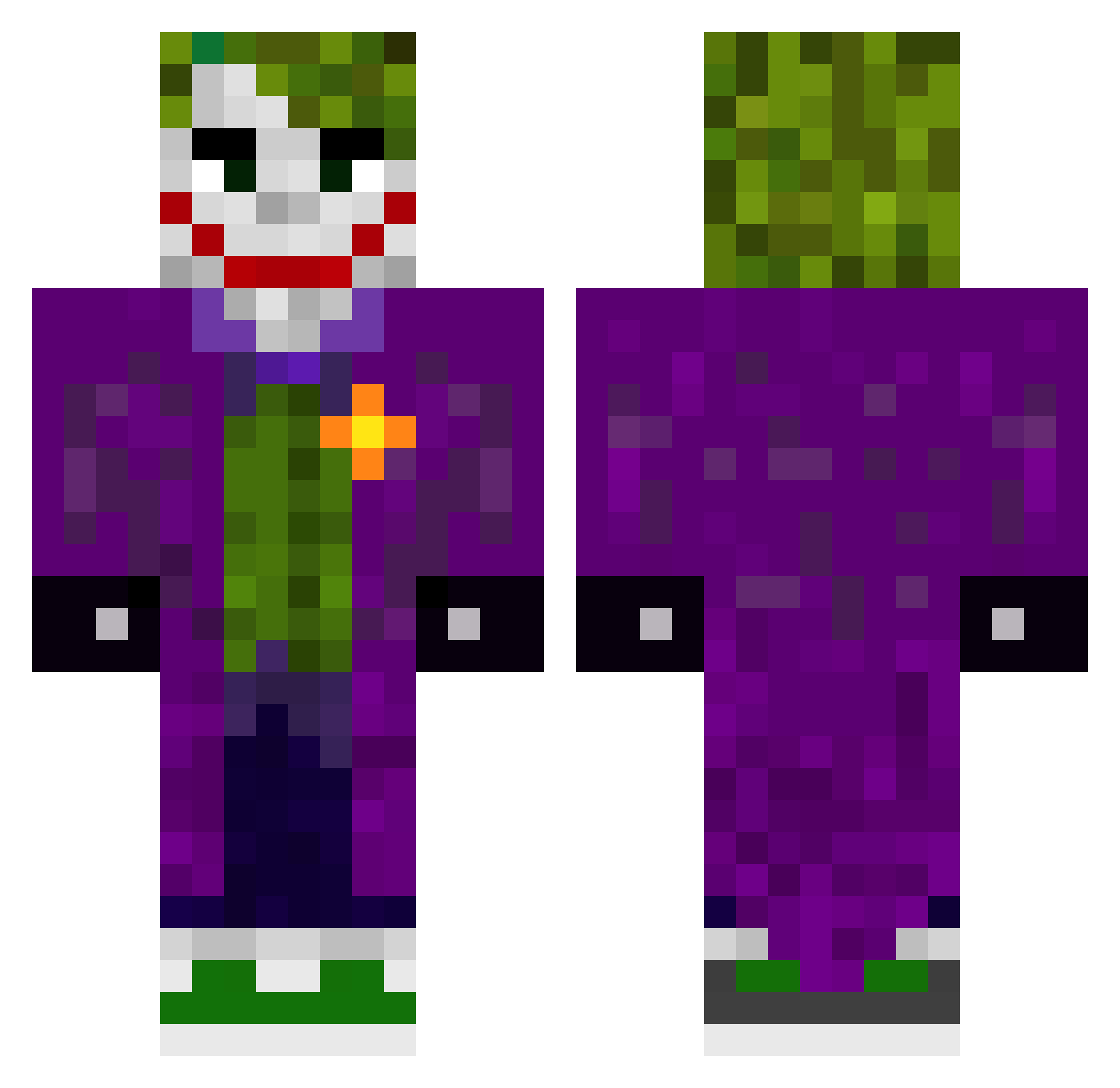
Current Minecraft skin of the player Cristianr53, loaded from the official Mojang API. Rotate the 3D model with your mouse or finger, then download the skin as a PNG file and use it in Minecraft: Bedrock Edition or Java Edition for free. When Cristianr53 changes their skin, this page updates automatically and the old skin stays in the history below.
Other players with this skin (358)
Cristianr53 was the 358th player we have seen with this skin, first spotted on 11.10.2026. The same skin was seen on these players. Open a nickname to see their current skin and skin history.
 J0K3R4_ Coin_gen mariete_15 swedishgun Pant3r4 Chucky1128 andycypress GuiLovato DarkJokker NabiBoo iFade17 Anatronix SzymekKierz PIPI_LOCK Lucho2036 NPlice dean2093 FiveTap Nash0108 lupellark Prometheuxs billo459 Mr_rawpulse yLcuv MrAlex13 Espinguarda _Yorky5_ JKR_97 lukefry7272 overRparadise BungusFungus32 Small_kit99 KomRr x11thebeast11x Mironnn11 Potrinho criticaljlee TheViking69 Zzepekk Ghostwinner4635 azzinii trifi96 EvoVlad 3bwzd outlawID stef4annn WannaBeMJ Eshkere_1488 Sinha717_ CekirgeVezir_58 DanielVeerman Atharva77 Moubz TheFlammingSword fam004341 Sake23x neneyiko Shiney24 Vicke0310 jokerinferno
More The Joker Minecraft skins
How to install the Cristianr53 skin
- Press the Download button above to save the skin as a PNG file.
- Minecraft: Bedrock Edition (PE): open the Dressing Room from the main menu (or tap your character → Edit Character), go to Classic Skins → Owned, press the + (new skin) button, choose the downloaded PNG and pick the Classic (Steve) model. Works on PC and mobile; consoles cannot import custom skins.
- Minecraft: Java Edition: open the Minecraft Launcher, go to the Skins tab, click New Skin, load the PNG, pick the Classic (Steve) model and press Save & Use. You can also upload it at minecraft.net → Profile → Change Skin.
The skin does not show up after import - what should I do?
Restart Minecraft and open the Dressing Room again - imported skins sometimes appear only after a restart. Also make sure you selected the imported skin and picked the Classic (Steve) model.
Which model should I choose, Classic or Slim?
This skin is designed for the Classic (Steve) model. If you pick the wrong model, the arms of the skin will look stretched or squeezed.
Is the skin of Cristianr53 free to download?
Yes. Press Download, save the PNG file and use it in Minecraft: Bedrock Edition or Java Edition - no payment or registration needed. The skin also works on multiplayer servers and Realms.
More skins
Looking for more? Go back to all Minecraft skins and check the top skins of the week, month and all time, or find any player's skin by nickname.