
Creeperletsplay5 - Minecraft Skins & Skin History
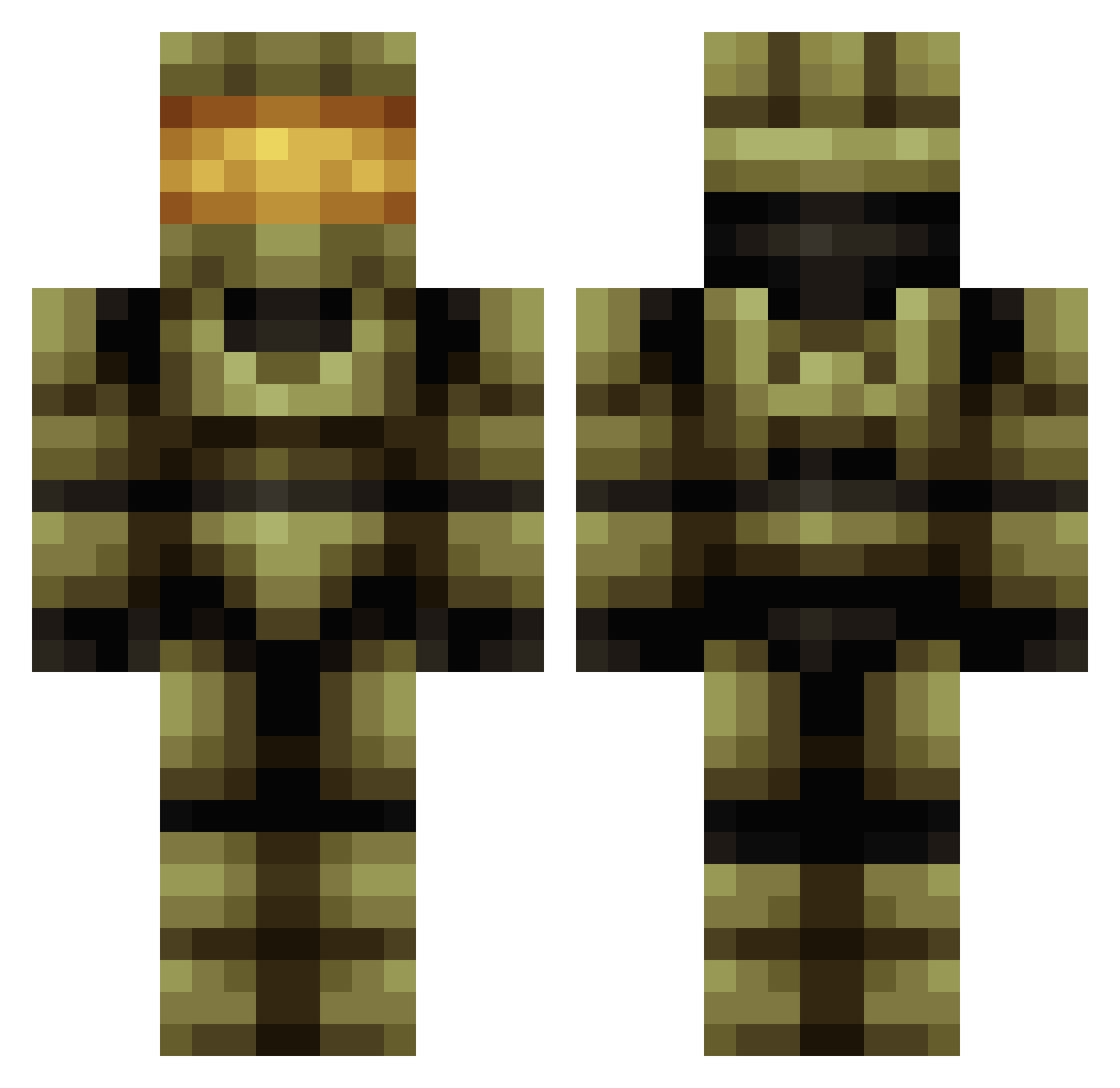
Current Minecraft skin of the player Creeperletsplay5, loaded from the official Mojang API. Rotate the 3D model with your mouse or finger, then download the skin as a PNG file and use it in Minecraft: Bedrock Edition or Java Edition for free. When Creeperletsplay5 changes their skin, this page updates automatically and the old skin stays in the history below.
Other players with this skin (82)
Creeperletsplay5 was the 52nd player we have seen with this skin, first spotted on 29.09.2026. The same skin was seen on these players. Open a nickname to see their current skin and skin history.
 Alexeden72 aidxn3 R3N3GAME giorugiolo SrDotha KevlarCouch Lorian23 jaja12100 Kubamag84 5ONU hnb555 Communism_Nr1 ryan980725 Cladolphora ILOVETOKILLFURRY Onlode CasualAaron69 LoyalFenrir prophet80 drakelaedeke123 YwanFAn Ghostmecon miguel033 Ding_Dong_Daddy Onyx96 SeriousMedal Magnum198011 DubRunner_ rachelk6_3 romanephski Alfa193 Kiborg2000 azarango The_Punisher1775 Drunant NukeFrog spartiniiii JustDom197 TridentCactus32 Zuasive MrDanforth Pedowfly DONATLORD der_ulle majinurus Rickrickrick ihywave Grieblys Dutchsred spartan2185 HIELOSDP Jabronyyy StandartRs aragog08 Magnum1980 New50 THCBehind Exiod LavaMonsters muxbert1
More Master Chief Minecraft skins
See all 526 Master Chief skins
How to install the Creeperletsplay5 skin
- Press the Download button above to save the skin as a PNG file.
- Minecraft: Bedrock Edition (PE): open the Dressing Room from the main menu (or tap your character → Edit Character), go to Classic Skins → Owned, press the + (new skin) button, choose the downloaded PNG and pick the Classic (Steve) model. Works on PC and mobile; consoles cannot import custom skins.
- Minecraft: Java Edition: open the Minecraft Launcher, go to the Skins tab, click New Skin, load the PNG, pick the Classic (Steve) model and press Save & Use. You can also upload it at minecraft.net → Profile → Change Skin.
The skin does not show up after import - what should I do?
Restart Minecraft and open the Dressing Room again - imported skins sometimes appear only after a restart. Also make sure you selected the imported skin and picked the Classic (Steve) model.
Which model should I choose, Classic or Slim?
This skin is designed for the Classic (Steve) model. If you pick the wrong model, the arms of the skin will look stretched or squeezed.
Is the skin of Creeperletsplay5 free to download?
Yes. Press Download, save the PNG file and use it in Minecraft: Bedrock Edition or Java Edition - no payment or registration needed. The skin also works on multiplayer servers and Realms.
More skins
Looking for more? Go back to all Minecraft skins and check the top skins of the week, month and all time, or find any player's skin by nickname.