
Creeper7593 - Minecraft Skins & Skin History
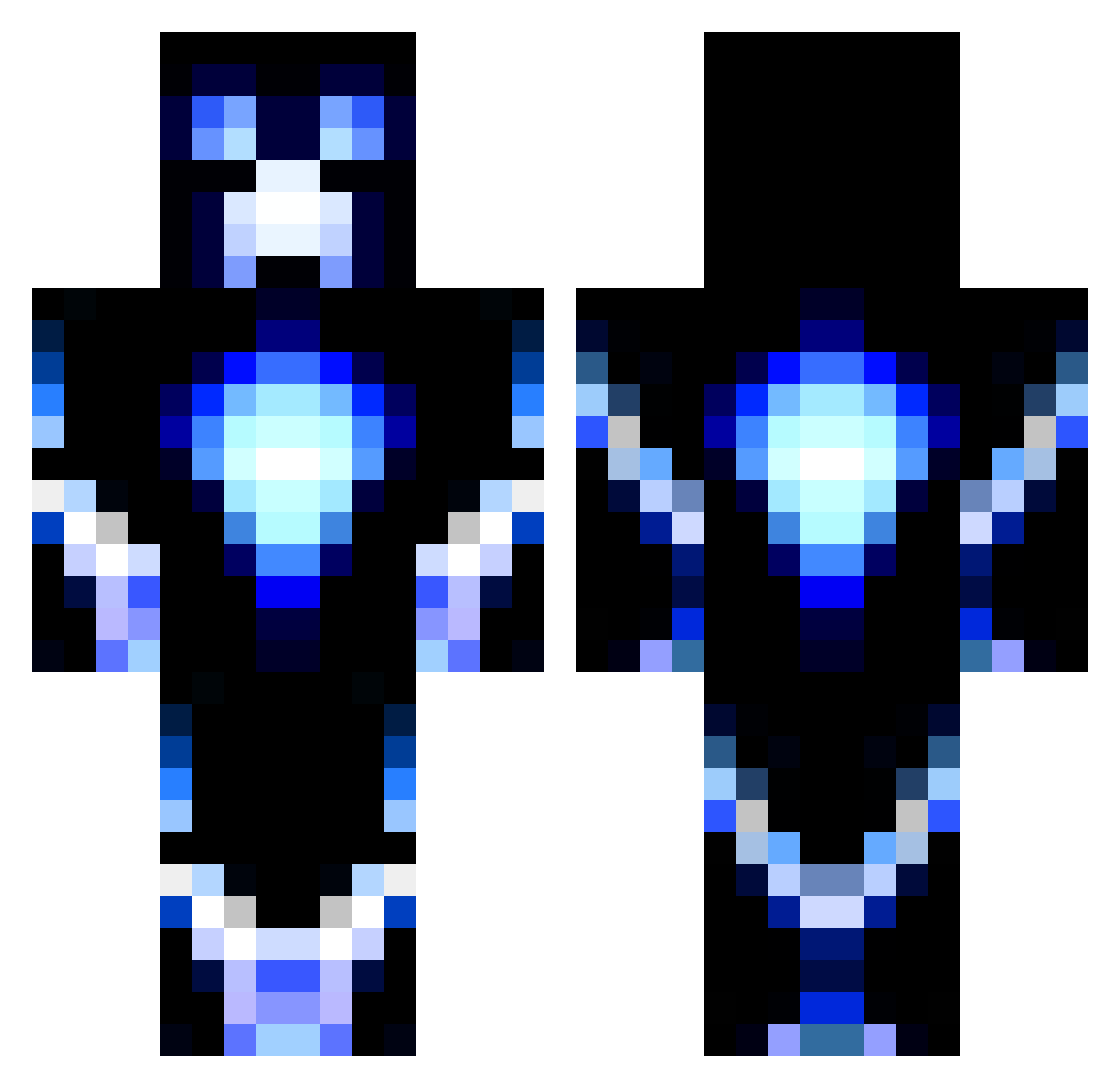
Current Minecraft skin of the player Creeper7593, loaded from the official Mojang API. Rotate the 3D model with your mouse or finger, then download the skin as a PNG file and use it in Minecraft: Bedrock Edition or Java Edition for free. When Creeper7593 changes their skin, this page updates automatically and the old skin stays in the history below.
Other players with this skin (1191)
Creeper7593 was the 567th player we have seen with this skin, first spotted on 18.09.2026. The same skin was seen on these players. Open a nickname to see their current skin and skin history.
 The_Espeon theyety B1acksmith SkullSlayer2 minecraftnerd887 maylo14 sage175 SirCreeper01 BlueHotdogs 1awesomedude2 Cbus22 _cc97_ pigfarts394 mitchell763 bluesox1 Bulldog258000 CDParadis83 alexzrules99 nolanmcguffin aversano1 PumpkinOrc FiddyCal69 Modbdog31 CraigSheff Cryzis2000 Thelegitone ahdood TheEnderSlayer55 Nibbler2000 ChocolateSpook machine5005 happyman1423 Robin_oo chris1236900 ObliviousReign Mattieman24 Mika_Raphael JLange008 AN_ANNOING_N00B Batblaze Torwartnummer1 Axray_gamer minedog5454 39000000 IBallisticHT jjspike07 JoakimJakob kallejuskowiak GhostShadow45 OneHitMarker nfsiagamer dacolbster69 capstain3 Kitsonator1 ParlCaju EffectedSprings lewistt50 Holmesy1 Brekkaokiller __Cassiopeia__
More Glowing Minecraft skins
How to install the Creeper7593 skin
- Press the Download button above to save the skin as a PNG file.
- Minecraft: Bedrock Edition (PE): open the Dressing Room from the main menu (or tap your character → Edit Character), go to Classic Skins → Owned, press the + (new skin) button, choose the downloaded PNG and pick the Classic (Steve) model. Works on PC and mobile; consoles cannot import custom skins.
- Minecraft: Java Edition: open the Minecraft Launcher, go to the Skins tab, click New Skin, load the PNG, pick the Classic (Steve) model and press Save & Use. You can also upload it at minecraft.net → Profile → Change Skin.
The skin does not show up after import - what should I do?
Restart Minecraft and open the Dressing Room again - imported skins sometimes appear only after a restart. Also make sure you selected the imported skin and picked the Classic (Steve) model.
Which model should I choose, Classic or Slim?
This skin is designed for the Classic (Steve) model. If you pick the wrong model, the arms of the skin will look stretched or squeezed.
Is the skin of Creeper7593 free to download?
Yes. Press Download, save the PNG file and use it in Minecraft: Bedrock Edition or Java Edition - no payment or registration needed. The skin also works on multiplayer servers and Realms.
More skins
Looking for more? Go back to all Minecraft skins and check the top skins of the week, month and all time, or find any player's skin by nickname.