
CreamyCaek - Minecraft Skins & Skin History
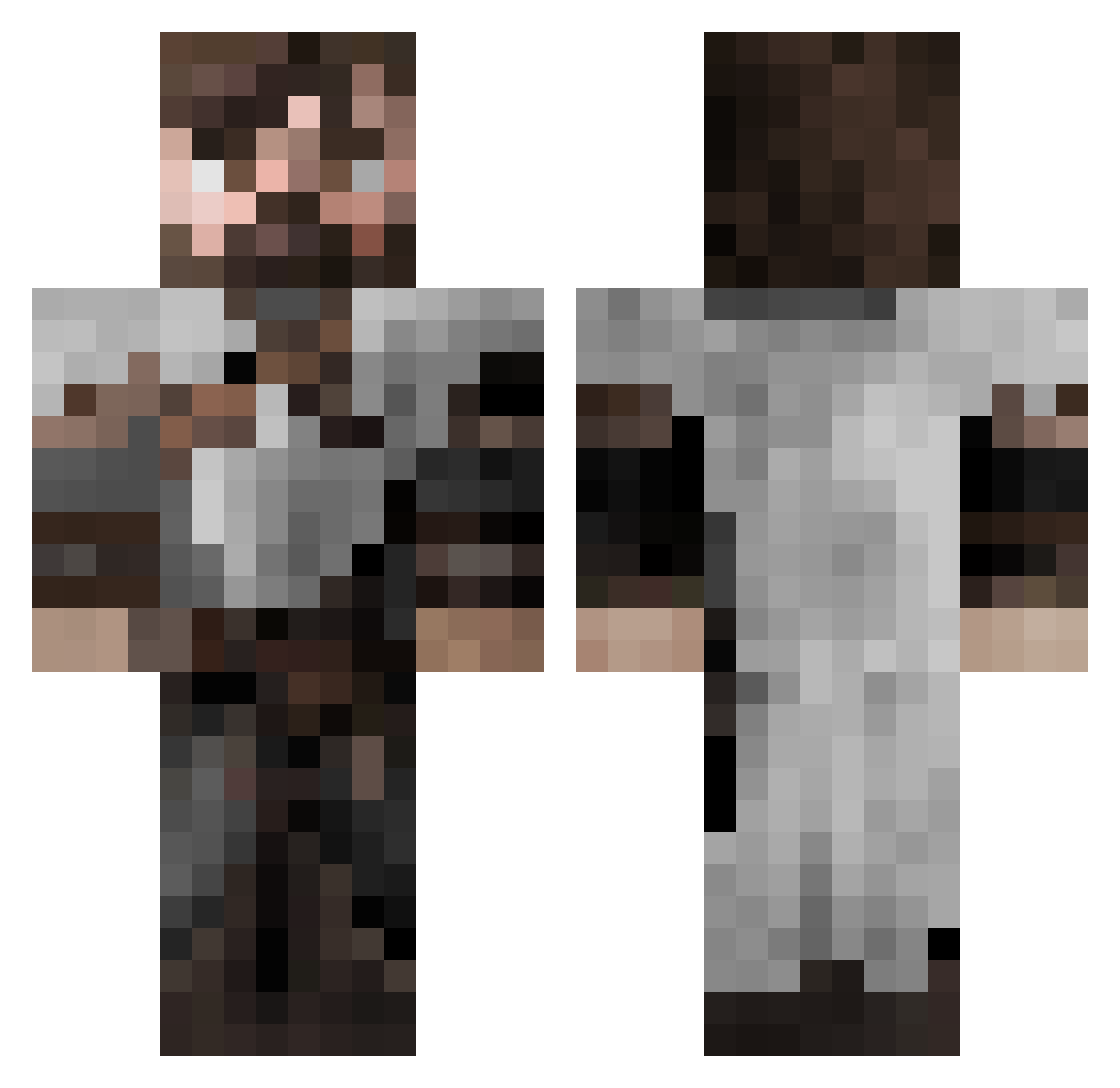
Current Minecraft skin of the player CreamyCaek, loaded from the official Mojang API. Rotate the 3D model with your mouse or finger, then download the skin as a PNG file and use it in Minecraft: Bedrock Edition or Java Edition for free. When CreamyCaek changes their skin, this page updates automatically and the old skin stays in the history below.
Other players with this skin (553)
CreamyCaek was the 341st player we have seen with this skin, first spotted on 30.09.2026. The same skin was seen on these players. Open a nickname to see their current skin and skin history.
 Torvtak95 Ianzinho00 arashy1 FoxHound647 DzikuXcltX tsumers lwalk222 J4K0B55 IG_Prime Kyranjh Blodgarn Thraksh Ragarnir7 Leomon23 Casixk FManin Father_Nature BusirisII Nightsreach BeanOfSprouts Repconsul Samurai_J_J STIIPS Arcze_ TheDutchSpecial Delt_a7 dabarker Peace__Keeper ElPomero horatuz TheRo0ster Luigi2Leonidas jbhi die24 tplTuckr38 MrBrightside184 HBVR_T Brad1223451 Aesir001 Chillronnz MacSmile KnifeFish ShippoRivenu SoppyDrip Potyrson AtlasOnAcid xXRanger_Cassius Popesmonja Sierra_ZeroOne PimeTaradox Deltasidearm Therrilliar Random_User99 Temperdelf Helo_Knight Fagyii Ignoramouss A773N JacksonStokes06 sytiz
More Crusader Minecraft skins
How to install the CreamyCaek skin
- Press the Download button above to save the skin as a PNG file.
- Minecraft: Bedrock Edition (PE): open the Dressing Room from the main menu (or tap your character → Edit Character), go to Classic Skins → Owned, press the + (new skin) button, choose the downloaded PNG and pick the Classic (Steve) model. Works on PC and mobile; consoles cannot import custom skins.
- Minecraft: Java Edition: open the Minecraft Launcher, go to the Skins tab, click New Skin, load the PNG, pick the Classic (Steve) model and press Save & Use. You can also upload it at minecraft.net → Profile → Change Skin.
The skin does not show up after import - what should I do?
Restart Minecraft and open the Dressing Room again - imported skins sometimes appear only after a restart. Also make sure you selected the imported skin and picked the Classic (Steve) model.
Which model should I choose, Classic or Slim?
This skin is designed for the Classic (Steve) model. If you pick the wrong model, the arms of the skin will look stretched or squeezed.
Is the skin of CreamyCaek free to download?
Yes. Press Download, save the PNG file and use it in Minecraft: Bedrock Edition or Java Edition - no payment or registration needed. The skin also works on multiplayer servers and Realms.
More skins
Looking for more? Go back to all Minecraft skins and check the top skins of the week, month and all time, or find any player's skin by nickname.