
CosmicDemonLord - Minecraft Skins & Skin History
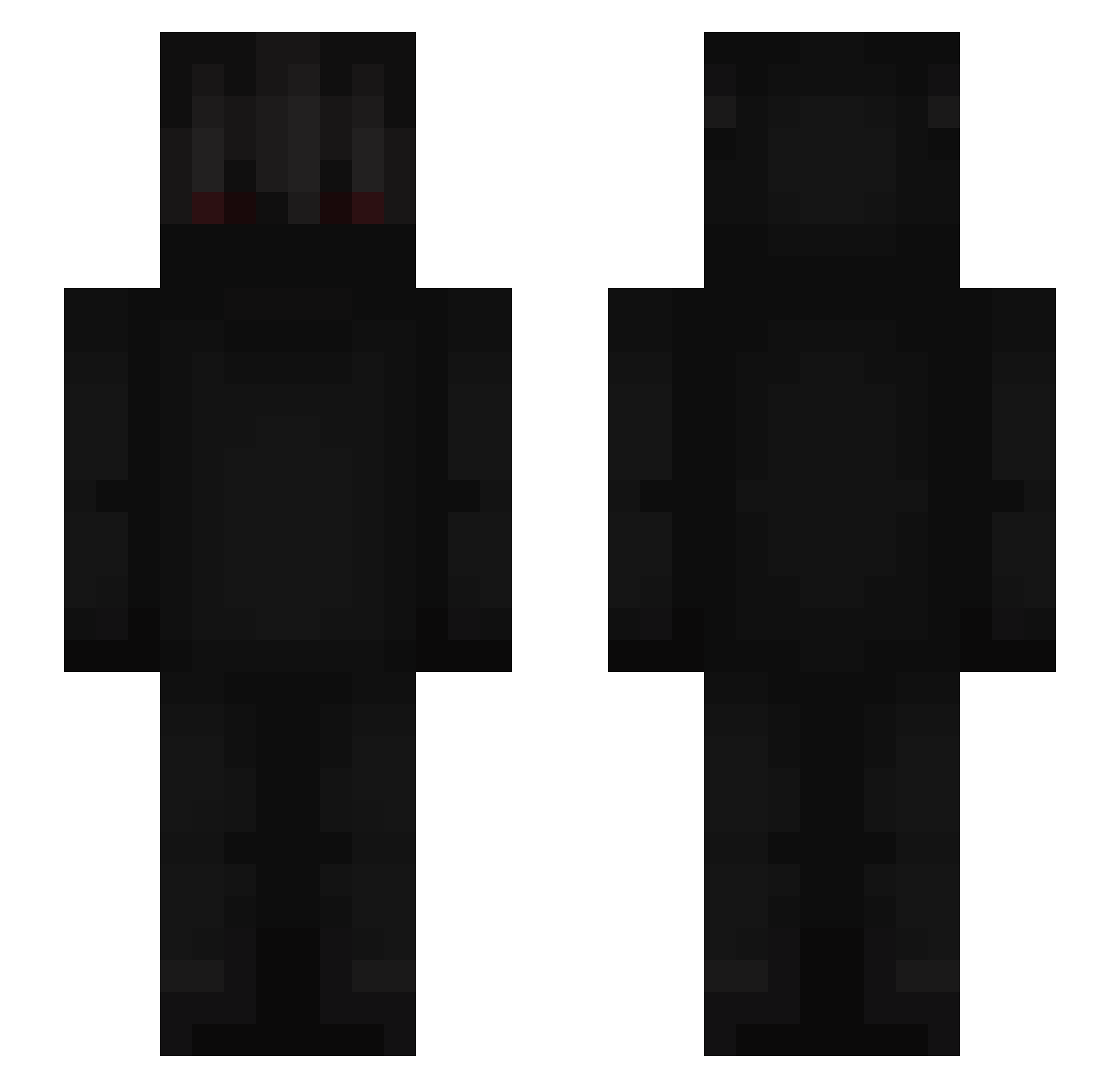
Current Minecraft skin of the player CosmicDemonLord, loaded from the official Mojang API. Rotate the 3D model with your mouse or finger, then download the skin as a PNG file and use it in Minecraft: Bedrock Edition or Java Edition for free. When CosmicDemonLord changes their skin, this page updates automatically and the old skin stays in the history below.
Other players with this skin (690)
CosmicDemonLord was the 535th player we have seen with this skin, first spotted on 18.10.2026. The same skin was seen on these players. Open a nickname to see their current skin and skin history.
 JL_Drs TheDarkBoy_ Leebro1131 dani_dest Jonhson RedidEye_ zJosueE__ Jwanitoo mifted TalhaBosnjo Sho1sy Sir_HackerMC Kucyk1234k DardyhaR poolshark2468 23exotic SaCroMN GANGMEMBERHAXS Varundin Tars8092 radun AVIROE Headhitters nyqutin Milan446 zZeroGaming 60kb mg9 XDIELIT Robynn_S Pxniisher SonKiSSSS MARON620 Hardtr1ck ncmzz HouseAlt10 REVENGER_01 Ahrisotratic tahaabin Deth_TR Unbedachter MATTH4546 xKitamWorth Baum_Zombie XTReamZX seresharon2025 ksxn Kuni_92 HarryPopostre Nxea MemoRG THEDOCTOR46_8 ShortyGlock ozambrrr Maic09 KeyZoK_ Chami16 savcidd kenzao17 11iq2
More Shadow Minecraft skins
How to install the CosmicDemonLord skin
- Press the Download button above to save the skin as a PNG file.
- Minecraft: Bedrock Edition (PE): open the Dressing Room from the main menu (or tap your character → Edit Character), go to Classic Skins → Owned, press the + (new skin) button, choose the downloaded PNG and pick the Slim (Alex) model. Works on PC and mobile; consoles cannot import custom skins.
- Minecraft: Java Edition: open the Minecraft Launcher, go to the Skins tab, click New Skin, load the PNG, pick the Slim (Alex) model and press Save & Use. You can also upload it at minecraft.net → Profile → Change Skin.
The skin does not show up after import - what should I do?
Restart Minecraft and open the Dressing Room again - imported skins sometimes appear only after a restart. Also make sure you selected the imported skin and picked the Slim (Alex) model.
Which model should I choose, Classic or Slim?
This skin is designed for the Slim (Alex) model. If you pick the wrong model, the arms of the skin will look stretched or squeezed.
Is the skin of CosmicDemonLord free to download?
Yes. Press Download, save the PNG file and use it in Minecraft: Bedrock Edition or Java Edition - no payment or registration needed. The skin also works on multiplayer servers and Realms.
More skins
Looking for more? Go back to all Minecraft skins and check the top skins of the week, month and all time, or find any player's skin by nickname.