
Corifee - Minecraft Skins & Skin History
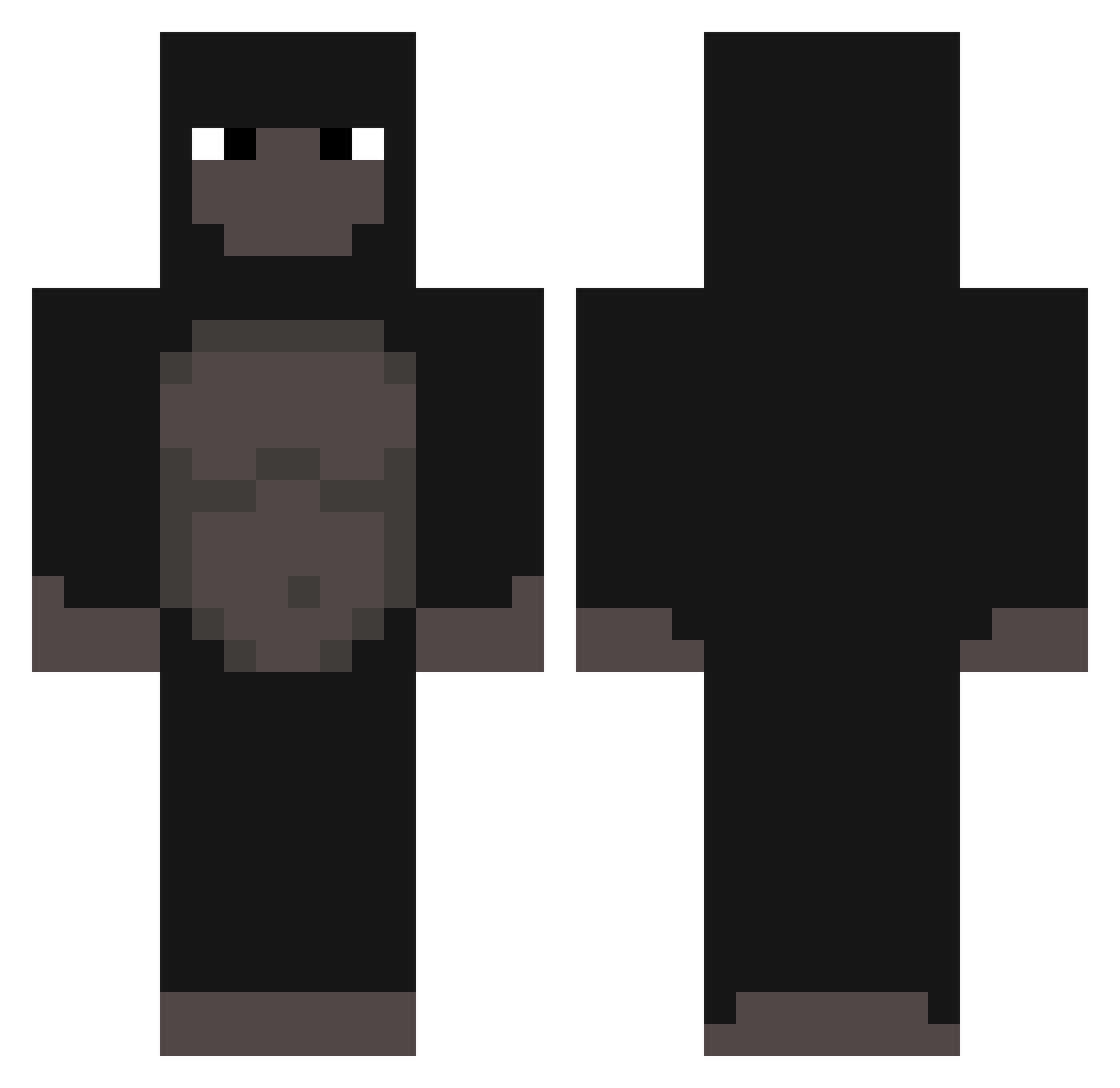
Current Minecraft skin of the player Corifee, loaded from the official Mojang API. Rotate the 3D model with your mouse or finger, then download the skin as a PNG file and use it in Minecraft: Bedrock Edition or Java Edition for free. When Corifee changes their skin, this page updates automatically and the old skin stays in the history below.
Other players with this skin (303)
Corifee was the 202nd player we have seen with this skin, first spotted on 06.10.2026. The same skin was seen on these players. Open a nickname to see their current skin and skin history.
 Dessert_ qzm_fdp RIPmaple Champis Memag boyoz31 slobonmyglocc ritz150 steelgamer2 Floatingamer sealionchomper malinnaryyy Stryxx_ SteveNoJob Tukanoiz KomandosPompka77 GrillXD metehanhane DrDrain7 leon_streams phsN CocoJambo_1337 BrumDeLegend boujeeandthick seymm Nurico1337 LynxDaddy Seikamizu MetroPaul gorillllll minty1290 viper__3 eltalegudo22 dopemonke BloddyYuri _FrenchFry gwoat Guides04 iMrUnlucky Kerzod DiabetesBajcetic zGhost_X_ SoprixG0D lachy00 ukasz33 based_r1ch kyogorikun TINHASSA Tacos000 SFCRAYFISH matilda609 SuperMonkey64 beebopop TNT_Starz xXVeryRareXx Urgape Keiketsu DaddyDelicious crustyvans _Radimek69
More Gorilla Minecraft skins
How to install the Corifee skin
- Press the Download button above to save the skin as a PNG file.
- Minecraft: Bedrock Edition (PE): open the Dressing Room from the main menu (or tap your character → Edit Character), go to Classic Skins → Owned, press the + (new skin) button, choose the downloaded PNG and pick the Classic (Steve) model. Works on PC and mobile; consoles cannot import custom skins.
- Minecraft: Java Edition: open the Minecraft Launcher, go to the Skins tab, click New Skin, load the PNG, pick the Classic (Steve) model and press Save & Use. You can also upload it at minecraft.net → Profile → Change Skin.
The skin does not show up after import - what should I do?
Restart Minecraft and open the Dressing Room again - imported skins sometimes appear only after a restart. Also make sure you selected the imported skin and picked the Classic (Steve) model.
Which model should I choose, Classic or Slim?
This skin is designed for the Classic (Steve) model. If you pick the wrong model, the arms of the skin will look stretched or squeezed.
Is the skin of Corifee free to download?
Yes. Press Download, save the PNG file and use it in Minecraft: Bedrock Edition or Java Edition - no payment or registration needed. The skin also works on multiplayer servers and Realms.
More skins
Looking for more? Go back to all Minecraft skins and check the top skins of the week, month and all time, or find any player's skin by nickname.