
Cool_Turtle1234 - Minecraft Skins & Skin History
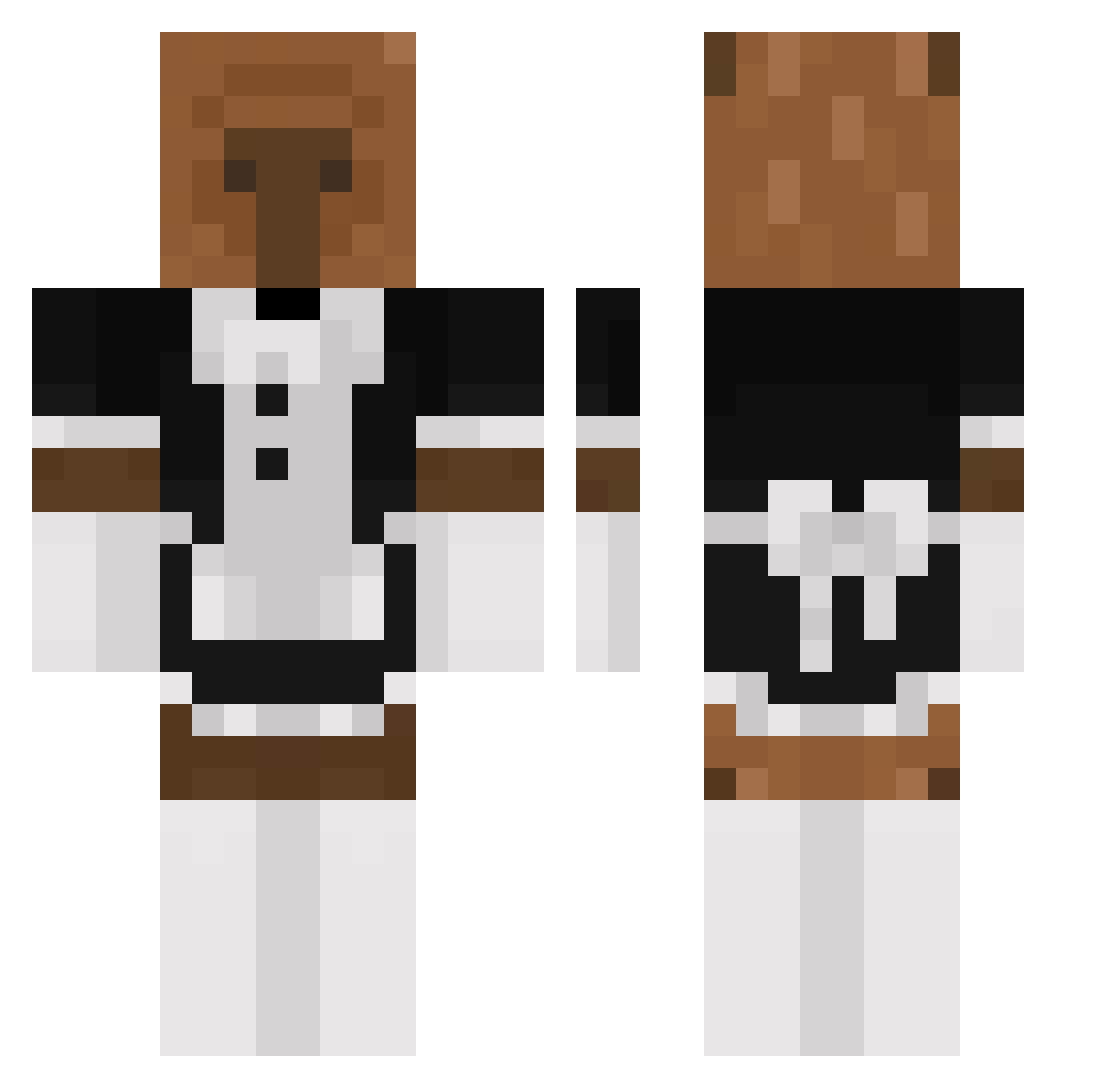
Current Minecraft skin of the player Cool_Turtle1234, loaded from the official Mojang API. Rotate the 3D model with your mouse or finger, then download the skin as a PNG file and use it in Minecraft: Bedrock Edition or Java Edition for free. When Cool_Turtle1234 changes their skin, this page updates automatically and the old skin stays in the history below.
Other players with this skin (240)
Cool_Turtle1234 was the 131st player we have seen with this skin, first spotted on 23.09.2026. The same skin was seen on these players. Open a nickname to see their current skin and skin history.
 Qyurryus_7u7 BroccoliTheGirl LuckyLuca_Trip Carmite666 EmoBabo ThunderCloud79 Genfii CarlosM04 Kotlecik135 Fatige brookismommy Dempyy Tema_Marlow hanwoo01 ImGonnaDieAlone HighNotion ql1we Floppygash PakayDeChips mille4392 _nemophila__ 100preduro mejq IcerX dandalanch alegzandra Eltioricksanches Kapybara2009 Miguez_GZ tiredej raura2000 PoSosOk muchigod Chupamatracas69 hyhp LiberTox daniel3607k ChustinENP eeelyK pawiiiii Kamilosek_ bomtiggity Itzkazakoff Serterner Cafe_Rio_Burrito masusta CottagePl4nt GyordanDF coreanoMAX344 tahliyana T_SUB1234
 Ri13y_ Tanobully69 Ximee_8 chachachg al00fus chogang2 XsumiiiX Karbonariusz bassear
More Bear Minecraft skins
How to install the Cool_Turtle1234 skin
- Press the Download button above to save the skin as a PNG file.
- Minecraft: Bedrock Edition (PE): open the Dressing Room from the main menu (or tap your character → Edit Character), go to Classic Skins → Owned, press the + (new skin) button, choose the downloaded PNG and pick the Classic (Steve) model. Works on PC and mobile; consoles cannot import custom skins.
- Minecraft: Java Edition: open the Minecraft Launcher, go to the Skins tab, click New Skin, load the PNG, pick the Classic (Steve) model and press Save & Use. You can also upload it at minecraft.net → Profile → Change Skin.
The skin does not show up after import - what should I do?
Restart Minecraft and open the Dressing Room again - imported skins sometimes appear only after a restart. Also make sure you selected the imported skin and picked the Classic (Steve) model.
Which model should I choose, Classic or Slim?
This skin is designed for the Classic (Steve) model. If you pick the wrong model, the arms of the skin will look stretched or squeezed.
Is the skin of Cool_Turtle1234 free to download?
Yes. Press Download, save the PNG file and use it in Minecraft: Bedrock Edition or Java Edition - no payment or registration needed. The skin also works on multiplayer servers and Realms.
More skins
Looking for more? Go back to all Minecraft skins and check the top skins of the week, month and all time, or find any player's skin by nickname.