
CoolMom34 - Minecraft Skins & Skin History
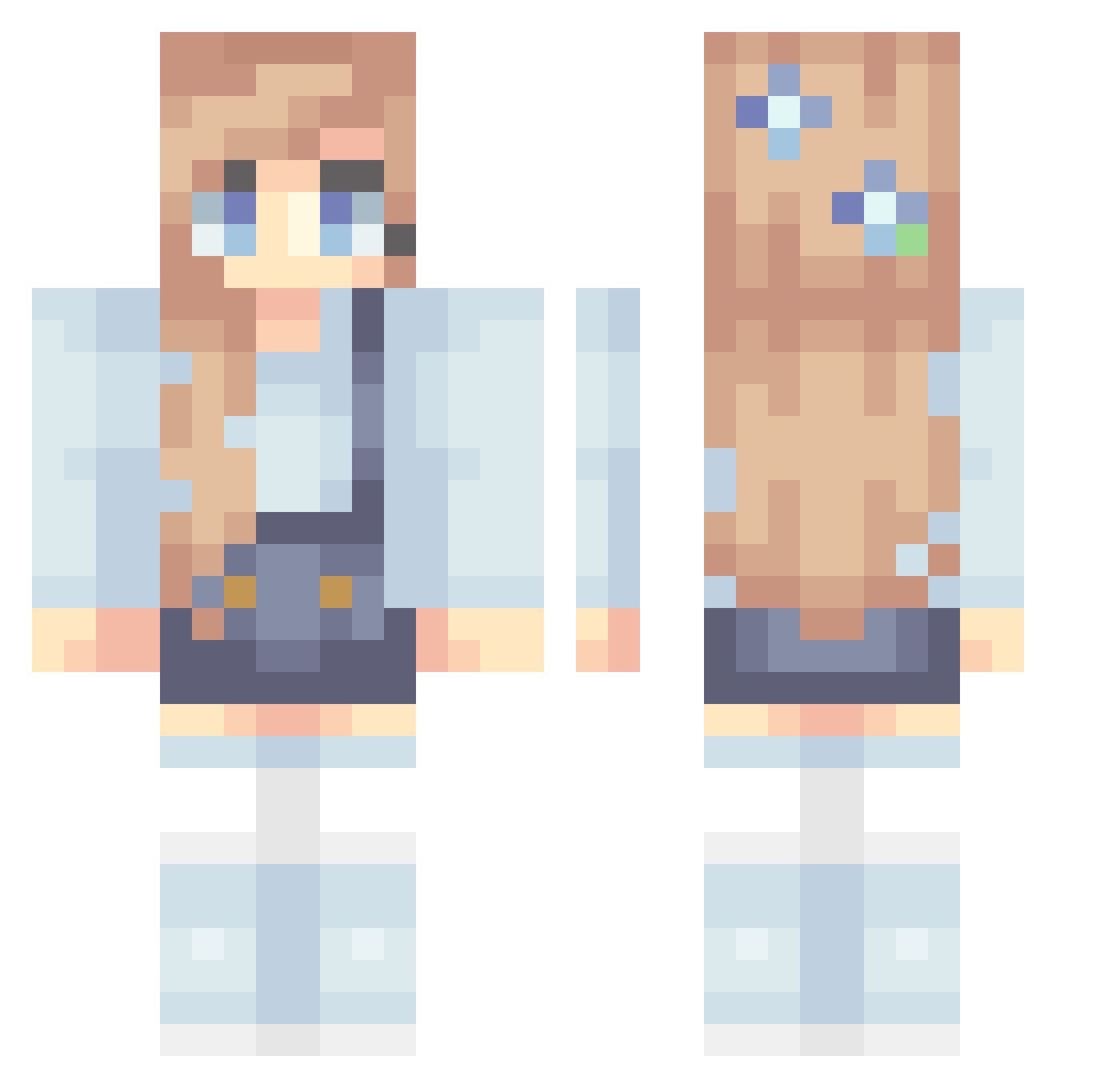
Current Minecraft skin of the player CoolMom34, loaded from the official Mojang API. Rotate the 3D model with your mouse or finger, then download the skin as a PNG file and use it in Minecraft: Bedrock Edition or Java Edition for free. When CoolMom34 changes their skin, this page updates automatically and the old skin stays in the history below.
Other players with this skin (87)
CoolMom34 was the 18th player we have seen with this skin, first spotted on 15.08.2026. The same skin was seen on these players. Open a nickname to see their current skin and skin history.
 sunnygirl2 WorldsSavior masterofpi314 AngryAlv MusicRemix ItzBianca Barbraccr jungr D_a2003 Blondyness scarlett_plays Space2beexplored Amy160 Tamz8 hanhan Giannamo nFlocke basketballgirl55 rmrFlowerPot HannahZ24 _lynster_ CatGirl113 YoungMeganFox FiberFunkV11 Klenedropje GirlFay PrissyEninems Isamachan Blitzgirljr Bigmatt671 CrystalxIvy _Anifox_ Pogaadtpro Blueskies123 Quelari Gobi69 Blondyblocks ek2sl polaranti AshTheReindeer magicmc77 sagab123 Livc21 cheessechaz Avaluna mojyuuu SimGuruC JellysLastJam TheWizardOfIz13 Blake1B clairity28 Galinda_TheGood lara_xx LaPizza2201 IsabelleBunny13 ScenicSugar73 Colorpoppin sjm0625 ezzzzzzzzzzzz PrettyLittleZoe
More Flowers Minecraft skins
How to install the CoolMom34 skin
- Press the Download button above to save the skin as a PNG file.
- Minecraft: Bedrock Edition (PE): open the Dressing Room from the main menu (or tap your character → Edit Character), go to Classic Skins → Owned, press the + (new skin) button, choose the downloaded PNG and pick the Classic (Steve) model. Works on PC and mobile; consoles cannot import custom skins.
- Minecraft: Java Edition: open the Minecraft Launcher, go to the Skins tab, click New Skin, load the PNG, pick the Classic (Steve) model and press Save & Use. You can also upload it at minecraft.net → Profile → Change Skin.
The skin does not show up after import - what should I do?
Restart Minecraft and open the Dressing Room again - imported skins sometimes appear only after a restart. Also make sure you selected the imported skin and picked the Classic (Steve) model.
Which model should I choose, Classic or Slim?
This skin is designed for the Classic (Steve) model. If you pick the wrong model, the arms of the skin will look stretched or squeezed.
Is the skin of CoolMom34 free to download?
Yes. Press Download, save the PNG file and use it in Minecraft: Bedrock Edition or Java Edition - no payment or registration needed. The skin also works on multiplayer servers and Realms.
More skins
Looking for more? Go back to all Minecraft skins and check the top skins of the week, month and all time, or find any player's skin by nickname.