
CookieJarPlays - Minecraft Skins & Skin History
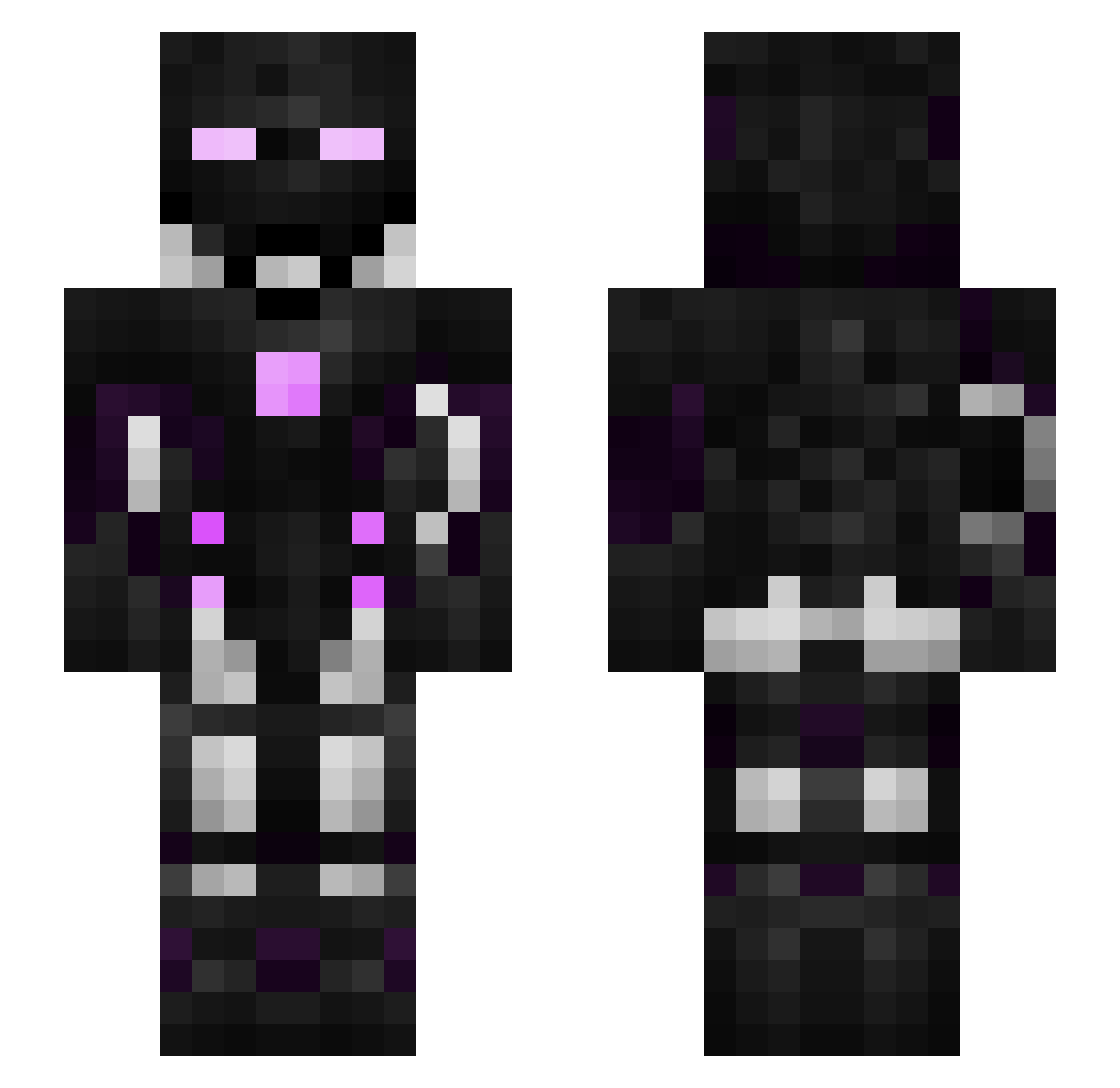
Current Minecraft skin of the player CookieJarPlays, loaded from the official Mojang API. Rotate the 3D model with your mouse or finger, then download the skin as a PNG file and use it in Minecraft: Bedrock Edition or Java Edition for free. When CookieJarPlays changes their skin, this page updates automatically and the old skin stays in the history below.
Other players with this skin (312)
CookieJarPlays was the 282nd player we have seen with this skin, first spotted on 23.10.2026. The same skin was seen on these players. Open a nickname to see their current skin and skin history.
 Mbossxd xXlamboheadXx AhsokaNaGz Tider_ToT DumpTrucks5Ever cocoonyou LINHongXian MrFantasy_YT Nickolas_2016 thibaultprovo 1qup1 stanleyhn alx0427 Tatayo69 Delirious904 ENDERMANSTRIKES1 ValentinFlr Huitaaaaa ObsidianPh0enix fruitaloom Salamat2006 JuanesGamer22 Brooks905 Soulmc20 Imakobold nullieto Stashley Heksman PvpLord117 BweachOnTop frankar100 zPatola Oldscool _Pika_03_ SuuubyNate Crazybloom buildcraftling mik3l__ leon021023 Tough_Nut Lexto UKSharon Enderbite187 DragonTheOrange bugzgunny23 marcos_1007 D_Gumball _HAPKOMAH_ vase243 winn_hall Todmann OnceAndTwice AURASPEED LargeHungBears Gigabait ZManRocks224 Grinnag Undercrystal Iam_Orbiit BMurphy160
More Cyborg Minecraft skins
How to install the CookieJarPlays skin
- Press the Download button above to save the skin as a PNG file.
- Minecraft: Bedrock Edition (PE): open the Dressing Room from the main menu (or tap your character → Edit Character), go to Classic Skins → Owned, press the + (new skin) button, choose the downloaded PNG and pick the Slim (Alex) model. Works on PC and mobile; consoles cannot import custom skins.
- Minecraft: Java Edition: open the Minecraft Launcher, go to the Skins tab, click New Skin, load the PNG, pick the Slim (Alex) model and press Save & Use. You can also upload it at minecraft.net → Profile → Change Skin.
The skin does not show up after import - what should I do?
Restart Minecraft and open the Dressing Room again - imported skins sometimes appear only after a restart. Also make sure you selected the imported skin and picked the Slim (Alex) model.
Which model should I choose, Classic or Slim?
This skin is designed for the Slim (Alex) model. If you pick the wrong model, the arms of the skin will look stretched or squeezed.
Is the skin of CookieJarPlays free to download?
Yes. Press Download, save the PNG file and use it in Minecraft: Bedrock Edition or Java Edition - no payment or registration needed. The skin also works on multiplayer servers and Realms.
More skins
Looking for more? Go back to all Minecraft skins and check the top skins of the week, month and all time, or find any player's skin by nickname.