
Congfei - Minecraft Skins & Skin History
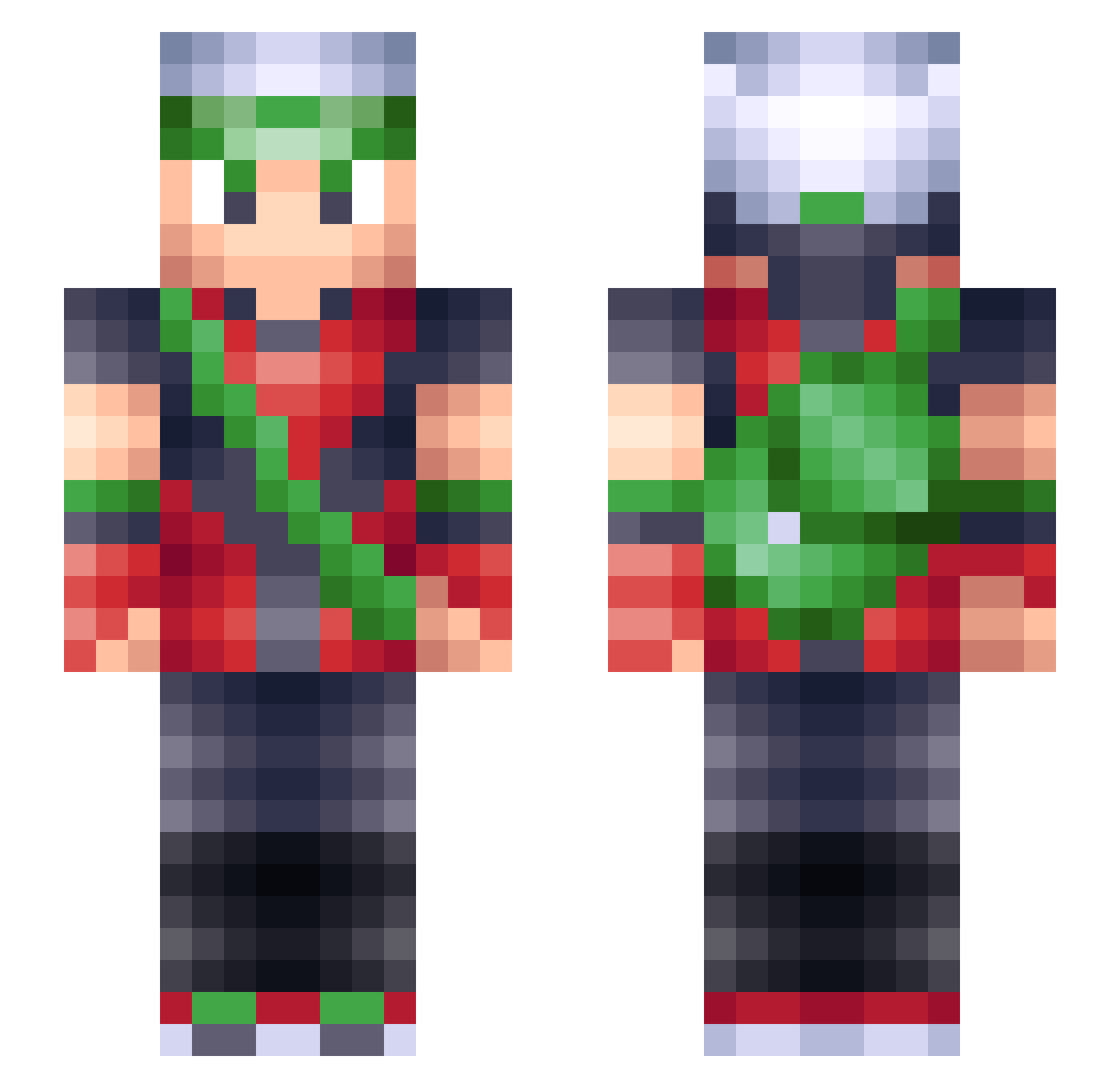
Current Minecraft skin of the player Congfei, loaded from the official Mojang API. Rotate the 3D model with your mouse or finger, then download the skin as a PNG file and use it in Minecraft: Bedrock Edition or Java Edition for free. When Congfei changes their skin, this page updates automatically and the old skin stays in the history below.
Other players with this skin (220)
Congfei was the 166th player we have seen with this skin, first spotted on 01.10.2026. The same skin was seen on these players. Open a nickname to see their current skin and skin history.
 Striddle NeoMeow KOWL0430 Armarius10 kalbdy11 Salokin64 bmb94 tcclan zzx101013 RareWill ParzivalBD 5ftGamer PrismaRuby EscargotEnjoyer jgranell Ruffsan SniVol Salnas7x Lord_Eduardo holdmybacalhau DragonZeras SheGoLoMein Imokonoko Sir_City mozyme sollibakki CrisisClone Vi_chain Dragonitefanatic Rinxeo ImaMFBOHNER indymclass zHyRule bluefire344 xDovah geordieboy97 Subsok Gaylaxy7420 NukeFuze TotalPlex hylianArcher RookieHJ Scioloid WilComply Veggerby allebora99 Entereduser AnkitGG DcB_22 Health21 TerrorCtrl ethvni Game2Game Fadubi CoolCoach SilvesterMao Njarnjas Master_Pixel47 EmojiMan8035 AdmiralTacos
More Brendan Minecraft skins
How to install the Congfei skin
- Press the Download button above to save the skin as a PNG file.
- Minecraft: Bedrock Edition (PE): open the Dressing Room from the main menu (or tap your character → Edit Character), go to Classic Skins → Owned, press the + (new skin) button, choose the downloaded PNG and pick the Slim (Alex) model. Works on PC and mobile; consoles cannot import custom skins.
- Minecraft: Java Edition: open the Minecraft Launcher, go to the Skins tab, click New Skin, load the PNG, pick the Slim (Alex) model and press Save & Use. You can also upload it at minecraft.net → Profile → Change Skin.
The skin does not show up after import - what should I do?
Restart Minecraft and open the Dressing Room again - imported skins sometimes appear only after a restart. Also make sure you selected the imported skin and picked the Slim (Alex) model.
Which model should I choose, Classic or Slim?
This skin is designed for the Slim (Alex) model. If you pick the wrong model, the arms of the skin will look stretched or squeezed.
Is the skin of Congfei free to download?
Yes. Press Download, save the PNG file and use it in Minecraft: Bedrock Edition or Java Edition - no payment or registration needed. The skin also works on multiplayer servers and Realms.
More skins
Looking for more? Go back to all Minecraft skins and check the top skins of the week, month and all time, or find any player's skin by nickname.