
ComiendoMucho - Minecraft Skins & Skin History
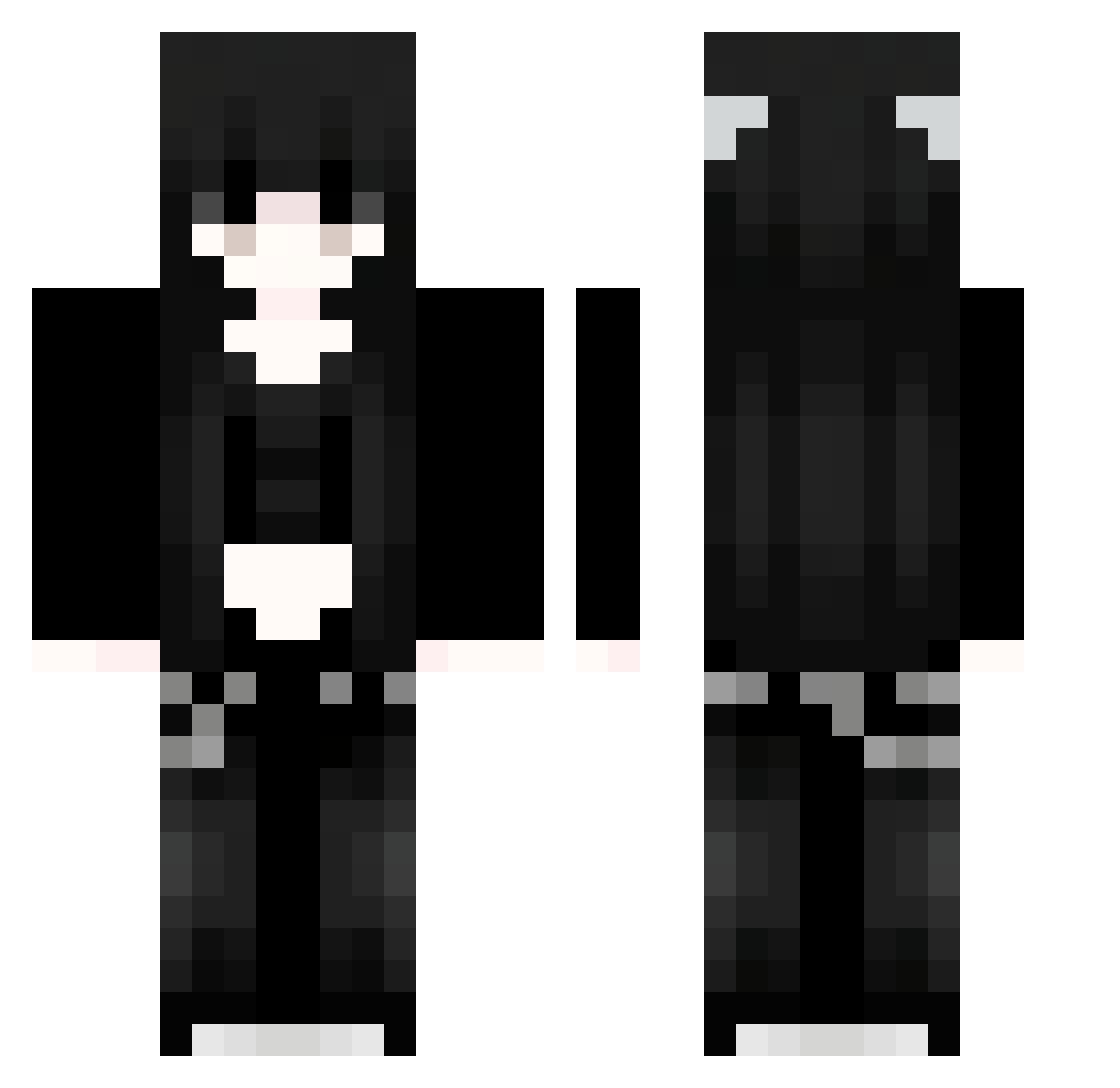
Current Minecraft skin of the player ComiendoMucho, loaded from the official Mojang API. Rotate the 3D model with your mouse or finger, then download the skin as a PNG file and use it in Minecraft: Bedrock Edition or Java Edition for free. When ComiendoMucho changes their skin, this page updates automatically and the old skin stays in the history below.
Other players with this skin (1061)
ComiendoMucho was the 282nd player we have seen with this skin, first spotted on 25.08.2026. The same skin was seen on these players. Open a nickname to see their current skin and skin history.
 Sakura_zHpPPC490 AiY832 babyysalem 91_FRPbymxMib541 91_NkuJZmfvLG610 ANd287 WqT11
 typowy_matix OjrQoovUXAMPt839 BakaTaka95 trGnexkvffZSv460 xXB400 hlf699 91_NtXQAAzypl479 wEN854 CLe640 EqR99 Ohj663 volcthe 91_zNradmvIbH867 Prb993 91_AxobHGHDsP408 EtI206 EndermanKiller67 oiO4 paO887 ukQ13 WLb104 dead4emz FyB301 wGw329 DyO314 agw991 QRy238 BaU259 saver666 xkl780 Sakura_meTFbT712 Sakura_OmtHel451 Madoski1130 CIE320 SaKuraXGP_NKF121 TuX261 verostation LPN401 kVz521 91_DCmGEWLEQF818 MxO422 teethmorgue WhyTakeMyName kaitlvvn oDF145 Sakura_QFvcye376 91_qEDhxnTnXZ644 Sakura_zkOHUl630 Sakura_XuvwfI866 ZlC662 Sakura_HfKwiU602 Pgt960 Keg475
More Emo Minecraft skins
How to install the ComiendoMucho skin
- Press the Download button above to save the skin as a PNG file.
- Minecraft: Bedrock Edition (PE): open the Dressing Room from the main menu (or tap your character → Edit Character), go to Classic Skins → Owned, press the + (new skin) button, choose the downloaded PNG and pick the Classic (Steve) model. Works on PC and mobile; consoles cannot import custom skins.
- Minecraft: Java Edition: open the Minecraft Launcher, go to the Skins tab, click New Skin, load the PNG, pick the Classic (Steve) model and press Save & Use. You can also upload it at minecraft.net → Profile → Change Skin.
The skin does not show up after import - what should I do?
Restart Minecraft and open the Dressing Room again - imported skins sometimes appear only after a restart. Also make sure you selected the imported skin and picked the Classic (Steve) model.
Which model should I choose, Classic or Slim?
This skin is designed for the Classic (Steve) model. If you pick the wrong model, the arms of the skin will look stretched or squeezed.
Is the skin of ComiendoMucho free to download?
Yes. Press Download, save the PNG file and use it in Minecraft: Bedrock Edition or Java Edition - no payment or registration needed. The skin also works on multiplayer servers and Realms.
More skins
Looking for more? Go back to all Minecraft skins and check the top skins of the week, month and all time, or find any player's skin by nickname.