
CloudPlayMC - Minecraft Skins & Skin History
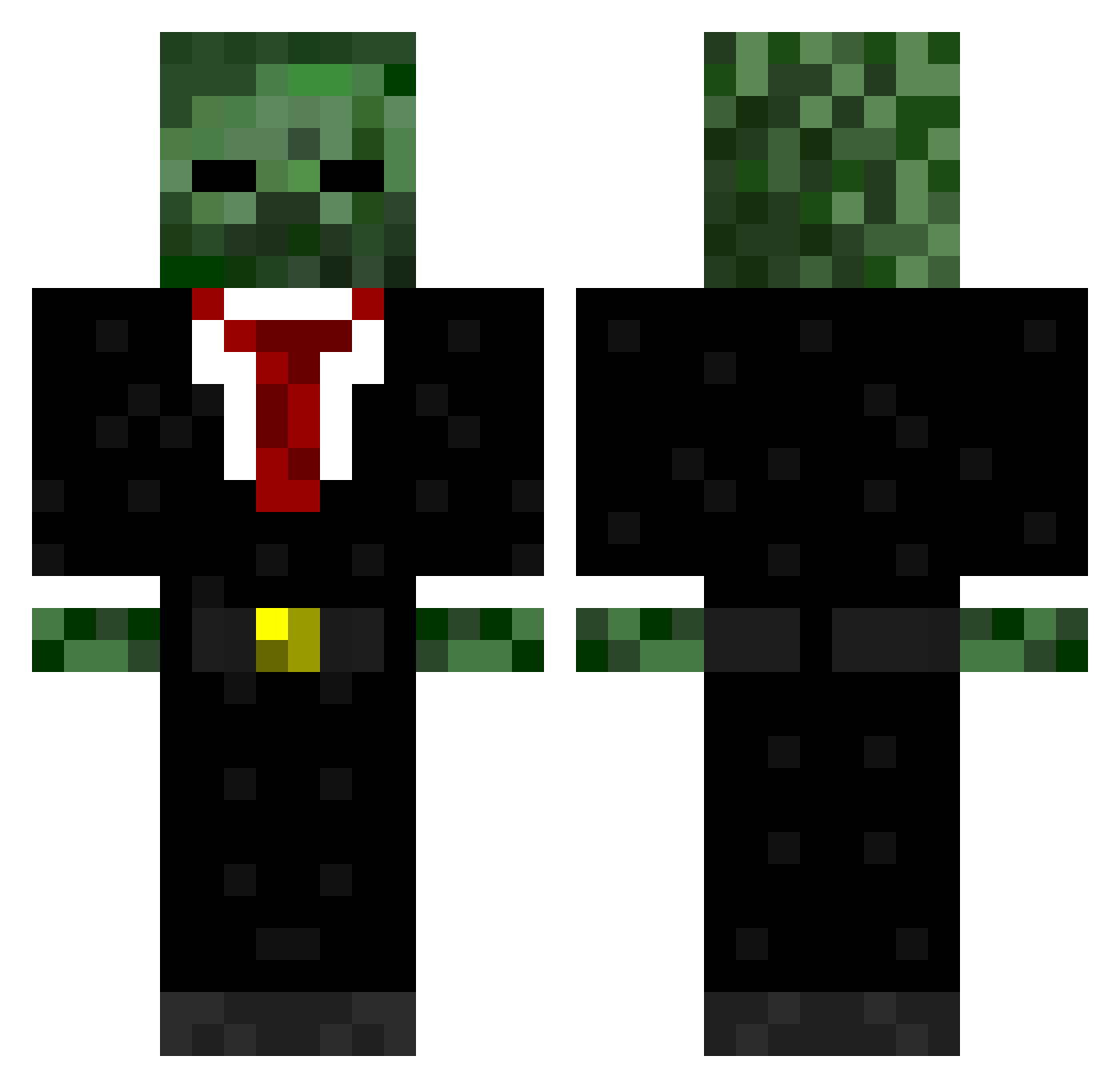
Current Minecraft skin of the player CloudPlayMC, loaded from the official Mojang API. Rotate the 3D model with your mouse or finger, then download the skin as a PNG file and use it in Minecraft: Bedrock Edition or Java Edition for free. When CloudPlayMC changes their skin, this page updates automatically and the old skin stays in the history below.
Other players with this skin (570)
CloudPlayMC was the 35th player we have seen with this skin, first spotted on 31.07.2026. The same skin was seen on these players. Open a nickname to see their current skin and skin history.
 Hoppy5242 JAUN_CENA21 BrennanCL crazyjim10 R33MxM 1zwerg3 Chronic1910 nickmoscar2000 xXNinjaXMonkeyXx shadowvssonic111 ayala14 Hamu_Tarou WildFlower2 aegnor111 PerfectGuns99 sworddemon57 Broccoliandbeans CorSteff hod2003 AlAwadhi23 carpetmuncha ChromaWolf Youritje4 AquaBank Gelir soccerbuddy24 LasersJet Thepornstar Pep_53 IceColdKill69 scottrumgay lukew1997 TytyonDuhBeat Emanlol3101 LibraryGuy6 twwl007 Danilo2862 killersplash boobs9090 TMN_Coco XBladeHD SkyMinesDiamonds TheButterKing413 SauerPatchKid99 bossridabobo123 dannydeloughry Intervension11 Underground_Play 3bkids Patrick_Norris Trololololol85 crabby565 23Silver Falcon462 kmllegend xxTURNIPSxx skipper1211 uninfinitygamers popey_123 SYHChow
More Zombie Minecraft skins
How to install the CloudPlayMC skin
- Press the Download button above to save the skin as a PNG file.
- Minecraft: Bedrock Edition (PE): open the Dressing Room from the main menu (or tap your character → Edit Character), go to Classic Skins → Owned, press the + (new skin) button, choose the downloaded PNG and pick the Classic (Steve) model. Works on PC and mobile; consoles cannot import custom skins.
- Minecraft: Java Edition: open the Minecraft Launcher, go to the Skins tab, click New Skin, load the PNG, pick the Classic (Steve) model and press Save & Use. You can also upload it at minecraft.net → Profile → Change Skin.
The skin does not show up after import - what should I do?
Restart Minecraft and open the Dressing Room again - imported skins sometimes appear only after a restart. Also make sure you selected the imported skin and picked the Classic (Steve) model.
Which model should I choose, Classic or Slim?
This skin is designed for the Classic (Steve) model. If you pick the wrong model, the arms of the skin will look stretched or squeezed.
Is the skin of CloudPlayMC free to download?
Yes. Press Download, save the PNG file and use it in Minecraft: Bedrock Edition or Java Edition - no payment or registration needed. The skin also works on multiplayer servers and Realms.
More skins
Looking for more? Go back to all Minecraft skins and check the top skins of the week, month and all time, or find any player's skin by nickname.