
ClonBetrayer - Minecraft Skins & Skin History
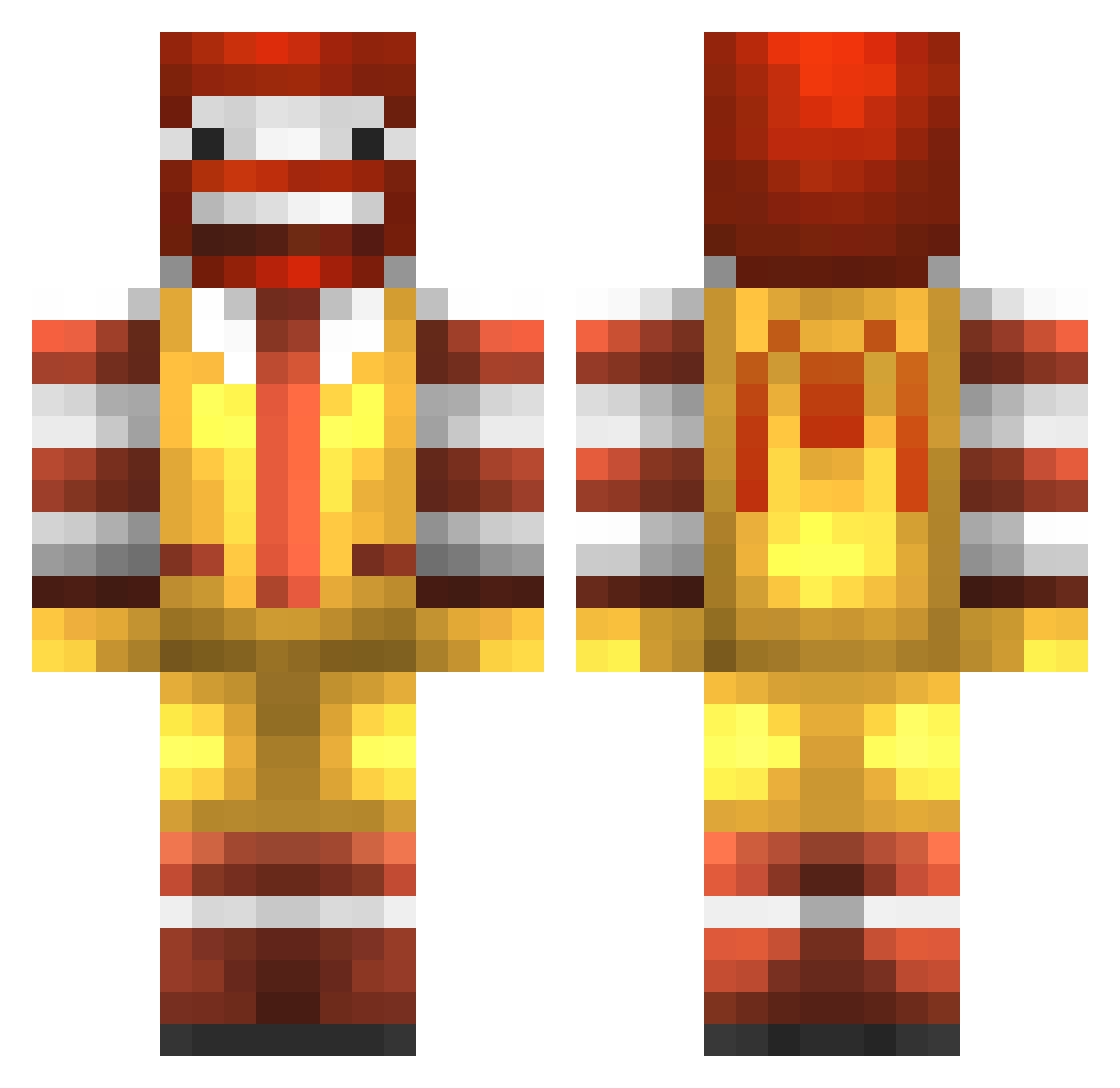
Current Minecraft skin of the player ClonBetrayer, loaded from the official Mojang API. Rotate the 3D model with your mouse or finger, then download the skin as a PNG file and use it in Minecraft: Bedrock Edition or Java Edition for free. When ClonBetrayer changes their skin, this page updates automatically and the old skin stays in the history below.
Other players with this skin (776)
ClonBetrayer was the 281st player we have seen with this skin, first spotted on 27.08.2026. The same skin was seen on these players. Open a nickname to see their current skin and skin history.
 Tsukuyomi1024 Jaydeeee TheWangAndOnly Javiabad21 MC_Br1nquedo Brydgess gupijupi ploppypo Dabuffunicorn weener22 craigless seanconz Enderced234 TheGoldFinger123 mitch_ago kakugari Petike1508 RestinT Sam300701 AS821 whoatemymaccas poulsen4210 Sayarex Davvetheking01 AgentErotic Ined_ reddawn1234 smexymagic ExtremelyJiggy hobijai skngmn CapnSmegs Jingle_McDingles left_kidney basti9_5 jamminoscar311 Porkchop1812 dsjx2002 MCXXIII Spraetter Makalunga HideyoKids123 TF_Baked Gwouilo Niikou FREEZR0 piggytrooper125 mmanlief TearDrop jonkyh Joshyjosh1 McWreckYou RonaldMcdonald34 emresayin FlowingRiver12 billhudson73 egholt123 Watchword carmellocappello IRONHIDE21
More Ronald Mcdonald Minecraft skins
See all 125 Ronald Mcdonald skins
How to install the ClonBetrayer skin
- Press the Download button above to save the skin as a PNG file.
- Minecraft: Bedrock Edition (PE): open the Dressing Room from the main menu (or tap your character → Edit Character), go to Classic Skins → Owned, press the + (new skin) button, choose the downloaded PNG and pick the Classic (Steve) model. Works on PC and mobile; consoles cannot import custom skins.
- Minecraft: Java Edition: open the Minecraft Launcher, go to the Skins tab, click New Skin, load the PNG, pick the Classic (Steve) model and press Save & Use. You can also upload it at minecraft.net → Profile → Change Skin.
The skin does not show up after import - what should I do?
Restart Minecraft and open the Dressing Room again - imported skins sometimes appear only after a restart. Also make sure you selected the imported skin and picked the Classic (Steve) model.
Which model should I choose, Classic or Slim?
This skin is designed for the Classic (Steve) model. If you pick the wrong model, the arms of the skin will look stretched or squeezed.
Is the skin of ClonBetrayer free to download?
Yes. Press Download, save the PNG file and use it in Minecraft: Bedrock Edition or Java Edition - no payment or registration needed. The skin also works on multiplayer servers and Realms.
More skins
Looking for more? Go back to all Minecraft skins and check the top skins of the week, month and all time, or find any player's skin by nickname.