
CiniMinissss - Minecraft Skins & Skin History
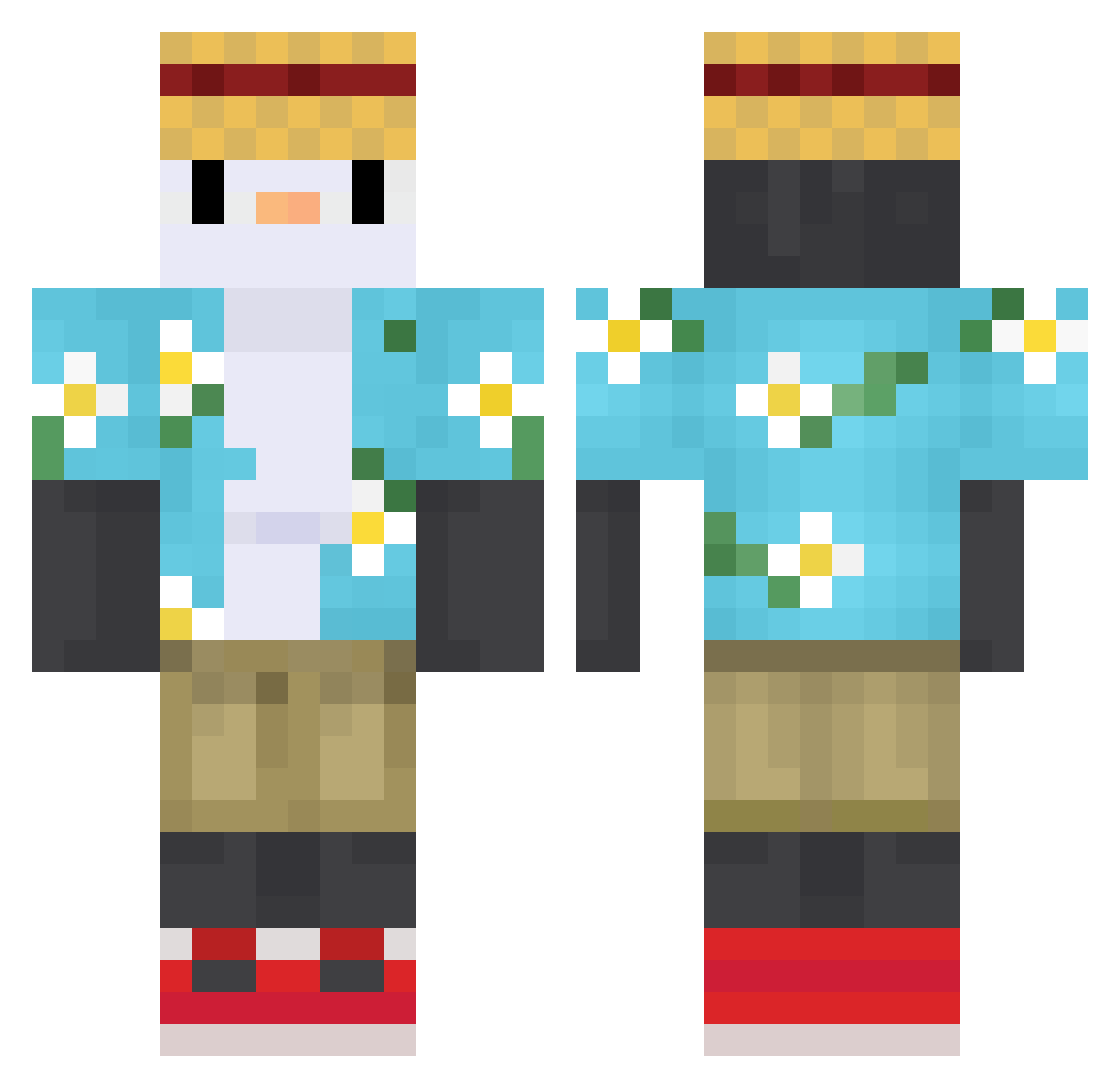
Current Minecraft skin of the player CiniMinissss, loaded from the official Mojang API. Rotate the 3D model with your mouse or finger, then download the skin as a PNG file and use it in Minecraft: Bedrock Edition or Java Edition for free. When CiniMinissss changes their skin, this page updates automatically and the old skin stays in the history below.
Other players with this skin (613)
CiniMinissss was the 590th player we have seen with this skin, first spotted on 26.10.2026. The same skin was seen on these players. Open a nickname to see their current skin and skin history.
 Lwanzi Yeloster ailnd Poohri121 pingopanu Lenqu_ Bowen5893 IABUM3MRI gaoxu2003 Et3rn1ty sugarats genius22 Guiottohigor kaiserlj aLotOfBit qiotr3k Joshuatheslime Theopdestroyer1 abdul_aziz_q8 Leyyyh logy1223 Oden_SpyPen Imrahil69 Nordic111 cho87 WiEwIURX joonyoung20111 SK3LL0_96 Vladiz CcZzzzzzzz F1lcekx K281A1 BxdLxckx secadera prak97 IlErreics axun520 DarknessRaul robe1002 niuma508 Jeremycg FGFG001 sSMIL3e J_Raw1s GroXier DANIEL_BOY666 N3kus_ itsInfinitus Pitri91 FrostyPeng ApolloElevenn Meracus ShrekGuyMan666 TheSvay Noctumede cheemsssssssssss FiReVeX1337 xiao_cheng_max cjdwk Zelmonek
More Straw Hat Minecraft skins
How to install the CiniMinissss skin
- Press the Download button above to save the skin as a PNG file.
- Minecraft: Bedrock Edition (PE): open the Dressing Room from the main menu (or tap your character → Edit Character), go to Classic Skins → Owned, press the + (new skin) button, choose the downloaded PNG and pick the Classic (Steve) model. Works on PC and mobile; consoles cannot import custom skins.
- Minecraft: Java Edition: open the Minecraft Launcher, go to the Skins tab, click New Skin, load the PNG, pick the Classic (Steve) model and press Save & Use. You can also upload it at minecraft.net → Profile → Change Skin.
The skin does not show up after import - what should I do?
Restart Minecraft and open the Dressing Room again - imported skins sometimes appear only after a restart. Also make sure you selected the imported skin and picked the Classic (Steve) model.
Which model should I choose, Classic or Slim?
This skin is designed for the Classic (Steve) model. If you pick the wrong model, the arms of the skin will look stretched or squeezed.
Is the skin of CiniMinissss free to download?
Yes. Press Download, save the PNG file and use it in Minecraft: Bedrock Edition or Java Edition - no payment or registration needed. The skin also works on multiplayer servers and Realms.
More skins
Looking for more? Go back to all Minecraft skins and check the top skins of the week, month and all time, or find any player's skin by nickname.