
Cinar4680 - Minecraft Skins & Skin History
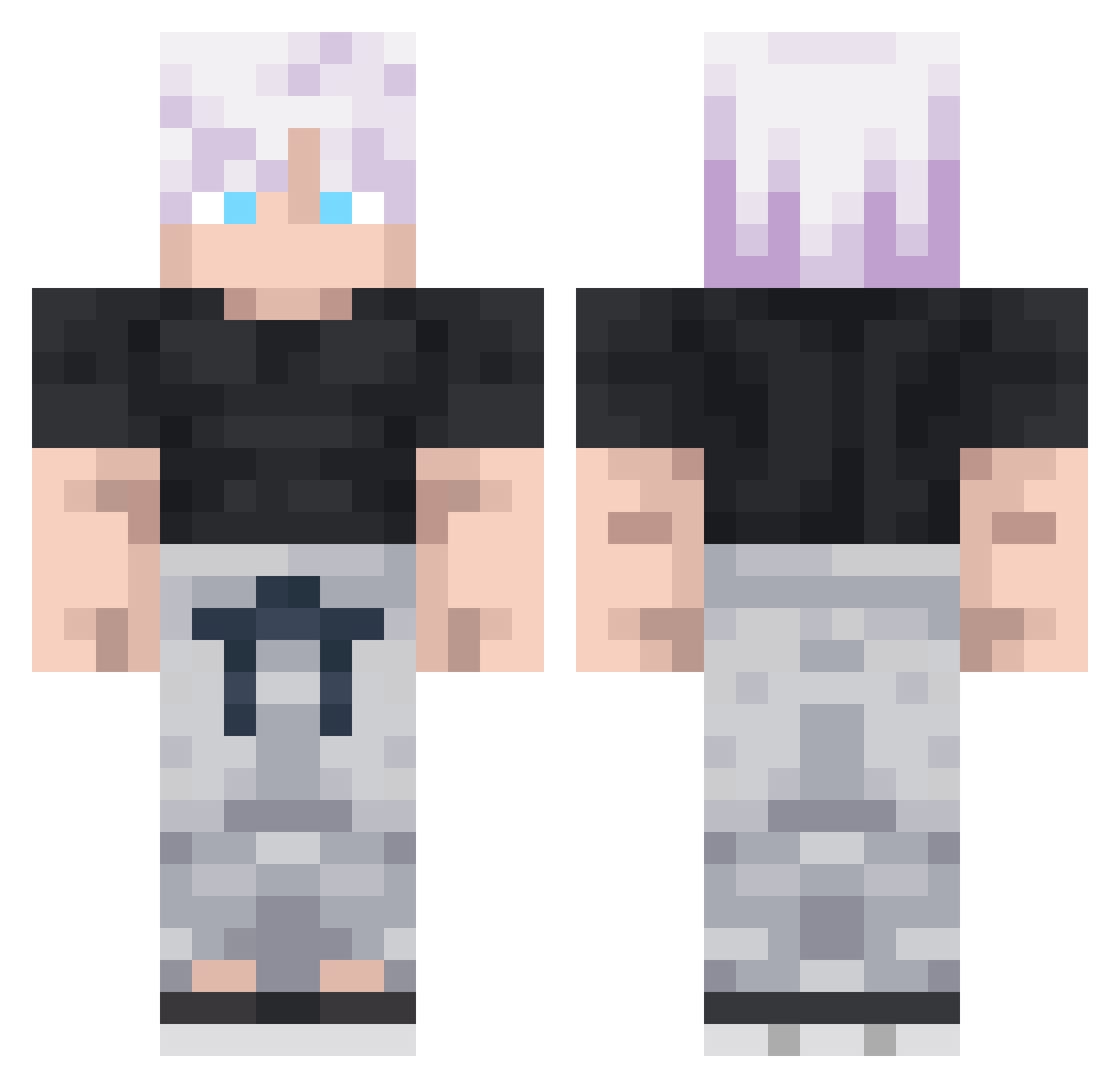
Current Minecraft skin of the player Cinar4680, loaded from the official Mojang API. Rotate the 3D model with your mouse or finger, then download the skin as a PNG file and use it in Minecraft: Bedrock Edition or Java Edition for free. When Cinar4680 changes their skin, this page updates automatically and the old skin stays in the history below.
Other players with this skin (292)
Cinar4680 was the 213th player we have seen with this skin, first spotted on 09.10.2026. The same skin was seen on these players. Open a nickname to see their current skin and skin history.
 sakiefka Mirax787 LittleLike luanofc190 Ahmadizz3011 AXETHAX Lamedusee WALI_BEAST IINeedSauce ShiheruLevi Eliezersla Jesus_Kristus qwekm_0 xSkiiN Thomasss_07 EmilisD Trifls Dr1zzy_Faygo ManticVolcano82 Jay0125 DoomainExpansion AutumnL1f Croadd RomeoKirmay ImpossibleJazz byARRR hooded_tifu Zixvyy MrRandom3000 ashuraof StarKiller1175 zC0ntrol __r1sky Squeezie150 Martischka Gayoon07 leocort Absurdely MacheteMayhem kapralinio Omar229 PeidaCacaPvP KuriKem Jake1026 MegJord jjhoffman silverplayer13 phantomblk11 MelosEcyrb rainxd __ONN__ Sektantt bubu576 imXeNo12 Domigass Rainacles SylphieBestWaifu Xvoide kjh0822 Graceis
More Satoru Gojo Minecraft skins
See all 1317 Satoru Gojo skins
How to install the Cinar4680 skin
- Press the Download button above to save the skin as a PNG file.
- Minecraft: Bedrock Edition (PE): open the Dressing Room from the main menu (or tap your character → Edit Character), go to Classic Skins → Owned, press the + (new skin) button, choose the downloaded PNG and pick the Classic (Steve) model. Works on PC and mobile; consoles cannot import custom skins.
- Minecraft: Java Edition: open the Minecraft Launcher, go to the Skins tab, click New Skin, load the PNG, pick the Classic (Steve) model and press Save & Use. You can also upload it at minecraft.net → Profile → Change Skin.
The skin does not show up after import - what should I do?
Restart Minecraft and open the Dressing Room again - imported skins sometimes appear only after a restart. Also make sure you selected the imported skin and picked the Classic (Steve) model.
Which model should I choose, Classic or Slim?
This skin is designed for the Classic (Steve) model. If you pick the wrong model, the arms of the skin will look stretched or squeezed.
Is the skin of Cinar4680 free to download?
Yes. Press Download, save the PNG file and use it in Minecraft: Bedrock Edition or Java Edition - no payment or registration needed. The skin also works on multiplayer servers and Realms.
More skins
Looking for more? Go back to all Minecraft skins and check the top skins of the week, month and all time, or find any player's skin by nickname.