
ChickenFair - Minecraft Skins & Skin History
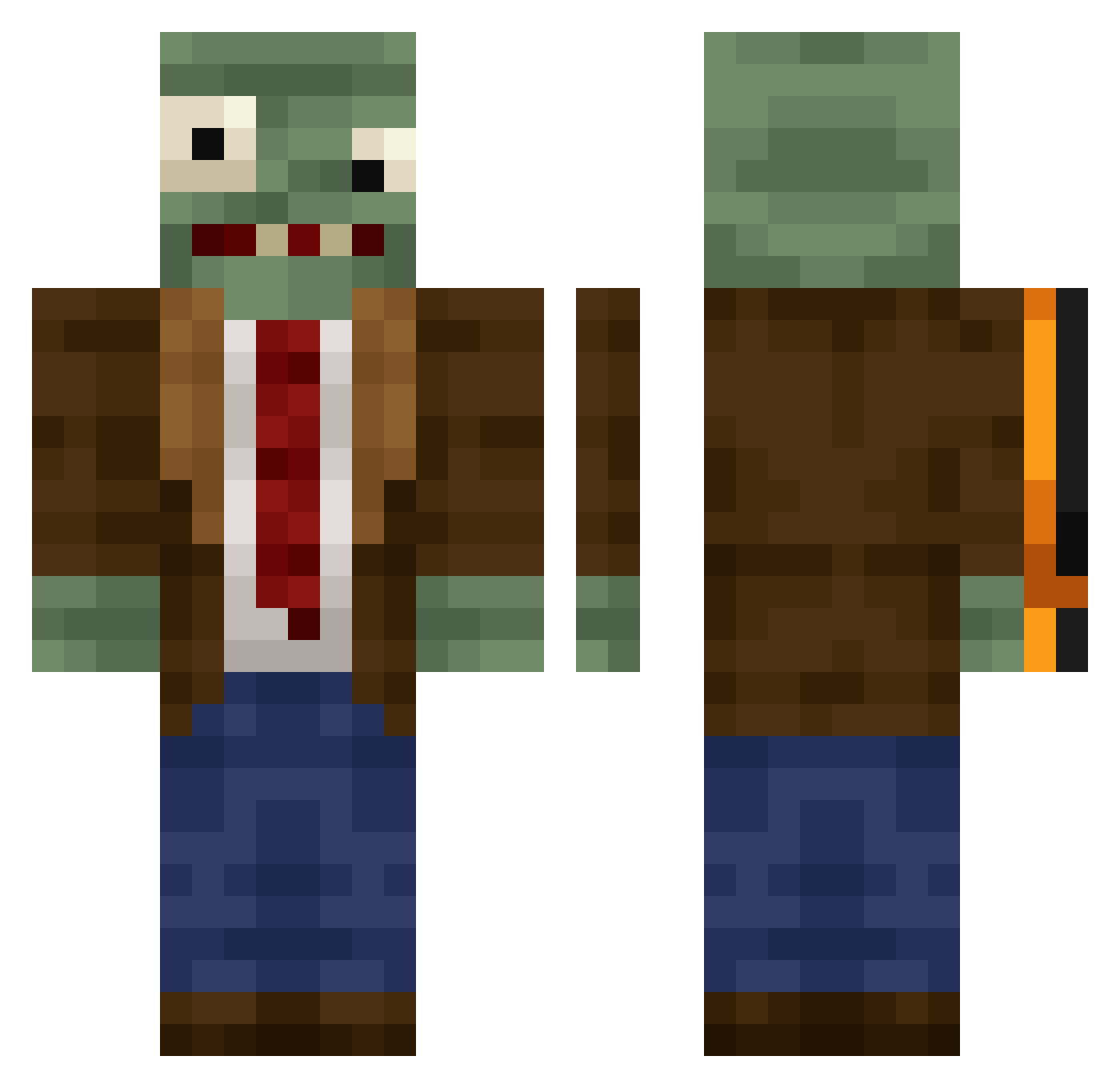
Current Minecraft skin of the player ChickenFair, loaded from the official Mojang API. Rotate the 3D model with your mouse or finger, then download the skin as a PNG file and use it in Minecraft: Bedrock Edition or Java Edition for free. When ChickenFair changes their skin, this page updates automatically and the old skin stays in the history below.
Other players with this skin (444)
ChickenFair was the 196th player we have seen with this skin, first spotted on 15.09.2026. The same skin was seen on these players. Open a nickname to see their current skin and skin history.
 BurningWood65 kykylet pianruojinghong Maik_Litoris strawberrys0up UndefinedLuxz Huggies003 AACCCCC RileeRilee KNP9 Lolsmoke Santy42O WELL33 ArchieMerch Relix117 SpectatorMode14 kirichs lionzlol syckli C1tyBOY DayAlarm88 PshYy vclowdy focusdx Pauet001 w0ef4l HYDGG goodilya Azlyraii _AdvancedRyan_ xnswlo shad0ws1ayerr Demexos magicshartt ccdxoo Raffyyyyy ShadowWalkerEDL suhaib123456 yx41918 knuhnuh Edoardo5 Smiley_oof filipistp PuroWn Z_Hanyin PiouPiou69 TheLegalized stuckscooba silent_002 Gostriy_Kartuz Chatore Mobulla BangBomber Fornite_dababy Gordinis _gggrrdd_ Cailosl Bts20000 TrixzyFTW garfieldnuts
More Plants Vs Zombies Minecraft skins
See all 57 Plants Vs Zombies skins
How to install the ChickenFair skin
- Press the Download button above to save the skin as a PNG file.
- Minecraft: Bedrock Edition (PE): open the Dressing Room from the main menu (or tap your character → Edit Character), go to Classic Skins → Owned, press the + (new skin) button, choose the downloaded PNG and pick the Classic (Steve) model. Works on PC and mobile; consoles cannot import custom skins.
- Minecraft: Java Edition: open the Minecraft Launcher, go to the Skins tab, click New Skin, load the PNG, pick the Classic (Steve) model and press Save & Use. You can also upload it at minecraft.net → Profile → Change Skin.
The skin does not show up after import - what should I do?
Restart Minecraft and open the Dressing Room again - imported skins sometimes appear only after a restart. Also make sure you selected the imported skin and picked the Classic (Steve) model.
Which model should I choose, Classic or Slim?
This skin is designed for the Classic (Steve) model. If you pick the wrong model, the arms of the skin will look stretched or squeezed.
Is the skin of ChickenFair free to download?
Yes. Press Download, save the PNG file and use it in Minecraft: Bedrock Edition or Java Edition - no payment or registration needed. The skin also works on multiplayer servers and Realms.
More skins
Looking for more? Go back to all Minecraft skins and check the top skins of the week, month and all time, or find any player's skin by nickname.