
ChenZhi0609 - Minecraft Skins & Skin History
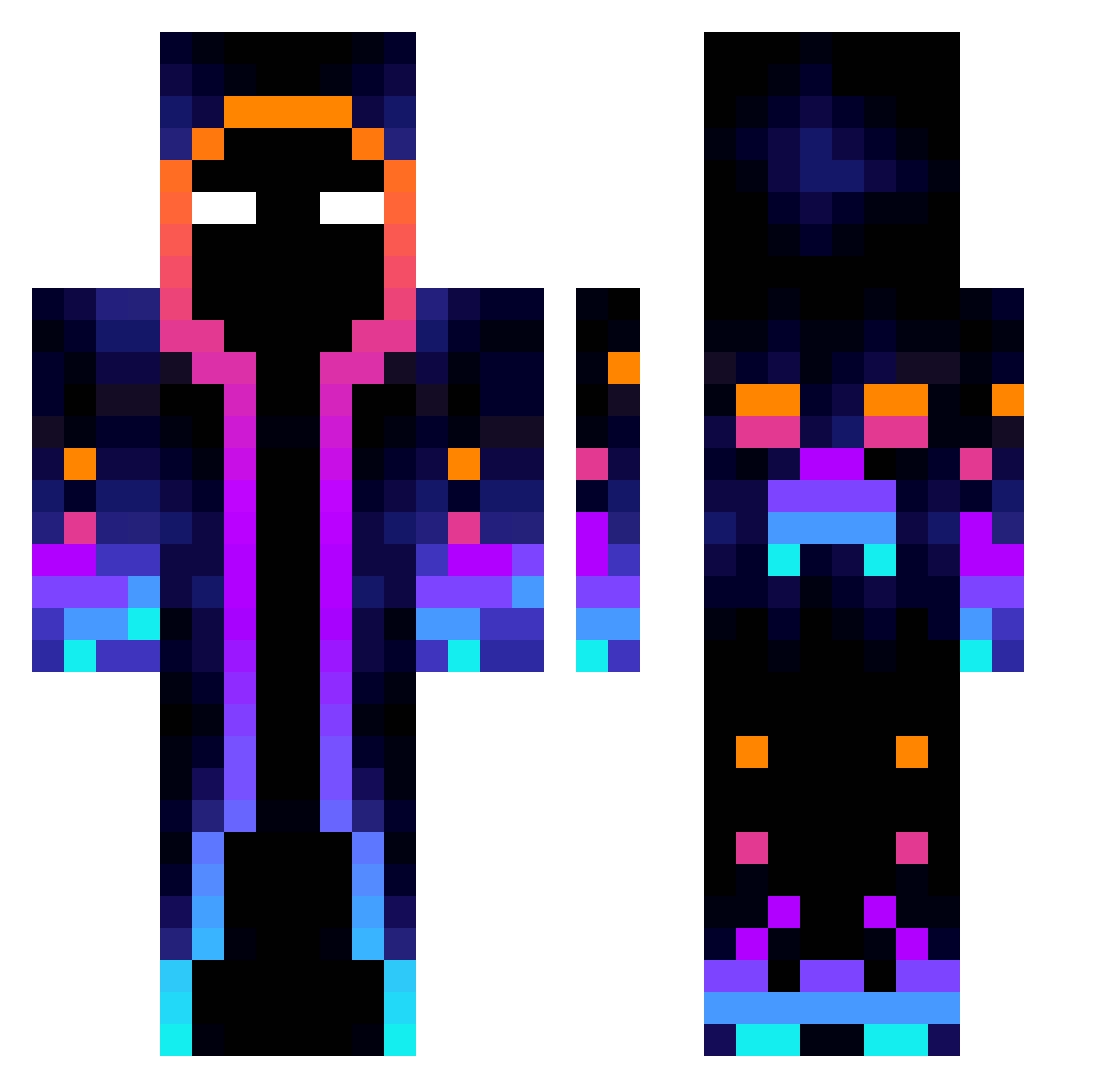
Current Minecraft skin of the player ChenZhi0609, loaded from the official Mojang API. Rotate the 3D model with your mouse or finger, then download the skin as a PNG file and use it in Minecraft: Bedrock Edition or Java Edition for free. When ChenZhi0609 changes their skin, this page updates automatically and the old skin stays in the history below.
Other players with this skin (825)
ChenZhi0609 was the 373rd player we have seen with this skin, first spotted on 20.09.2026. The same skin was seen on these players. Open a nickname to see their current skin and skin history.
 Bukovak Timokkio minecraft000000 Kurumi0308 pluster69 DBV4C kekkolizard lopinok jkhui nakrob007 F_F_F_F Stiiizeee ALVESBR Branbean1 Dark_Slash567 AlwaysHorny69 Charles4realz1 zKavx Loris_8822 iFreeZerx Kinoraaa Berkeypl MaxVol2020 Keroja XExplosivoC4X DomOO7 Papon555 MarcoAMR1 ammar990 Qba889 SkillPlayer5 akxpert05 MujiiMc Proxy153 Liu025 BIN_1024 OrangeJuice1999 MrXeno21 LEMON0909 jimin_0925 Jupinek rento0504 Cerenor Gutrex MrYoyo44 Fabelweselei MUNGGU86 Dizcky Solomining ISHOWSPEEDP ImStivo CEOof1NDIA Nobbyyz Kiwqa Fairygot The_Swiss_Wolf MrHiggs1 PhamtomKnight8 NeverSpeech Losece
More Galaxy Minecraft skins
How to install the ChenZhi0609 skin
- Press the Download button above to save the skin as a PNG file.
- Minecraft: Bedrock Edition (PE): open the Dressing Room from the main menu (or tap your character → Edit Character), go to Classic Skins → Owned, press the + (new skin) button, choose the downloaded PNG and pick the Classic (Steve) model. Works on PC and mobile; consoles cannot import custom skins.
- Minecraft: Java Edition: open the Minecraft Launcher, go to the Skins tab, click New Skin, load the PNG, pick the Classic (Steve) model and press Save & Use. You can also upload it at minecraft.net → Profile → Change Skin.
The skin does not show up after import - what should I do?
Restart Minecraft and open the Dressing Room again - imported skins sometimes appear only after a restart. Also make sure you selected the imported skin and picked the Classic (Steve) model.
Which model should I choose, Classic or Slim?
This skin is designed for the Classic (Steve) model. If you pick the wrong model, the arms of the skin will look stretched or squeezed.
Is the skin of ChenZhi0609 free to download?
Yes. Press Download, save the PNG file and use it in Minecraft: Bedrock Edition or Java Edition - no payment or registration needed. The skin also works on multiplayer servers and Realms.
More skins
Looking for more? Go back to all Minecraft skins and check the top skins of the week, month and all time, or find any player's skin by nickname.