
CheeseGod123 - Minecraft Skins & Skin History
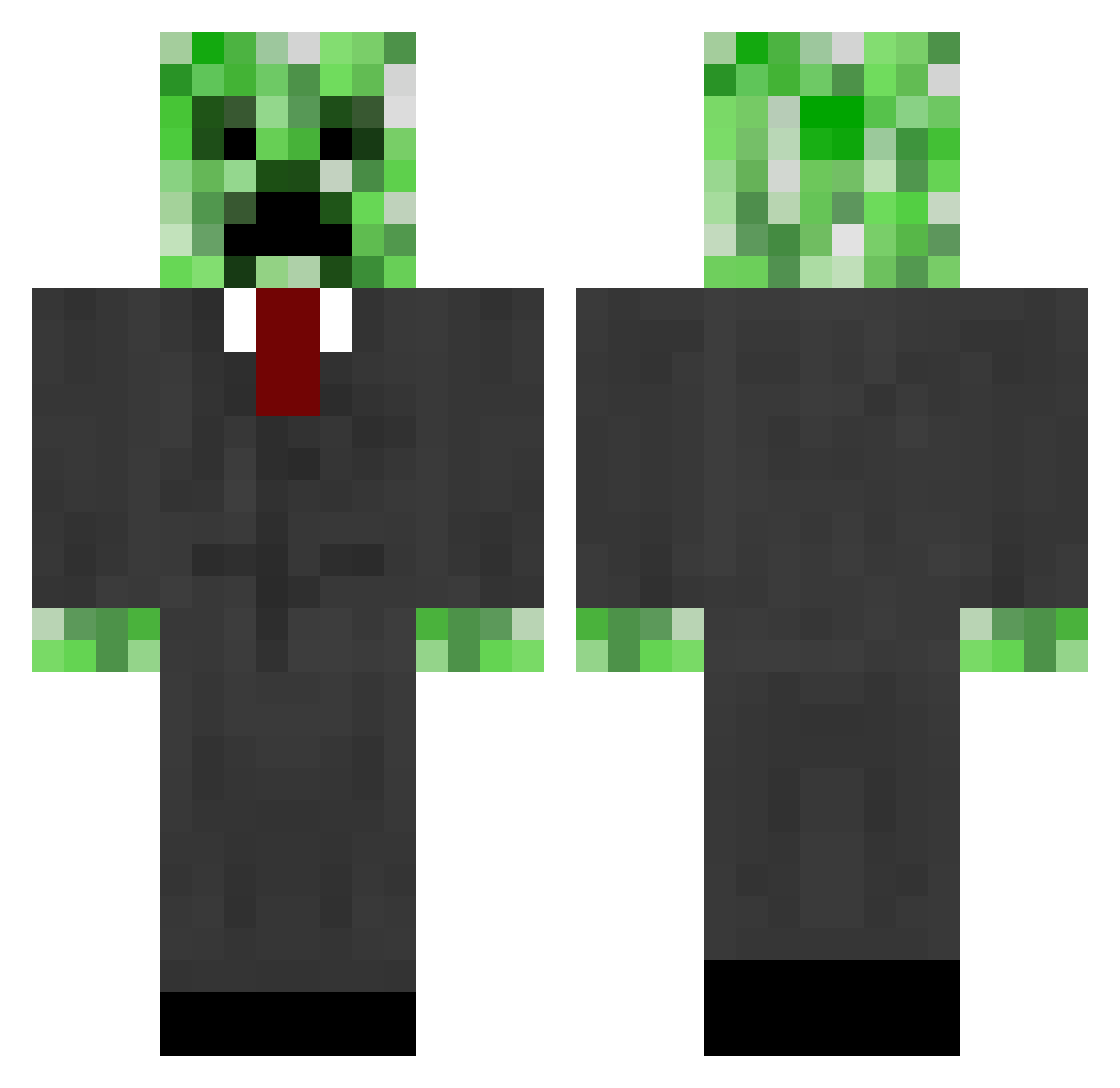
Current Minecraft skin of the player CheeseGod123, loaded from the official Mojang API. Rotate the 3D model with your mouse or finger, then download the skin as a PNG file and use it in Minecraft: Bedrock Edition or Java Edition for free. When CheeseGod123 changes their skin, this page updates automatically and the old skin stays in the history below.
Other players with this skin (821)
CheeseGod123 was the 701st player we have seen with this skin, first spotted on 06.11.2026. The same skin was seen on these players. Open a nickname to see their current skin and skin history.
 c0rncak3 kintoga GoshaSensei Zamixus Stehil Ricsex2 snagglejake barkifuapimp jk2131 Crodwell hedo12 tpemberton88 kurt1956 colev44 j1615119 spikedeathon2 Awesomeman1847 MyDan22 Lukaza12 matthewlongnose1 locrafts Dima_NotReally GalacticTomahawk MidgetKing23 ectremblay mole_0 Litheria LickingCarrot Qwarit Tree18poo davidb135 joanders Grizzlyoo pylan24 richanddead1 thecrackdaddy21 minermatt219 keanu44 MrBurt0 captain_observer cerealkiller4862 Puck_The_Folice TonicSlayer2595 xboxlove bmoreairsofter1 owlora9 JustGotKicked eminorangel AmazingCanadien pixelniko99 HesSyo BestTimesAlt7 19tetro95 Ethan1425 raleighj Inaz7 J2thedizzle9 JackandLachlan salvador63 MaggieMagnesium
More Creeper Minecraft skins
How to install the CheeseGod123 skin
- Press the Download button above to save the skin as a PNG file.
- Minecraft: Bedrock Edition (PE): open the Dressing Room from the main menu (or tap your character → Edit Character), go to Classic Skins → Owned, press the + (new skin) button, choose the downloaded PNG and pick the Classic (Steve) model. Works on PC and mobile; consoles cannot import custom skins.
- Minecraft: Java Edition: open the Minecraft Launcher, go to the Skins tab, click New Skin, load the PNG, pick the Classic (Steve) model and press Save & Use. You can also upload it at minecraft.net → Profile → Change Skin.
The skin does not show up after import - what should I do?
Restart Minecraft and open the Dressing Room again - imported skins sometimes appear only after a restart. Also make sure you selected the imported skin and picked the Classic (Steve) model.
Which model should I choose, Classic or Slim?
This skin is designed for the Classic (Steve) model. If you pick the wrong model, the arms of the skin will look stretched or squeezed.
Is the skin of CheeseGod123 free to download?
Yes. Press Download, save the PNG file and use it in Minecraft: Bedrock Edition or Java Edition - no payment or registration needed. The skin also works on multiplayer servers and Realms.
More skins
Looking for more? Go back to all Minecraft skins and check the top skins of the week, month and all time, or find any player's skin by nickname.