
Checherr - Minecraft Skins & Skin History
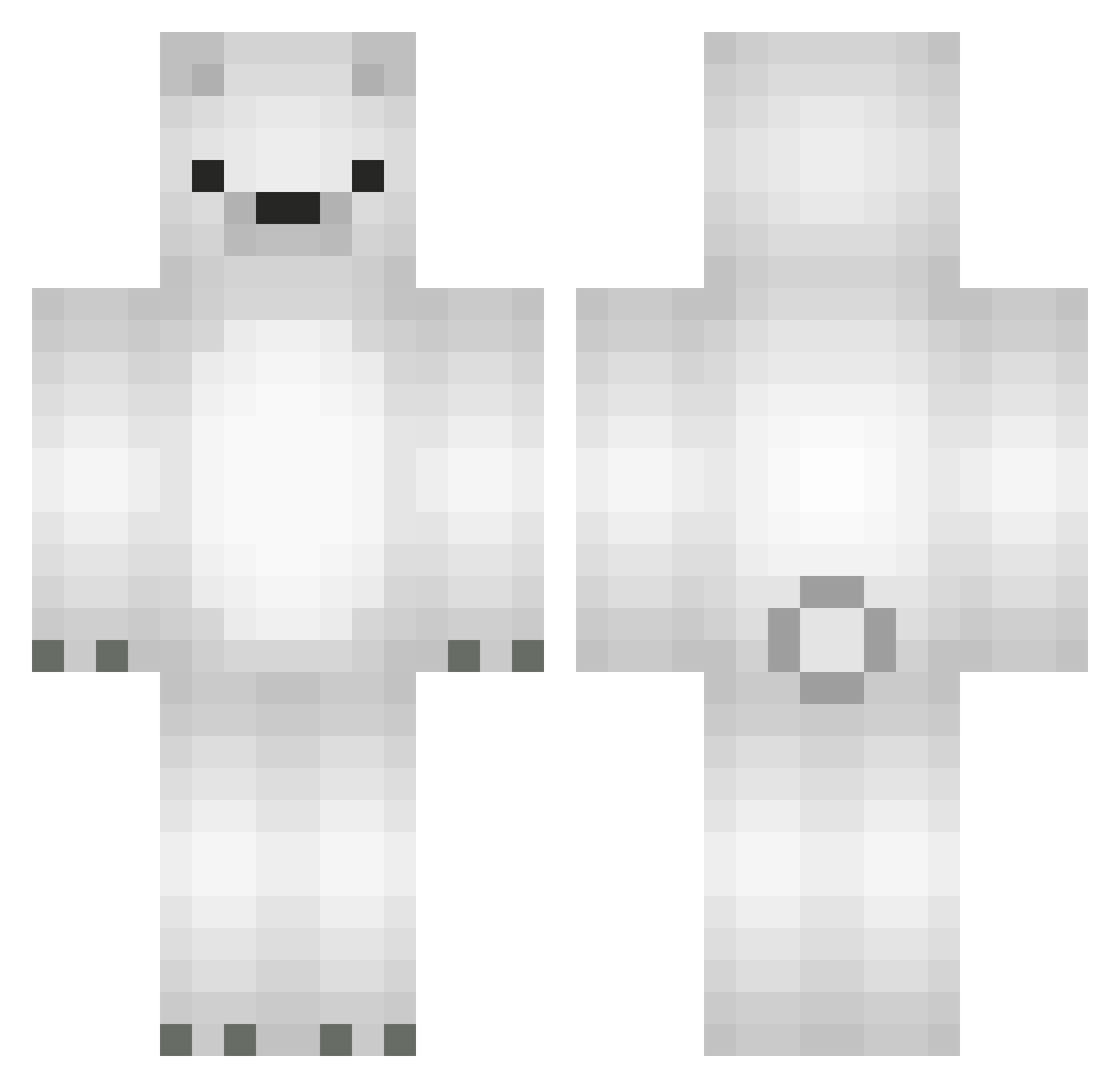
Current Minecraft skin of the player Checherr, loaded from the official Mojang API. Rotate the 3D model with your mouse or finger, then download the skin as a PNG file and use it in Minecraft: Bedrock Edition or Java Edition for free. When Checherr changes their skin, this page updates automatically and the old skin stays in the history below.
Other players with this skin (568)
Checherr was the 327th player we have seen with this skin, first spotted on 28.09.2026. The same skin was seen on these players. Open a nickname to see their current skin and skin history.
 mister_mk StarlitCat NICONICO1 Nuggettboyy bludsprae mansumansu97 HIZU_ mertcicek ysg991122 lollipopmunchr _12Cps_ jvsxnx ShiFarLoMa minimini2 VIPER_1103 Sampe14 SORA_2003 AStegosaurus edo123456 GloryGod ZLABSONEK00 TrashRod gunjjang1 Qinyiaiqing32 markhamlin4 Profit_S Dayshavou dhdld25 vlaurcia NiunieKK5 UG2nie jae__hee 2hyunbin lLassi antitussive LittleThunder33 Zmdchan Whiteguys magicgirls ardlos kumane5 hansung_2 Gevolty Tassgugg7212 venza_24 bigson86 Oscore OctaViviani Bankruqtcy Se7enByte itsyourboy_bryan mmmurphy dalkong22 I_like_coolbear Kumye Bassx1 pigtree teruyo3 serbsu 6Sw1tch9
More Polar Bear Minecraft skins
How to install the Checherr skin
- Press the Download button above to save the skin as a PNG file.
- Minecraft: Bedrock Edition (PE): open the Dressing Room from the main menu (or tap your character → Edit Character), go to Classic Skins → Owned, press the + (new skin) button, choose the downloaded PNG and pick the Classic (Steve) model. Works on PC and mobile; consoles cannot import custom skins.
- Minecraft: Java Edition: open the Minecraft Launcher, go to the Skins tab, click New Skin, load the PNG, pick the Classic (Steve) model and press Save & Use. You can also upload it at minecraft.net → Profile → Change Skin.
The skin does not show up after import - what should I do?
Restart Minecraft and open the Dressing Room again - imported skins sometimes appear only after a restart. Also make sure you selected the imported skin and picked the Classic (Steve) model.
Which model should I choose, Classic or Slim?
This skin is designed for the Classic (Steve) model. If you pick the wrong model, the arms of the skin will look stretched or squeezed.
Is the skin of Checherr free to download?
Yes. Press Download, save the PNG file and use it in Minecraft: Bedrock Edition or Java Edition - no payment or registration needed. The skin also works on multiplayer servers and Realms.
More skins
Looking for more? Go back to all Minecraft skins and check the top skins of the week, month and all time, or find any player's skin by nickname.