
ChazNiz - Minecraft Skins & Skin History
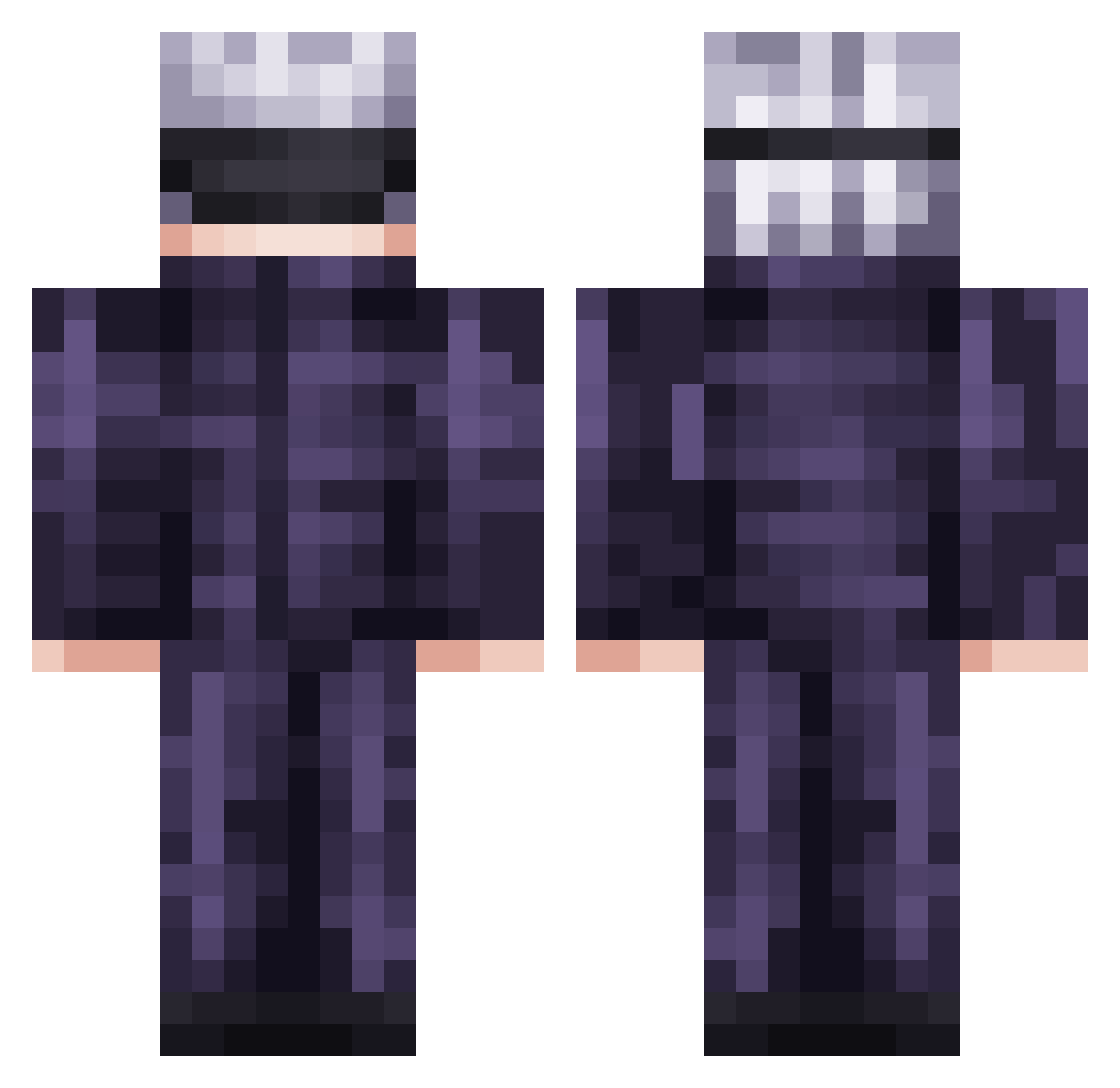
Current Minecraft skin of the player ChazNiz, loaded from the official Mojang API. Rotate the 3D model with your mouse or finger, then download the skin as a PNG file and use it in Minecraft: Bedrock Edition or Java Edition for free. When ChazNiz changes their skin, this page updates automatically and the old skin stays in the history below.
Other players with this skin (736)
ChazNiz was the 125th player we have seen with this skin, first spotted on 14.08.2026. The same skin was seen on these players. Open a nickname to see their current skin and skin history.
 nabirium PrinceP_87 CharlyCano Kitana21 Laurent09765 JarrettBrowder enyawn Crikey81707 Dayoxx_91 ame0x1 Ayo_Vital SHREEDHAR95 G41actic ElMaxxxx MassaBlank El_Ebok Jerszki Splashnayy BeanBalll Felingair ggnekito_LlsDf nineseventwo__ SPY_TAMASHI FoxydevMC x36239264 ARIF2K hiroto1129w hvkcraft ScribbleScrub79 VictorzyJR Kezoko91 C_moi_Lois zClouDNiNe DJFINN43 Ricsi95 HoodNiko JakeVvv23 xsamed4 Houndy7 wyn1
 Haru_0309 TigerFighter9 WallyWhy ALECAPON SuperiorGrade rFriedRice dyzio098 vJAMIN Martilleador lovelyne001 BakaOniiiChan Evin96 Rykopr1me FauxData KrUsTy_MuStY123 So_azz OU4 MinadeTwice MainStyle69 POWERlessLEAF
More Satoru Gojo Minecraft skins
See all 1318 Satoru Gojo skins
How to install the ChazNiz skin
- Press the Download button above to save the skin as a PNG file.
- Minecraft: Bedrock Edition (PE): open the Dressing Room from the main menu (or tap your character → Edit Character), go to Classic Skins → Owned, press the + (new skin) button, choose the downloaded PNG and pick the Classic (Steve) model. Works on PC and mobile; consoles cannot import custom skins.
- Minecraft: Java Edition: open the Minecraft Launcher, go to the Skins tab, click New Skin, load the PNG, pick the Classic (Steve) model and press Save & Use. You can also upload it at minecraft.net → Profile → Change Skin.
The skin does not show up after import - what should I do?
Restart Minecraft and open the Dressing Room again - imported skins sometimes appear only after a restart. Also make sure you selected the imported skin and picked the Classic (Steve) model.
Which model should I choose, Classic or Slim?
This skin is designed for the Classic (Steve) model. If you pick the wrong model, the arms of the skin will look stretched or squeezed.
Is the skin of ChazNiz free to download?
Yes. Press Download, save the PNG file and use it in Minecraft: Bedrock Edition or Java Edition - no payment or registration needed. The skin also works on multiplayer servers and Realms.
More skins
Looking for more? Go back to all Minecraft skins and check the top skins of the week, month and all time, or find any player's skin by nickname.