
CharizardX1 - Minecraft Skins & Skin History
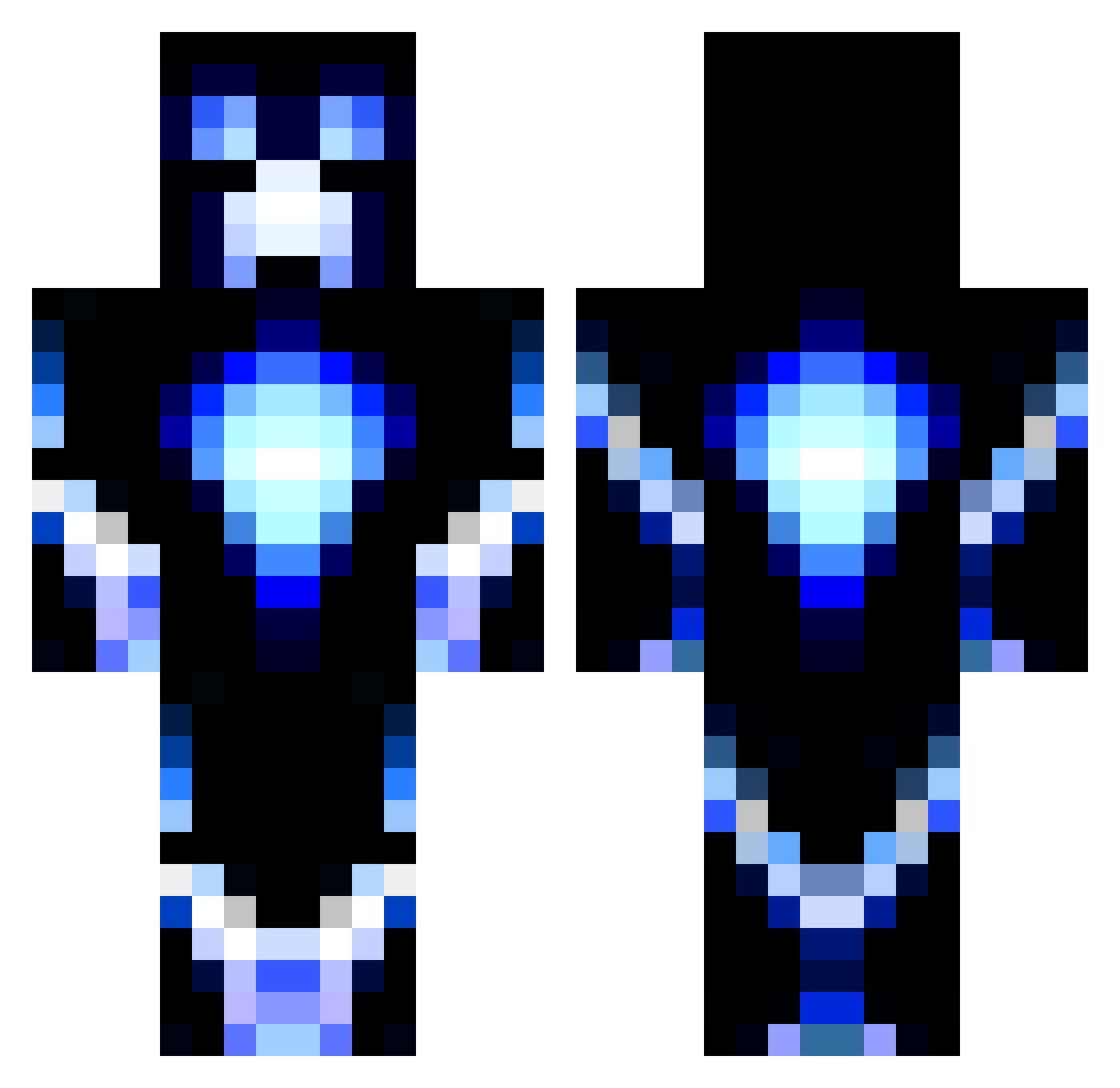
Current Minecraft skin of the player CharizardX1, loaded from the official Mojang API. Rotate the 3D model with your mouse or finger, then download the skin as a PNG file and use it in Minecraft: Bedrock Edition or Java Edition for free. When CharizardX1 changes their skin, this page updates automatically and the old skin stays in the history below.
Other players with this skin (1452)
CharizardX1 was the 1410th player we have seen with this skin, first spotted on 16.11.2026. The same skin was seen on these players. Open a nickname to see their current skin and skin history.
 RAFGAN minibagg munday12345 pikacu99 18_Rabbit Superprinsesse Nixster101 BlackStorm97 Romulus46 minehorse1 TheGreatGiorgio AtomTheGenius Tyr33_Robo Ars_Ludus John398 Brad_Willis bigmike041601 lastcavalier lowrider321 SomethingRandom2 thoughtlesskillz meneertjeTT sjakiel123 bigboybradley27 spencersibold st3aling orion_707_ Lean_boi CGisaboss74 JasonLai5 kingshotts yumyum18 White_Rabbit_16 mikolajninja 519Andrew jolanmats VishyAG UrbanFireball MacroGhasts oscarlilou TFM40 CaptainBloodLoss APSSN11 Redacted__s Nexonorous Ema61 FelixLP1 BenTheTechGuy deathcon888 JC0265 Golden_Shadow16 ironluc13 saxstad JOKERJFG x3DSN1P3zZ Miicounet BJ761762 EmporerJustin ninjanoah82 Voshi
More Glowing Minecraft skins
How to install the CharizardX1 skin
- Press the Download button above to save the skin as a PNG file.
- Minecraft: Bedrock Edition (PE): open the Dressing Room from the main menu (or tap your character → Edit Character), go to Classic Skins → Owned, press the + (new skin) button, choose the downloaded PNG and pick the Classic (Steve) model. Works on PC and mobile; consoles cannot import custom skins.
- Minecraft: Java Edition: open the Minecraft Launcher, go to the Skins tab, click New Skin, load the PNG, pick the Classic (Steve) model and press Save & Use. You can also upload it at minecraft.net → Profile → Change Skin.
The skin does not show up after import - what should I do?
Restart Minecraft and open the Dressing Room again - imported skins sometimes appear only after a restart. Also make sure you selected the imported skin and picked the Classic (Steve) model.
Which model should I choose, Classic or Slim?
This skin is designed for the Classic (Steve) model. If you pick the wrong model, the arms of the skin will look stretched or squeezed.
Is the skin of CharizardX1 free to download?
Yes. Press Download, save the PNG file and use it in Minecraft: Bedrock Edition or Java Edition - no payment or registration needed. The skin also works on multiplayer servers and Realms.
More skins
Looking for more? Go back to all Minecraft skins and check the top skins of the week, month and all time, or find any player's skin by nickname.